

15 Open Source Chatbot Frameworks to Use in 2022

TLDR: Microsoft Bot Framework, Google Dialogflow, Intercom, and Drift are our top open-source chatbot frameworks at the moment. However, there is more to dig in! It’s thrilling to see how technology is shaping our world and making it a better place. It helps human beings be more productive with less amount of effort spent.

Amongst many terrific inventions which are resulted in the development of technology, chatbots may be the most significant one.
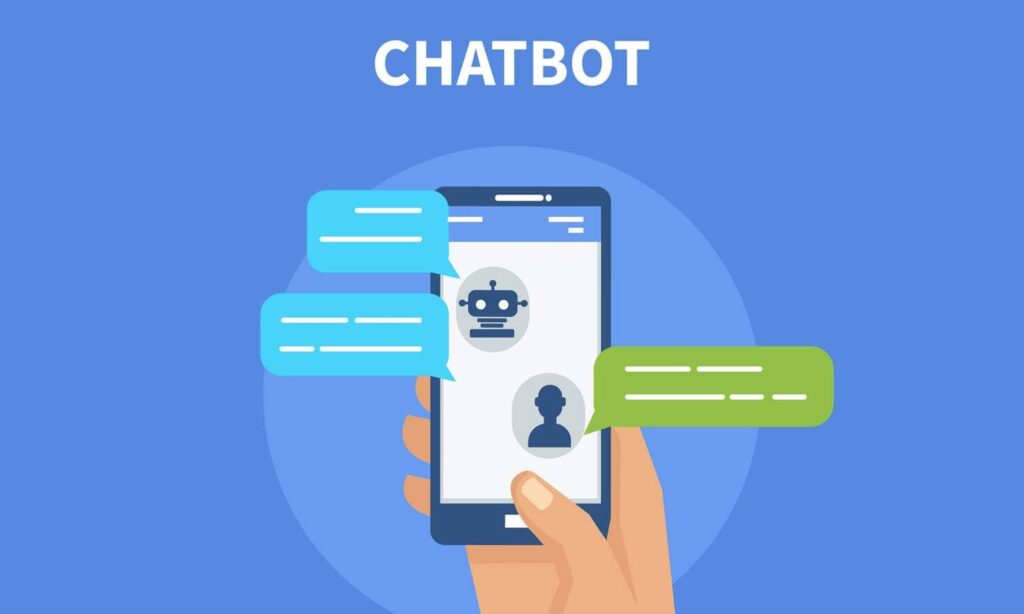
According to research by Invesp, these humanlike tools can help businesses save up to 30% of the cost used for customer support services. It’s all thanks to the fact that they successfully reduce lead time and can answer up to 80% of common questions or requests submitted by customers.

Best Open Source Chatbot Frameworks that You Should Know

Nevertheless, the number of chatbot frameworks in the market is definitely countless. As a consequence, to help you find out the most suitable chatbot framework, people at Designveloper has this piece to show you the best open source chatbot framework at the moment!

Before reading this article you should know the basics of a chatbot: What Is a Chatbot And How Does It Work?

1. Microsoft Bot Framework

Microsoft is known for its popular OS – Windows, the Microsoft Office Suite, and many other technology products. And in 2016, they launched a framework that allows developers to build their own chatbots for their software. Accordingly, in this framework, you can develop, connect, test and deploy your chatbots with the help of their experts.
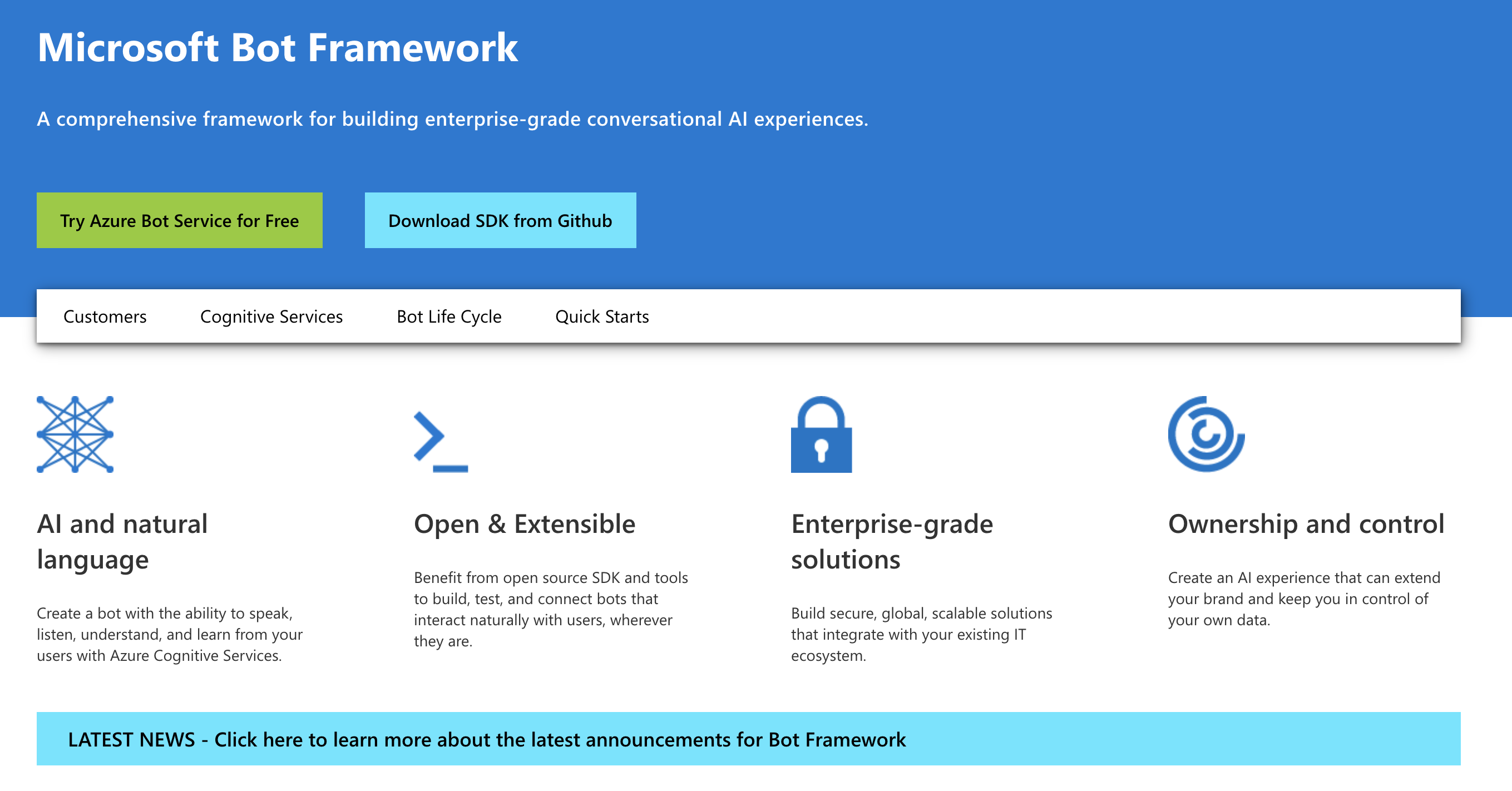
Microsoft Bot Framework

Upsides:

  • You can easily design the conversation flow of your chatbot.
  • Chatbots from Microsoft Bot Framework can collect information by asking a set of formatted questions.
  • There are several chatbot templates for you to choose from (basic bot, form bot, language understanding bot, question and answer bot, proactive bot)

Downsides:

  • Users meet connection issues from time to time.
  • This product does not have a large community to discuss the tool.
  • You need to know about programming to run this bot.
  • There is a learning curve when users need to access more features and functions of the chatbot.

Compatible communication channels: Facebook Messenger, Slack, Skype, and Cortana.

Pricing: depending on many factors, communication channels, amount of message, level of support, for example. They offer free plans

Significant clients: Laliga, Telefonica, Adobe, etc.

FURTHER READING:
1. 8 Best AI Chatbot Smartest AI Chatbot in 2022
2. 5 Best AI Chatbot Platforms to Use for 2022
3. Create Chat App in Meteor in 40 Minutes

2. Google Dialogflow

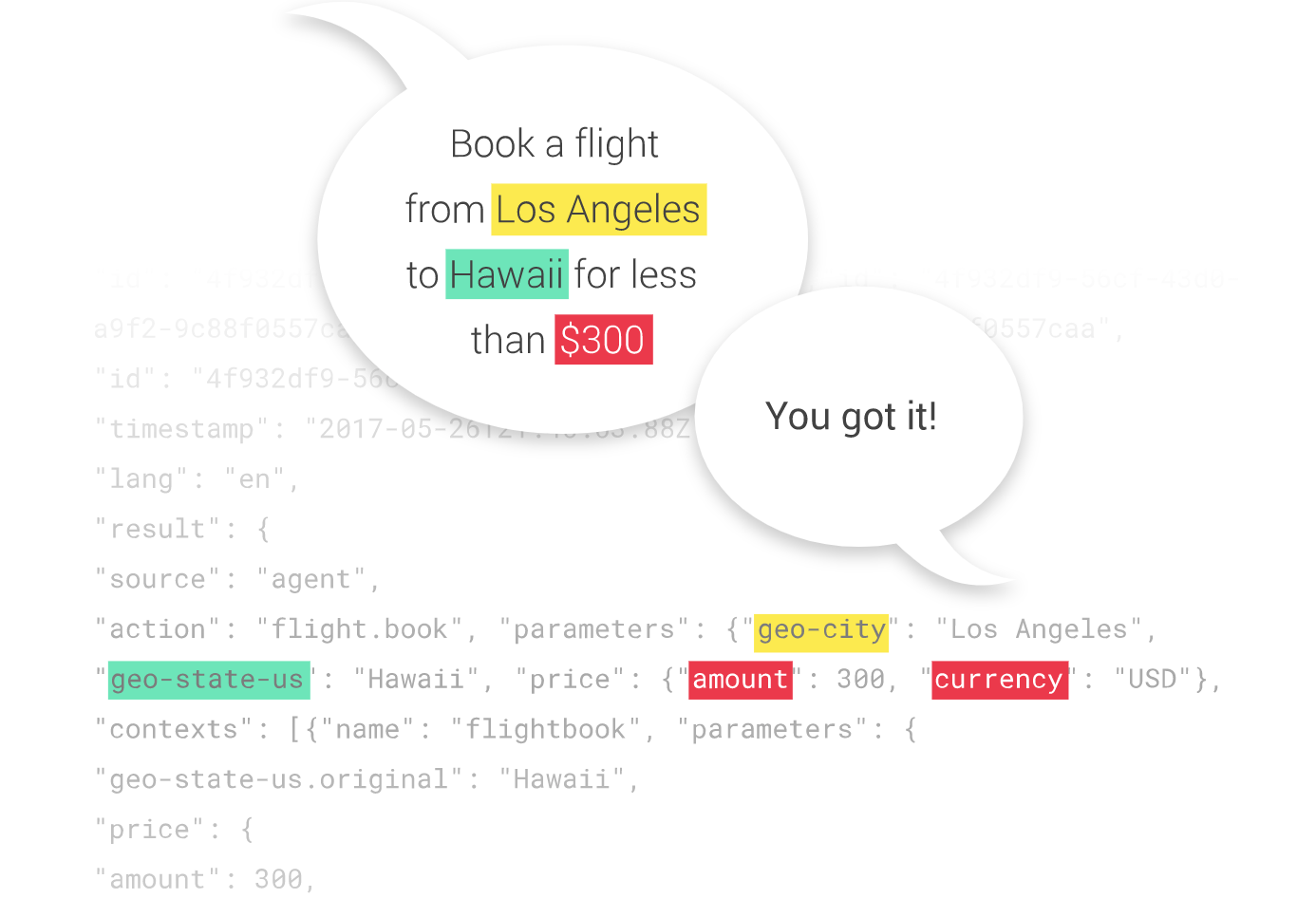
Different from other chatbot frameworks, Google names its chatbot “agent”. So, let’s see how this giant guy is doing in this $17.17billion-worth market.
chatbot frameworks

Upsides:

  • This framework is powered by Google’s machine learning technology. As a result, its potential is huge.
  • Google Dialogflow can build chatbots that run on many kinds of platforms.
  • It provides users with built-in analytics.
  • Dialogflow’s agents are able to understand the natural language.
  • The product is scalable when your business gets bigger.

Downsides:

  • Even though the framework is easy to use but people find it hard to integrate the product into their system.
  • Just like Microsoft Bot Framework, users need to know about coding beforehand.
  • It’s restricted to API’s.

Compatible communicating channels: multiple types of apps, websites, Amazon Alexa, Facebook Messenger, etc.

Pricing: Free or pay-as-you-go.

Significant clients: Comcast, Domino’s, Singapore Airlines (and maybe Google themselves).

3. Intercom

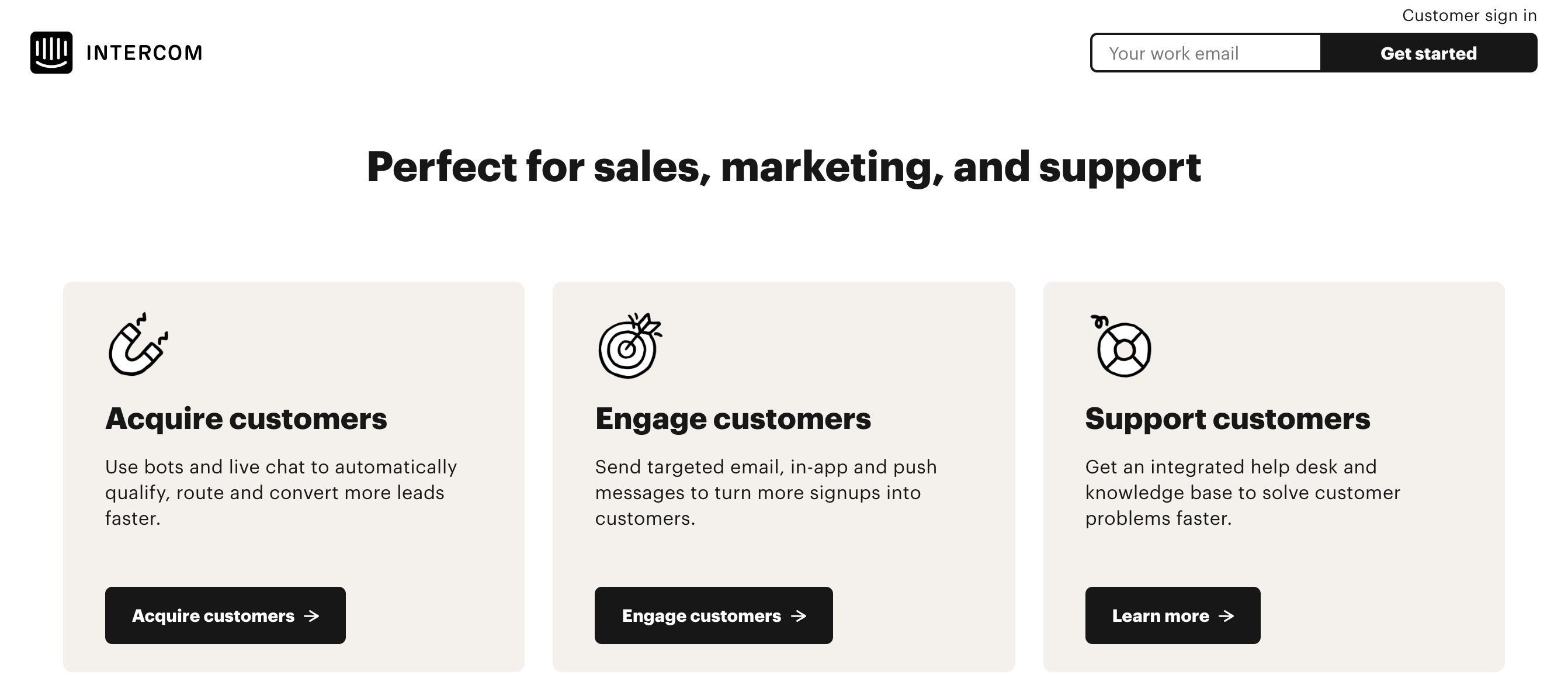
Intercom is one of the most appreciated chatbot frameworks at the moment. It does not only provide solutions for better customer relationships but also has a product to help your users get to know the service.
chatbot frameworks

Upsides:

  • The framework and its chatbots can support multiple languages.
  • Clients are supported by their sales team and specialists.
  • The process is easy to use and has beautiful UI/UX.
  • CS staff can switch between multiple conversations at the same time.

Downsides:

  • Users need a third-party service for knowledge base SSL.
  • Chatbot reports are unclear and lack important ratios.
  • Clients counter many teeny tiny bugs while using the framework (file uploading, photo resizing, etc.)

Compatible communicating channels: Facebook, website, Slack, etc.

Pricing: From $33 – $99.

Significant clients: Sotheby’s, Atlassian, Shopify, Housecall Pro, Unity.

4. Drift

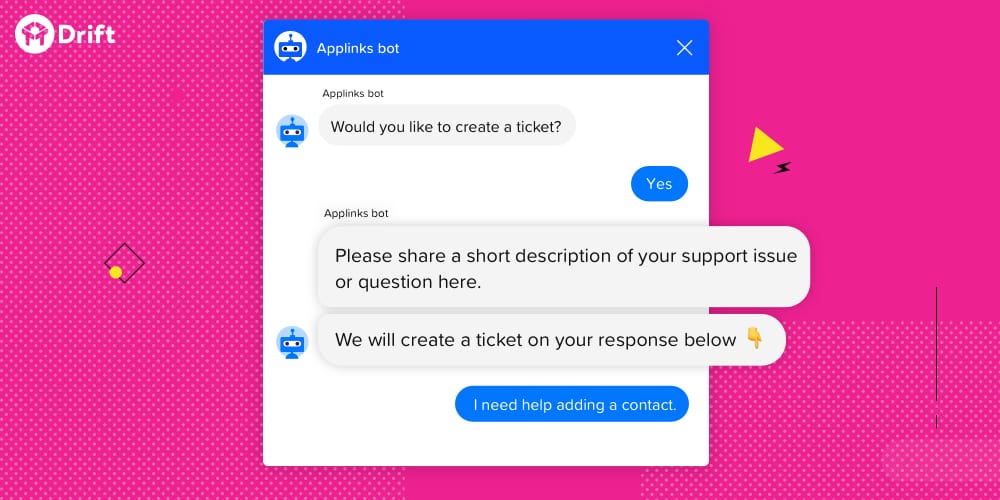
Just like Intercom, Drift is a whole next-level system that allows you to communicate with customers more effectively. Besides chatbot, it also offers live chat, account-based marketing, email marketing, email bot, etc.
chatbot frameworks

Upsides:

  • This product can automatically book meetings for the sales team.
  • Its chatbots are integrated with many knowledge base tools like Zendesk, Help Scout, Help Docs, etc.
  • The drift team also published a lot of resources so that their clients can do research and learn of this system easier.
  • The chatbot is able to qualify leads and recognize old visitors.
  • Many businesses considered it an affordable service.

Downsides:

  • Notifications are slow sometimes.
  • There is some trouble when integrating it with other services (Hubspot, Salesforce)
  • The report template is a bit clunky.

Compatible communicating channel: website.

Pricing: starting from $40.

Significant clients: 15five, TradeGecko, OrderMark, CoreCloud, etc.

5. ChatterBot
chatbot frameworks

ChatteBot was created by Python and is able to respond in different languages as it can be trained in any desired language.

Pricing: $37 for front-end.

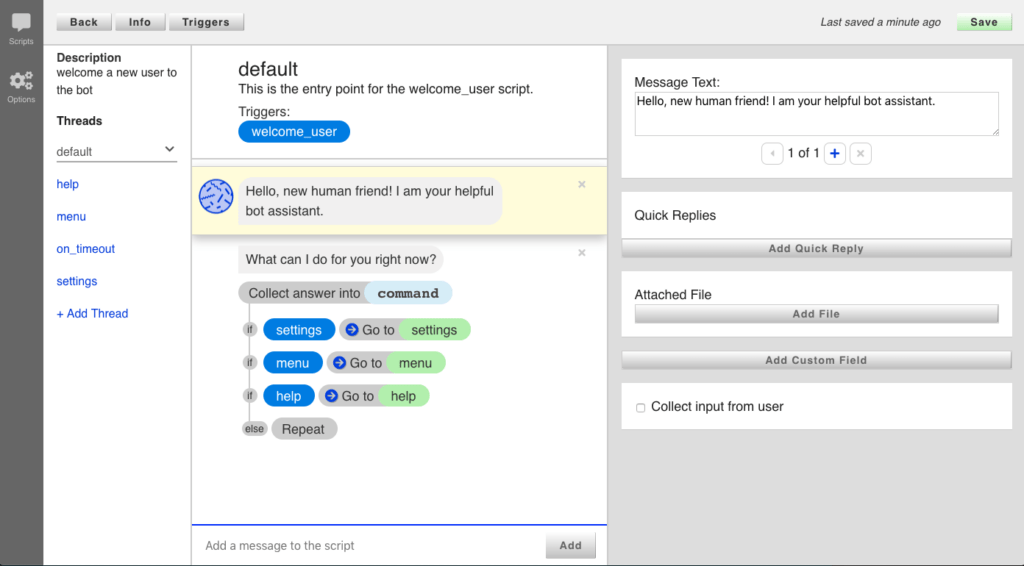
6. Botkit
chatbot frameworks

This is an open-source chatbot framework developed by Microsoft itself. Its website gives us a full picture of how to develop it in a concise and detailed manner. Besides, you can get help when facing trouble in Slack which is a community of 10000 developers.

Pricing: free.

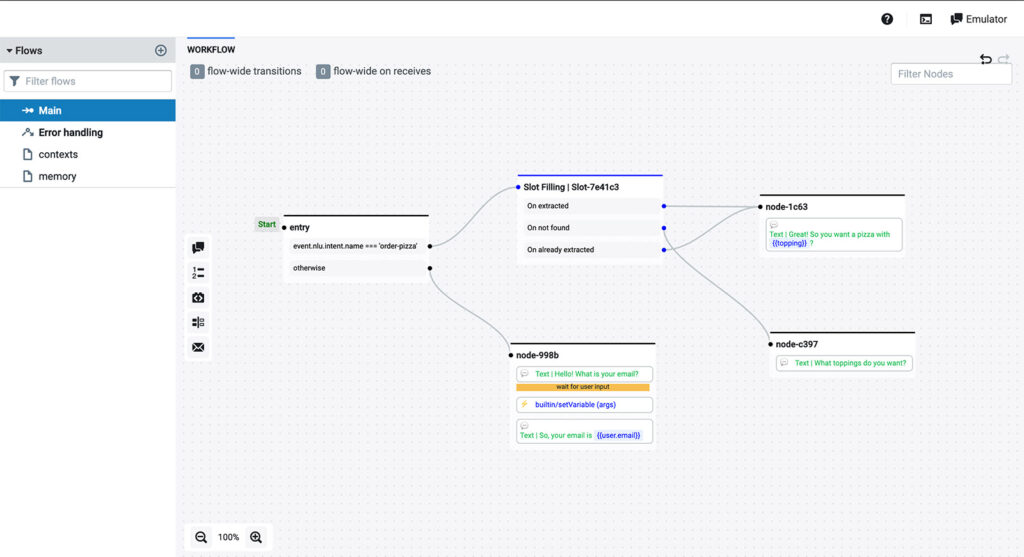
7. Botpress
chatbot frameworks

This chatbot framework is tested by developers from all around the world so that bugs and errors are limited and features are upgraded. However, the provider also offers a paid chatbot builder that best suits large-scale companies and enterprises.

On the whole, analytics and reporting and human-in-the-loop are two of its most useful and insightful features.

Pricing: contact.

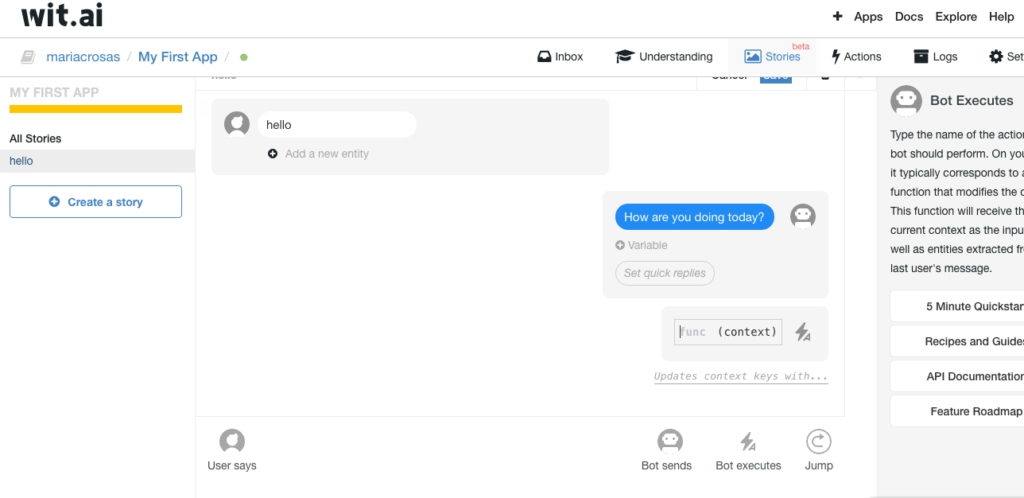
8. Wit.ai
chatbot frameworks

Similar to Botkit, Wit.ai is a tech giant, and it’s no other than Facebook. Since its acquisition in 2015, Wit.ai has become the best choice for many businesses.

For example, Aisa Holmes is a bot that uses the Wit.ai NLP engine to support real estate companies to answer clients.

Additionally, this free and open-source chatbot builder is able to support 132 languages with voice control features.

Pricing: free.

9. IBM Watson
chatbot frameworks

IBM might be the most famous chatbot at the moment. Presently, it is aimed to help enterprises optimize processes and solve problems with insights to predict and shape outcomes.

The chatbot development framework offers 4 main functions:

  • IT operations
  • Customer service
  • Risk and compliance
  • Financial operations

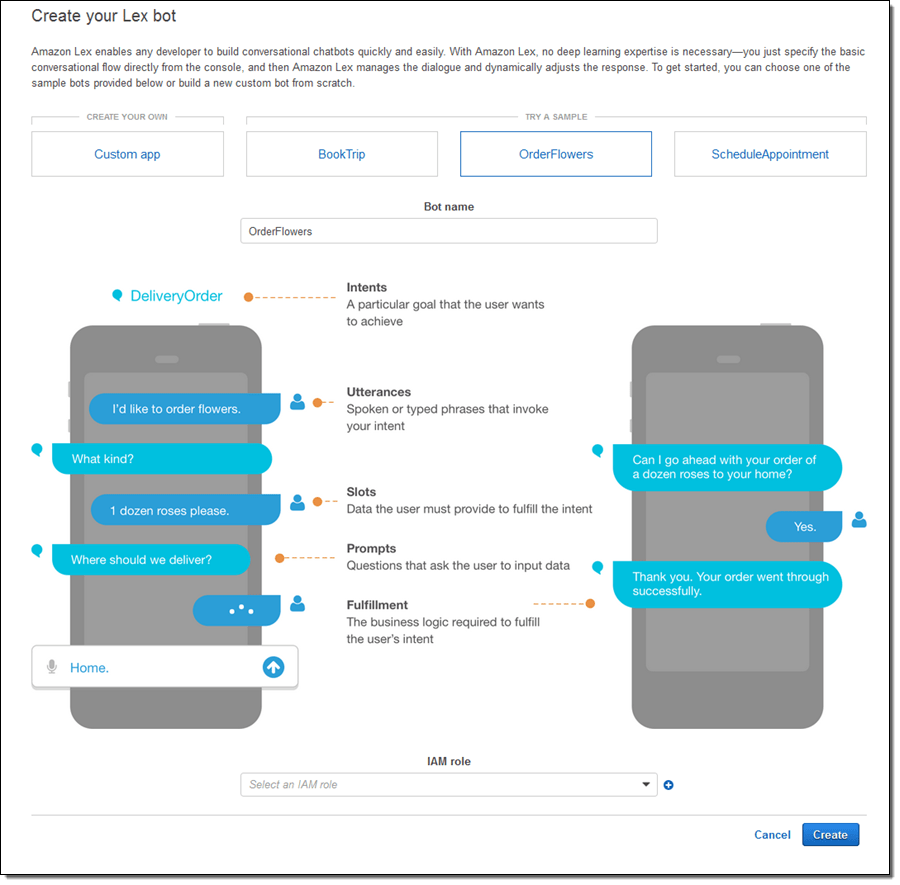
10. Amazon Lex

chatbot frameworks

Amazon Lex is a framework that lets developers build conversational user interfaces for any app they want using text and voice. Using a wide range of Amazon’s technologies makes the framework work better. Specifically, this system employs Amazon Cognito to check if a user is who they say they are. After that, the audio is turned into text with the help of a system that automatically recognizes speech.

Upsides:

  • Because it has self-scaling features, the developer doesn’t have to take care of the infrastructure and hardware in order for the bot to grow.
  • It makes it possible to deploy to a number of platforms with just one click because it helps those platforms.
  • Create, test, and deploy chatbots without leaving the Amazon Lex console using its intuitive interface.
  • Speech recognition of a high quality and the ability to grasp natural language.
  • Integrations with HubSpot, Zendesk, and Salesforce are available.

Downsides:

  • It does not support multiple languages. English is the only language that can be used with the framework.
  • Using the framework to prepare data is a difficult way to do things.

Compatible communication channels: Slack, Facebook Messenger, Twilio SMS, and Kik.

Pricing: Amazon Web Services figures out the cost of using this framework based on the total number of requests. This is different from other frameworks, which have a set monthly rate.

Significant clients: Vanguard, OSU-OKC, Dropbox

11. Botsify
chatbot frameworks

The Botsify chatbot framework was made so that Facebook Messenger could do business successfully through Facebook pages. Accordingly, this is what made people want to make the framework. With Botsify, you don’t need to know how to code before you can make a chatbot that works.

Upsides:

  • It’s great that Botsify works with Google Sheets, websites, eCommerce platforms like Shopify and WordPress, and other platforms and apps.
  • Customers say that when they use it, they have a good time.
  • It responds to you almost right away and does what you tell it to do.
  • It only gives intelligent feedback. 
  • There are already-made templates that make it easy to put together chatbots quickly.
  • It’s easy and quick to connect to websites and other services.

Downsides:

  • The user interface is not as simple to use as other available choices.

Compatible communication channels: Website, Messenger, WhatsApp, Telegram. WordPress, SMS

Pricing: Starting from $40.

Significant clients: Amazon, Shazam, and Universal Media Group

12. Rasa
chatbot frameworks

The Rasa Stack is a conversational framework that can be downloaded for free. Rasa is mostly made up of the Rasa Core and the Rasa NLU. Additionally, it is the infrastructure layer that gives developers the tools they need to build, improve, and use smarter AI assistants. It is a framework for machine learning that can automate both text-based and voice-based assistants. Finally, the architecture will give the tools and infrastructure that the assistants of the future will need to be contextual, resilient, and high-performing.

Upsides:

  • The framework makes it possible to make chatbots that are very personalized. 
  • The developer can use a wide range of processing pipelines to handle conversations with users.
  • If you want to, you can use the chatbots as simple HTTPS servers.

Downsides:

  • On the server side, chatbots built with the framework take up a lot of resources.
  • It doesn’t have direct connections to chat systems that are already set up and ready to go.

Compatible communication channels: Facebook Messenger, Rocket.Chat, Slack, Telegram, and Twilio.

Pricing: Customized pricing.

Significant clients: T-Mobile, helvetia, Orange, Raiffeisen

13. Tidio
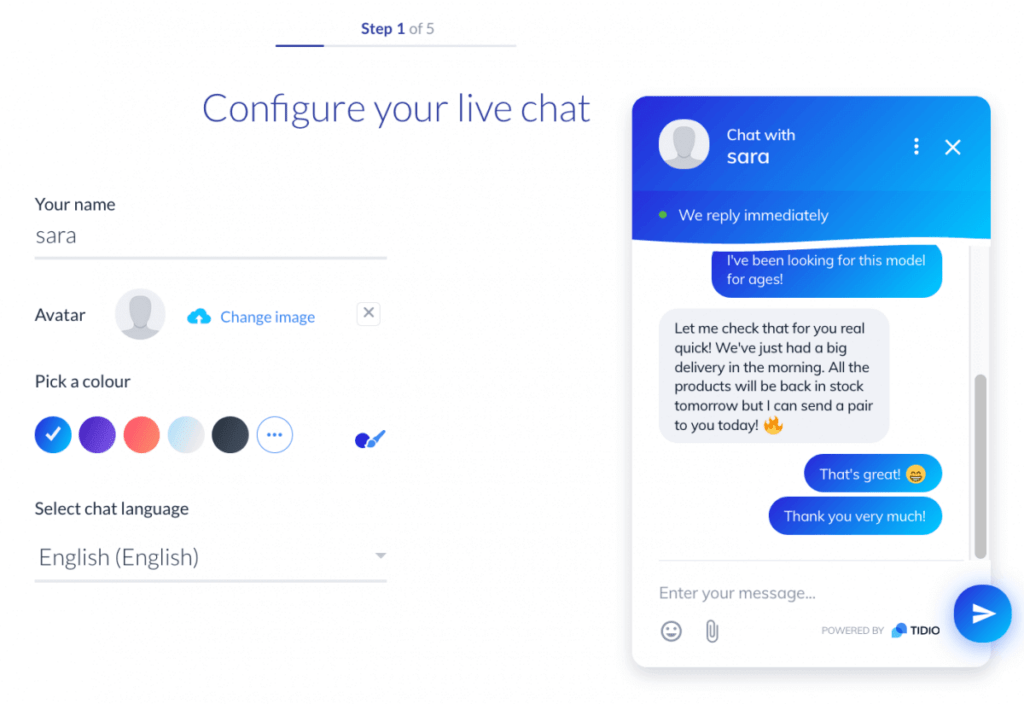
chatbot frameworks

Tidio offers an elegant approach for your business to meet its chatbot needs. For instance, you can reach your business goals if you use Tidio to connect with more customers, increase sales, and reach your goals. The user interface is nice to look at, easy to understand, and can be changed completely so that it fits each business’s needs. Also, the fact that it is possible to use multiple channels at the same time makes it an easy answer for any business.

Upsides:

  • Gives you a plugin that you can use to connect your chatbot to any WordPress-based website. WordPress is by far the most popular system for managing content on websites.
  • When a user sends a message through the Tidio platform, their IP address, name, and email address are automatically tracked. This information is a very important part of the advertising.
  • By using a subscription platform like Tidio, which can also collect leads on your behalf, you can save a lot of money.
  • Both Android and iOS users can get the Tidio app. With the app on your phone, you can talk to people, and you won’t miss any messages.
  • You can also link your Facebook page to the same account so that you can use the chatbot to talk to customers who find you on Facebook as well as on your website.

Downsides:

  • There is not a system for purchasing tickets.

Compatible communication channels: Facebook Messenger, Instagram, WordPress

Pricing: Free, chatbots ($39/month), communicator ($15/month), mailing ($15/month).

Significant clients: Motiv, Videlio, HealthEngine

14. Pandorabots
chatbot frameworks

PandoraBots is one of the oldest and most popular open source chatbot frameworks for building chatbots that are still in use today. It started in 2008, and there are now more than 250,000 creators in its community. In summary, Pandorabots uses a programming language called Artificial Intelligence Markup Language (AIML) to write the script for the chatbot conversation (AIML). It has paid premium libraries and modules like the Mitsuku Module, as well as free and open-source libraries like ALICE, Rosie, and Base Bot. This is on top of the available paid premium libraries and modules, such as the Mitsuku Module.

Upsides: 

  • It lets you build an AI modeling language in any natural language you want.
  • It can be changed and grown in a lot of ways.
  • Both software developers and customer experience (CX) designers can easily use the chatbot platform.

Downsides:

  • Simple statistical analysis.
  • There are no direct interfaces with eCommerce systems.
  • In Pandorabots, the chatbot is unable to initiate a discussion on its own.

Compatible communication channels: Website, Facebook Messenger, Telegram, WhatsApp

Pricing: Free, developer plan (starts at $19 for 10,000 messages a month), pro plan ($199 for 100,000 messages a month).

Significant clients: Walmart, Barclays, American Eagle Outfitters

15. Chatfuel
chatbot frameworks

Chatfuel is a modern platform for building chatbots that can be used with the Facebook Messenger messaging app. Furthermore, it has been used to make more than 350,000 different bots, making it one of the most popular open-source systems for Facebook Messenger-based chatbots.

Upsides: 

  • The framework will tell the chatbots to ask customers questions about the topics you choose. This will lead to a meaningful conversation with your customers.
  • When a user on the platform starts a chat session, the platform alerts the right people and starts a conversation with the consumer through its chatbot.
  • You will be completely happy with its excellent customer service and dynamic reporting interface.

Downsides:

  • The initial setup takes a considerable amount of time.

Compatible communication channels: Website, Facebook Messenger, Instagram

Pricing: Free, pro ($15 a month), premium, and agency (customized).

Significant clients: Netflix, Visa, Levi’s, Nissan, Lego

There Are More Excellent Open-Source Chatbot Frameworks to Explore…

…this is our top 9 at the moment, if you know some other fine chatbot framework, ping us now! And in case you want to build your own chatbot with customized features, talk to us immediately because we can help.

Designveloper is a Vietnam-based software outsourcing company that offers various services ranging from software design, and software development to business consulting!

Don’t forget to follow our Facebook, Twitter, and LinkedIn for more articles.

The post 15 Open Source Chatbot Frameworks to Use in 2022 appeared first on Designveloper.


October 05, 2022 at 11:11AM
Share:

How To Outsource Web Design Effectively In 2022?

Today, if you want to run a small business, you need a website. The question is how to make one. You could do it yourself, but if you don’t have any experience, it might look homemade. That isn’t a look you want associated with your business at all. This makes it profitable to hire someone else to design your website. How to outsource web design? If you want to know the answer to that question, you’ve come to the right place.

If you are still unsure about whether or not to outsource your web design, this article will also help. We’ll walk you through the process of outsourcing web design and the available options.

But before that, let’s dive into the definitions and contexts surrounding web designing of today.

What Is Web Design?

The way a website looks and feels is called its “website design”. Design elements include the user experience, how website visitors move around the site, and how the design affects what happens to website visitors. For example, do you want people who visit your website to buy things? If you answered yes, then you need an e-commerce component. Is there a way for the website to bring in leads? What should the landing page look like if you want to get leads through an email course? In this case, you will need to hire a designer. They will make a landing page that will entice potential customers to enter the sales funnel for your business.

Web designers use a wide range of tools and technological solutions when making websites. Two of the most popular design programs are Adobe InDesign and Photoshop, as well as InVision. They also use languages like HTML and CSS to write code (Cascading Style Sheets). There are even free landing page builders that can help you put together an effective landing page. Skilled designers should keep in close touch with their clients throughout the design process. This is to make sure they are giving their customers what they want.

Recommended reading: The Basics of a Good Web Design Firm: What To Look For

What Does A Web Designer Do?

What is web design?

Before you outsource, you should know a lot about the work that goes into web designing. This will give you a good idea of what to expect from the company. People often mix up the words “web designer” and “web developer”. Still, they don’t do the same things in any way. There’s no doubt that a web developer and a web designer work closely together on many projects. However, to make things clear, let’s look at what each job entails:

A web designer is in charge of both the way a website looks and how it makes its users feel. Simply put, this person is in charge of how a website looks and how it works. A web designer has to make sure that the user experience is part of the design of a website. They also must take into account the site’s color palettes, branding, typography, and readability.

A web developer uses computer languages to turn those designs into a website that is live, fully functional, and error-free. To put it another way, this person is in charge of making the user interface that people use to interact with websites.

As a professional web designer will know about programming, the two jobs often have a lot in common. 

Why Should You Outsource Web Design?

Imagine that you need to hire an outsourcing company or that your staff isn’t doing their jobs well. If this is the case, you should probably rethink your plan. You should also think about how outsourcing your work could help you. Let’s take a look at why making such a move in terms of web designing might help.

The Statistics

The appraisal of digital items is heavily influenced by the user’s own preferences. As a result, evaluations of notions like “good design” and “poor design” are based only on the responses of users. In addition, research has uncovered a number of fascinating trends in the ways that users evaluate designs.

  • 75% of people make decisions about the reliability of a firm solely based on the visual design. Users are more likely to have doubts about the relevancy of a company’s goods or services if the design of the website appears to be out of current. This may sound like a lot, but it’s really not. When does design become “obsolete,” you ask? According to Business 2 Community, the “lifespan” of a website is typically between 1.5 and 2.5 years. After this era, it will definitely require a rethinking.
  • The first impressions that a user gets are directly tied to the design 94% of the time. According to this study conducted by the ACM, 94% of the responses were design-related (layout, lack of navigation, color, pop-ups, excess text, poor search tools). Just six percent of the comments discussed the actual substance of the website. ACM conducted a survey of website users in the healthcare industry; nevertheless, the results are applicable to users in other industries as well.
  • It just takes website visitors 0.05 seconds to create an initial opinion regarding the design of your website. Visitors to your website won’t have time to read anything or click on anything during that little interval of 0.05 seconds. They will make an opinion based purely on the design of the visuals.
  • The answer is yes, consumers do prefer websites with beautiful designs; in fact, 38 percent of visitors would quit interacting with your site if the layout and content are ugly. And it’s not just the visual appeal; it’s also the quality of the content that’s presented on the resource, such as the loading speed, the structure of the pages, the maintenance of symmetry, the concordance of colors and fonts, the white balance, and so on. If visitors dislike any component of the design, they will not proceed past the website’s home page, rendering the website inaccessible to them.
  • Before committing to a purchase, 85 percent of business-to-business clients conduct online research first. And the overall design and feel of your website are the primary factors that contribute to people’s first impressions of your business.

5 Reasons You Should Outsource Web Design

It shouldn’t be a surprise that more and more businesses are choosing to outsource web design. We want you to know the main benefits of outsourcing web design in order to explain why this is the case.

1. Cost

The cost of insourcing is more than that of outsourcing. If you want todo a project but don’t have a lot of money, the best thing to do is give tasks to people who have the skills and tools to do it. The best thing to do is to give tasks to people who know how to do them.

Why should you outsource web design?

When you outsource your web design work, you can save a lot of money. A team of web designers from a country with better tax laws and lower overall rates of worker compensation will benefit.

2. Flexibility

Outsourcing web design gives you more freedom in two ways: first, you can focus on higher-level work, and second, you can offer a wider range of services. This could mean making a mobile app to reach more people. Or it could mean changing the features on your website to get more leads, which means more sales. If you already know that your ideas can be put into action, you can scale them more effectively.

Another thing is also that you can better be equipped to industry changes. The field of information technology is always growing. If your team can’t keep up with all the changes happening in web development, you should think about outsourcing. When people work together in this way, they can get results in a short amount of time.

3. Expertise

No matter how smart the people on your in-house team are, if web design isn’t their main job, you should hire an outside agency that specializes in web design or a web designer who works for themselves. They will almost certainly have more experience in the field. When making complicated websites for a large number of people, having a wide range of skills is very helpful.

When a group has more experience with a certain technology, it can do more tasks successfully. With the help of a company that specializes in web outsourcing, you can always be sure to find the right professional with the right set of skills and knowledge.

Recommended reading: 7 Things to Ask Web Designer Before Signing the Contract

4. Time

One of the reasons why business owners outsource is that they already have too much to do. If the number of tasks for a project is higher than the amount of time you have, your first priority should be to make sure that the work is spread out evenly. According to research done by Kinvey, it takes about 4.5 months to finish making a minimum viable product (MVP) for an application made for either iOS or Android.

Your in-house web design team might spend a lot of time building something like a web application, but they also need to be able to work on other projects at the same time (e.g. maintaining your existing website). One of the benefits of using an outsourcing service is that it lets you focus on the task at hand.

5. Talent Pool

When you have access to a large pool of talent, you can choose the people who have the best qualifications. This means that the work is usually done in less time. Let’s say you’re currently working on a short-term project that requires specialized skills. Instead of hiring a web designer to work in-house, you should hire a third-party company to design your site.

When it comes to designing or building websites, outsourcing gives you access to a large talent pool. For example, if web design is not your company’s main focus, you might not know about the latest technological advances. On the other hand, teams that are hired from outside are always up to date on the latest web design trends and can choose the best solutions for their clients.

How Much Does It Cost To Outsource Web Design?

When you look for work related to outsourced web design, you’ll find that prices can be very different. There are designers who are willing to work for almost nothing. There are also teams of professionals with years of experience who can charge up to $100,000 for their services. Some of the cost will depend on how hard the job is. Price is affected by things like the number of pages, the level of functionality, and the number of extra features.

A simple website with just three pages and a contact form can cost several hundred dollars. For a small business, it can cost anywhere from $3,200 and up to make a beautiful, professional information website with typical settings. At least $10,000 will be needed for a custom web development project with 50 pages.

Depending on how complicated the site is, prices can range from $25,000 to $75,000. It will be for a website with multiple pages that connects to a database or for an e-commerce site with a lot of features. But these numbers can change depending on how many features the site has and how much you ask of it. If you want more accurate calculations, please get in touch with us so we can give you a price estimate.

For now, let us visit some of the factors that might influence the cost of outsourcing web design.

2 Factors That Affect The Web Design Outsourcing Costs

Due to the fact that each website design project is different, the costs can vary quite a bit. Still, there are two main things that affect the price the most.

1. Complexity Of The Design

The less complicated a design is, the easier it will be to come up with. At the same time, the more complicated an invention is, the harder it is to design, and the more time it takes to design because of its complexity.

Take Netflix as an example. The structure of the streaming app is a bit complicated. A lot of time will need to go into making an app like this. Any third-party developer would charge for their time accordingly.

The cost of web design outsourcing

You could, of course, hire a number of independent contractors to work on different parts of the project. However, it might be hard to keep track of such a large group of people. In fact, if you do this, you need to hire a project manager from outside the company. This is to make sure the team works well together.

If your project is simple, like redesigning your website to add a certain feature, you may be able to find a freelancer with the specialized skills you need. Also, if you only need a few small changes, it might not be worth hiring a whole team from an agency to do the work.

Recommended reading: Web Design Business: How Difficult Is It to Start?

2. Business Logic

The business logic, which is made up of algorithms and rules, is in charge of how information moves back and forth between the user interface and the database. Think about how Facebook works. At first, it was a simple service where people could meet new people and make friends. Now, however, users can have video chats, watch movies, share their own stories, buy and sell goods, and even look for work. The program is getting more complicated because new functions and features are being added to it.

Because of this, the costs of keeping the app up-to-date and making it better become too high. This adds more parts, which makes the price go up even more. When building, re-designing, or maintaining an app with many different functions, features, and roles, the costs will be higher than for an app with fewer functions, features, and roles. Before you decide to outsource web design work, you should look at the big picture of your business.

How To Outsource Web Design

When it comes to outsourcing web design work, there’s no one right way to do it. Depending on the type of collaboration you choose, where your outsourced vendor is from, and other factors, the process may go in a different direction. But there isn’t just one right way to do it. Here are some general tips on how to effectively outsource web design:

1. Analyze Your Problems

Before you outsource web app development, you should figure out the goals and challenges of your web development service. Your project’s end goal and needs also need to be in consideration. Even if a third party is hired to make and design a product, the client will waste both time and money if they are not clear about what they want.

Building a website from scratch is not the same as making some small changes to an existing one. You should be ready to give detailed instructions and a detailed description of your project to the company you hire to design your website. This will help the company understand what your website should look like.

2. Know Where To Look

Whether you want a freelancer or an agency, your search for a web designer to hire will take you in a different direction.

When looking for independent web designers, one of the best places to look is on a freelancer platform. This lets you look for web designers with the specific skills you need, sort the results by price, and then compare them. There is also the option of job sites. Even though using job boards can take more time, you will have more freedom in the interview process if you do your job search this way.

You can find companies in almost any part of the world by doing a Google search. However, the sheer number of search results may make you feel overwhelmed. Cut down the list of possible candidates to just those who have worked in your field before and have completed projects that are similar to the one you are working on.

FURTHER READING:
1. How to Choose Reliable Web Design Services?
2. Website Design in Vietnam: What’s in it for you?
3. 7 Things to Ask Web Designer Before Signing the Contract

You can also talk to the owners of other businesses and ask them for advice and ideas.

3. Choose The Model

Before you can choose the best service providers for outsourcing web development, you need to figure out what kind of outsourcing fits your needs best. One of these three things can be done to outsource:

Onshore outsourcing

Onshore outsourcing is when a client wants to send web development work to other places in the same country or territory as the client. When a client wants to outsource a certain service, this type of outsourcing takes place.

When you hire a local company to do the work, you might not think about language and cultural differences. This lets you avoid the risks and costs of teaching your own employees how to make a web product. Even though the quality of onshore web developers, the nearshore and offshore options are much more appealing.

How to outsource web design

Nearshore outsourcing

This type of outsourcing is when a company that works in the same time zone as the client is given the job of making software. The main benefit of nearshore outsourcing is that both the client and the outsourced company come from similar cultures and speak similar languages.

Compared to working from a nearshore or onshore location, outsourcing saves more money on web development costs and makes it easier for a company to run more efficiently.

Offshore outsourcing

Offshore or international outsourcing is when a customer uses an outsourcing service to hire a web engineering team in a different country. By sending the production of digital products to a company in another country, customers can get access to the largest pool of qualified experts without having to spend a lot of money. On top of that, it speeds up all the processes that are going on right now.

You need to pay close attention to this issue and do research to find the best web design outsourcing model for the project you are working on. Before you start, make sure you’ve read all the reviews of the models and asked other businesses about their experiences with different models. Another thing that must be done is to find out the prices of the different models and so on.

Remember to think about the three price models for outsourced projects that we talked about earlier. Once you’ve decided which models are best for your needs, you can start looking for an agency or a freelancer to work with.

4. Start The Hiring Process

Before you hire a web designer, you should always look at some of their past work. Check live websites to see if they aren’t working right or if there are any broken links.

You can look up reviews of both companies that make websites and people who make websites on their own. Be aware, though, that freelancers will only give you their best recommendations if you ask for them. You can get a better idea of how happy a freelancer’s previous customers were by reading the reviews they left on their profile on a platform that helps people find freelance workers.

It’s important to talk in depth about your project with the web designer so you can figure out if they are qualified to do the job. Talk about the problems you’re having and how the web designer plans to help you solve them. Ask the web designer specific questions, like what programming languages they know and what tools you will be using for web design.

Figure out how you will work together with the web designer. Most of the time, agencies already have their workflows set up, but a freelancer is more likely to be willing to do what you ask. Talk about how you will stay in touch and what the project’s key milestones will be.

5. Communicate

A common mistake is to think that once an outsourcing company has been found and the necessary technological tasks have been delegated, the project can be left alone until the web design is done. During the web development process, how well a client organization and a vendor talk to each other has a big effect on the quality of the final product. 

Recommended reading: How to Choose a Web Design Company That Fit Your Business?

Things that used to be a problem, like different time zones, aren’t much of a problem anymore because there are so many ways to talk to people in the modern world. You have full control over the project because you can use tools like JIRA, Asana, Figma, Dropbox, Slack, and InVision, among others. You will also have access to a wide range of easy-to-use messaging apps like Telegram and WhatsApp, which will make it easy for you to stay in touch with the web design team you have hired.

Conclusion

Outsourcing web design is the best choice for the vast majority of businesses, no matter how big or small they are. Because you won’t have much work to do after you build your website, it wouldn’t make sense to hire an in-house designer and would be a waste of money to do so.

If you’re still not sure what to do next, you can get in touch with us. We are a group of experienced people who can look at your website and give you the services you need.

The post How To Outsource Web Design Effectively In 2022? appeared first on Designveloper.


September 29, 2022 at 02:28PM
Share:

What Is C++: Definitions, Strengths & Usages

Almost every digital or electrical thing we use depends on some kind of code to work. Since the first programming languages were made, both technology and programming knowledge have come a long way. However, there’s always been a relative constant: C++ being one of the most popular programming languages. What is C++, though?

In this post, we’ll learn more about the programming language C++, including its definition and usage. We hope that by the time you’re done reading this, you’ll have a better idea of how important the language is not just to the IT industry but also to the whole world.

What Is The Programming Language C++?

Even though it has been around for almost 40 years, C++ is still one of the most used programming languages. It is used by more than 4 million programmers all over the world. Since C++ is a widely used high-level programming language, it is often called the “Swiss Army Knife” of computer languages. It was first thought of as a way to add to the C language, but now it is its own language and one of the most popular ways to program graphical applications. It seems to have come from the language C.

Even though C++ was first made to make operating systems, it now can be used for many different things. It also works on many different platforms, such as servers, personal computers, cloud-based systems, and mobile devices. In general, when using C++, programmers have a lot of control over the memory and resources of the system. 

Recommended reading: Top 7 Web Development Languages To Use In 2022

History

C++ used to be called “C with classes,” but in 1983, it was changed to its current name which roughly means “one higher than C”. Bjarne Stroustrup, a Danish computer scientist, is the person who came up with, designed, and built C++. Stroustrup wanted to make a programming language that could be changed and changed quickly, like C, but with more features.

What is C++?

C++ has been around for a long time even though other languages have been updated or replaced by newer, better ones. This is mostly because the original version is constantly being updated and improved. Over the last 10 years, these changes have been happening all the time, with major new releases and additions to the standard library happening in 2011, 2014, and this year.

It is the fourth most popular programming language in the world right now, according to InfoWorld.

The 7 Advantages Of C++

Why is the programming language C++ still used when so many other languages have been made since 1979? And why do some programmers use it instead of languages that are newer, better, and more popular?

In this part of the article, we’ll break down some of those reasons. We will talk about the benefits of C++, which are what make it useful in the modern world.

1. Object-Oriented 

Object-oriented programming languages organize the different bits of code they create into groups called objects. This reduces the need to repeat code and makes the program more flexible and scalable. Once you know the language well, it will be faster and easier for you to write code in C++.

2. Efficiency

C++ is a “low-level” programming language. This means that it doesn’t hide away from the architecture the computer uses (1s and 0s). Its structure is also similar to that of the processor. In this way, it keeps the straight-forwardness and simplicity of this “low-level” function.

3. Popularity

How popular a programming language is is important. It shows whether or not there is a lot of documentation, tutorials, classes, and other ways to learn it. Programming “problems” can be solved in many different ways, so there are always options available. C++ is used on many different platforms, which is why many companies want to hire people who are fluent in the language. Because of this, most software engineers need to know how to use C++.

Recommended reading: Top 5 Ios App Development Languages: How to Choose the Right One?

4. Versatility

Unlike other programming languages, C++ has been able to stay relevant, useful, and important. This is because it has been able to adapt to changing needs in the same way that those needs have changed over time. It is different from other languages in that it is very flexible and has grown quickly to meet the needs of programmers and software. It is also very flexible because so many have been using for so long. As a result, it is very compatible with the vast majority of other languages and new applications. From facilitating the building of the infrastructure on the client side and to the communication between processors and across networks, it can do it all. 

5. Independence

C++ is a machine-independent language. A C++ program only needs to be written once, and it will work on all platforms, like Windows, MAC, and Linux. Still, it is not platform-independent. This means it makes a different.exe file for each platform it works on.

Advantages of C++

6. Community

Programming languages like C++ have thriving online communities of programmers who help each other solve coding problems and share best practices. This is one of the best things about any programming language for new programmers because it lets them teach others. It is well known that it has a very active online community. This is mostly because experienced programmers have used and improved it for decades.

7. Career Potential

Even though this isn’t unique to C++, the fact that it has so many different uses (and, as a result, needs for skilled developers) makes it one of the best languages on which to build a career as a programmer. In fact, the best job search website in the United States says that the average base pay for a C++ coder is just over $100,000. This is much higher than the pay for many other well-known professional jobs, like teaching and lower-level business management.

Top 5 Usages Of C++

Almost every app on the market today uses C++ in some way, whether it’s Windows, a web browser, your favorite game, or a program for editing videos. Below are some interesting usages of C++.

1. Operating Systems

From the beginning, C++ was made with system programming and performance in mind. As a result, most of the most popular operating systems today, such as Windows, Linux, Android, Ubuntu, and many more, use C++ as their main programming language.

2. Web Browsers

People don’t want to wait for their websites to load, so it’s important for web browsers to have a fast execution speed. Because of this, the majority of browsers use C++ to make their rendering functions. The whole time that Mozilla Firefox is being made, C++ is used. C++ is used to make a number of Google apps, such as Chrome and the Google File System.

FURTHER READING:
1. Top 5 Best Android App Development Languages for 2022
2. The 4 Programming Languages Used by Top Companies
3. 6 Best Trending Programming Languages for 2022

3. Games

One of the benefits of using C++ is that it can handle resources quickly and efficiently because it is fast and close to hardware. It is the most popular choice for video games and game development engines because of this. The language is used to make a big part of both the Unity Engine and the Unreal Engine, for example.

Usages of C++

4. Graphics

C++ makes it easy to implement models for real-time image processing, mobile sensor apps, and visual effects. It makes the language a popular choice for making these kinds of graphical tools and apps. This way of building and developing software can be used in many different fields, such as character design, animation, environment design, motion graphics, and virtual reality.

5. Cloud/Distributed Systems

Systems that are used a lot for cloud storage need to have functions that are more like those of hardware. So, C++ is now the most popular language for building cloud storage systems. It can give these systems the multithreading features they need to build applications that can run at the same time and handle heavy loads. The main programming language used to make Bloomberg’s distributed RDBMS application is C, however, C++ is used to make the application’s development environment and library collection.

Conclusion

By far, the best way to learn C++ as a programming language is to start writing code in it and see how it works. If you’ve never heard of or used C++ before, you should definitely give it a try and see what you can do with it. This is true whether you work in the game development industry, build applications with graphical user interfaces, or write the code that is used to make web browsers and online databases.

The post What Is C++: Definitions, Strengths & Usages appeared first on Designveloper.


September 28, 2022 at 10:24PM
Share:

What Is C#: Definitions, Strengths & Usages

People think that a programming language is of the highest quality when it can be learned quickly, gives good results, and can be used for any project, app, or platform. Today, we’ll talk about C#, what it is and how it can be used, among other things.

C# has been the most popular language for Windows applications and backend architecture for a while now. And there’s a good reason for that. We hope that after you read this essay, you’ll have a better idea of its importance.

Let’s head into it.

What Is The Programming Language C#?

C#, which is also called C Sharp, is a programming language that was made by Anders Hjelsberg. C Sharp used to be called “Cool,” but at some point in the past, that name was changed. It is a high-level object-oriented programming language that is built on top of C, just like C++. C is the building block from which C# is made. 

What is C#?

Microsoft came out with C# in the year 2000. It was made to meet the growing demand for online applications that Visual Basic (VB) and C++ can’t meet. The architecture brings together the best parts of Java and C++. Because of this, programmers who know how to work with C and C++ can quickly learn how to use C#.

Recommended reading: 17 Computer Programming Languages that You Should Learn in 2022

Statistics

Microsoft mostly uses C# among its stack of programming languages. The following facts reflect the precision of this choice:

  • In 2019, StackOverflow polled professional developers and found that 31.9% of them prefer the programming language C#. 
  • The same poll also found that C# has the third-largest community of StackOverflow.
  • It was chosen by 67% of respondents as the most popular programming language in the world.
  • There are more than 5,000 job openings for C# in the United States alone.

In the next section, we will delve further into the reasons behind C#’s popularity.

The 5 Advantages Of C#

There are a lot of other things that add to how popular and in demand C# is. Some of the reasons why are listed below:

1. Object-Oriented Programming

C# was made from the start to follow the rules of object-oriented programming, which is sometimes called OOP. For this idea of programming to work, you have to be able to describe the type of data and how it is organized so that the standard set of functions can be used on it. Object-oriented programming puts data into objects, which makes it easier to break up an application into smaller pieces that are easier to build, manage, and put together.

Object-oriented programming lets you manage objects without having to deal directly with their internal properties. Instead, it uses the declaration of classes to describe how objects behave. OOP languages make it easier to test and read programs. They also make it possible to fix any problems that come up. In general, they make the process of coding more streamlined.

2. Easy To Use

C# was influenced by languages like C, C++, and Java. However, its creators took the best parts of these languages and made C# their own by adding things like value types, properties, and events. For example, the C# programming language doesn’t allow you to use raw pointers that point directly to memory, and it also doesn’t allow you to inherit from more than one class. In C#, you can use something called a “garbage collector,” which takes care of managing memory for you. Memory management is not something you need to worry about for the vast majority of uses, which makes working with C# a lot easier.

C# is a great choice for stripping down complexity. There are times when you can use C# features successfully even if you don’t know everything about how they work behind the scenes. It’s possible to work with iterators for years and never fully understand how they work. You can use async and await even if you don’t know everything about how the compiler implements this feature. This is a basic principle of encapsulation for object-oriented programming that has been built into the language.

Recommended reading: How to Choose iOS App Development Language for Your Project

3. High Scalability

For software development to go well, programming languages need to be scalable and easy to keep up. The programming language called C# has all of these features. Because of its strict static coding, you can be sure that the programs will always work the same way. As a consequence, it is easy for developers to make changes, and it is also easy to keep up.

Advantages of C#

The fact that your stack hasn’t changed should be a relief to more experienced developers who are working on older projects that were originally written in C#. Even though some of the procedures may have changed over time, everything else about the organization has stayed the same.

4. Thorough Documentation

The C# programming language is still being improved and supported by Microsoft. As a result, in the past four years, there have been three major updates, plus the release of.NET 5, all of which have made development a lot easier.

Microsoft has a lot of information about C# and.NET, including interactive lessons, video series, and in-depth explanations of common problems. A big chunk of the available material is made up of.NET resources, such as the common type system, compilers, and Cability #’s to program in an asynchronous way. 

5. Stable Community

Since C# was made by Microsoft, one of the biggest tech companies in the world, it’s not hard to see why so many people use it. When you work in the field of software development, you have to have a community. It’s a place where developers can go to get new ideas and advice. Programming languages are not considered platforms or services, so they don’t have a dedicated help desk or IT support.

The better it is, the bigger the community. This is because more tools and software will be made to make it better as more people join. Additionally, as there are so many people who use C#, it is constantly improved to make sure it stays in the system and doesn’t die out.

The 5 Usages Of C#

Microsoft made the object-oriented programming language C# in 2000 with the goal of taking the best parts of Java and C++ and putting them together. It’s used for a lot of different things, and the following activities below will show how useful it is.

1. Windows Applications

C# was made by Microsoft for their own use at first. So, it’s not hard to figure out why it’s used so often when making Windows programs. If you use it for Windows programs, your software development process will run more smoothly, and features like C# trash collection will work very well.

Developers can also use the community support and documentation that is available to make applications and programs that fit the architecture of the Microsoft platform.

2. Game Development

C# was used to make the Unity game engine, which is very popular. In fact, about 33 percent of the most popular games are made on this platform, and more than 500 million people play these games. The applications aren’t just for making traditional video games; they are also for making games that are played in virtual reality.

C# Usages

3. Mobile Development

With Xamarin, which is built on C#, mobile development becomes possible. Specifically, Xamarin is a framework that lets you use native components and libraries on more than one platform. Net layer for making apps for Android and iOS that look like they were made for those platforms. It makes it possible for developers to use up to 90% of the same code on the two most popular mobile platforms.

FURTHER READING:
1. Top 7 Web Development Languages To Use In 2022
2. The 4 Programming Languages Used by Top Companies
3. 6 Best Trending Programming Languages for 2022

4. Server-side Web App Development

Microsoft made the server-side framework ASP.NET, which can be used to make web pages that change over time. ASP.NET is written in C#. In a nutshell, with C#, you can better take advantage of ASP.NET to build a website, web apps, and online services.

5. Linux & macOS Apps

By using C#’s Mono runtime, the same apps can be optimized for use on both macOS and Unix-based platforms. For instance, in many situations, Mono gets performance results that are similar to those of the.NET runtime. That said, C# apps don’t change much in how they work, no matter what platform they are running on.

Conclusion

At the end of this essay, we hope you have a better idea of how important C# is in the field of software development and why it is such a popular and useful language. C# is a carefully made programming language that is in high demand at leading software companies all over the world. As a result of this, in 2022, one of the best things you can do for your career is to learn C#.

The post What Is C#: Definitions, Strengths & Usages appeared first on Designveloper.


September 27, 2022 at 02:23PM
Share:

6 Arguments in Favor of a Career in UX/UI Design

These days, UX and UI design is all we hear about. With easy access to so many resources that study the design field, there’s a golden opportunity for everyone to work in this field. UX/UI design is dynamic, creative, and most importantly – a highly demanded skill on a global level. Are you interested in a career in UX/UI design?

There’s work for everyone in design. A whopping 70% of business leaders see UX and UI as competitive differentiators. Most companies look for designers to make their sites and products more attractive to users.

If you are considering becoming a UX designer, you will need to invest time and effort into this, just like in any other career. But, if you do this, it will be worth it. More and more people pick this path for themselves, and some even switch careers to work in the design field.

The 6 Arguments in Favor of a Career in UX/UI Design

The UX/UI industry is predicted to grow even more in the years that follow. In CNN Money’s Best Jobs in America report of 2015, experts estimated a growth of 18% by 2025.

Still, need some convincing? Let’s go through the list of top 6 arguments in favor of a career in UX/UI design.

Argument no. 1: The high UI designer salary

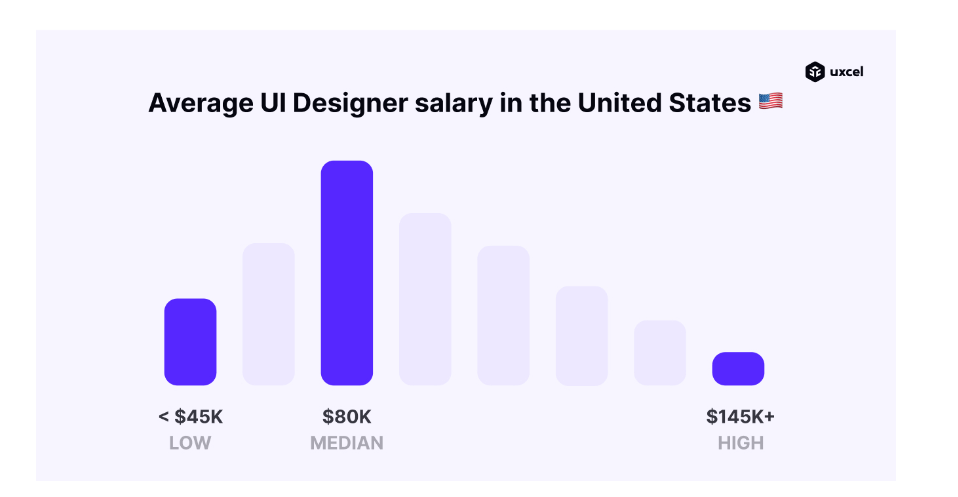
The number one reason why many choose to work in this field is the high UI designer salary. UXCel, a trending website that trains and prepares designers, has narrowed down the numbers for you. On average, UX/UI designers in the US earn $80,000, with the lowest reported salary of $45,000 and the highest of $145,000. 

This, of course, depends on the reputation and experience of the candidate. 

What does this mean for you?

It means that not only will you start with a solid salary, but as you develop your skills and grow your reputation, you can earn a fortune by working as a designer

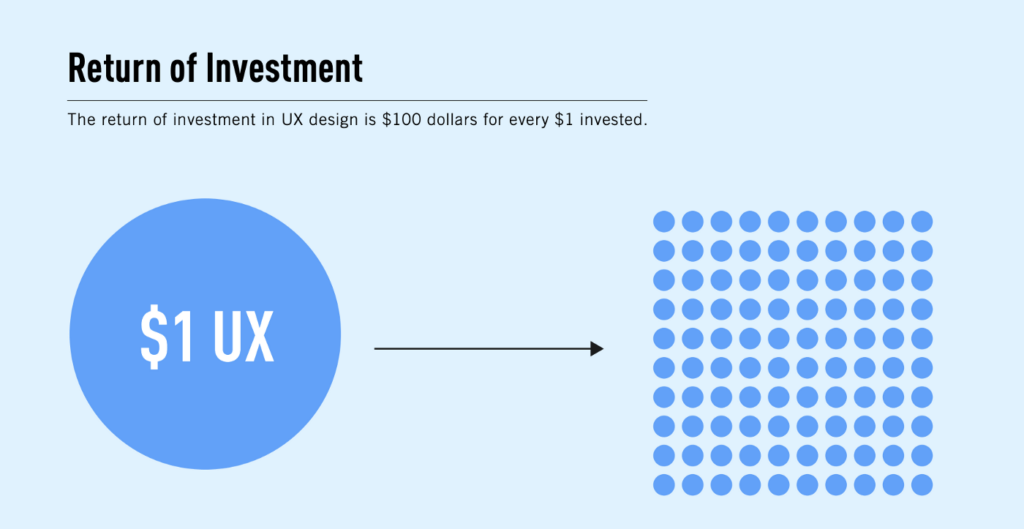
It’s no wonder that companies pay designers so much. The return on their investment is bigger than anything else. Quality UX and UI design work can bring businesses tremendous amounts of money. The ROI on UX investments is 9,900%.

Argument no. 2: This field is never boring

Design is a fascinating field to work in. There are hardly many fields of study that will continue to tickle your intellect after you get employed in the field of UX and UI design. UX and UI designers don’t have a dull day in their careers. With endless design opportunities, diverse goals, and a mixture of different disciplines, this field is never boring. 

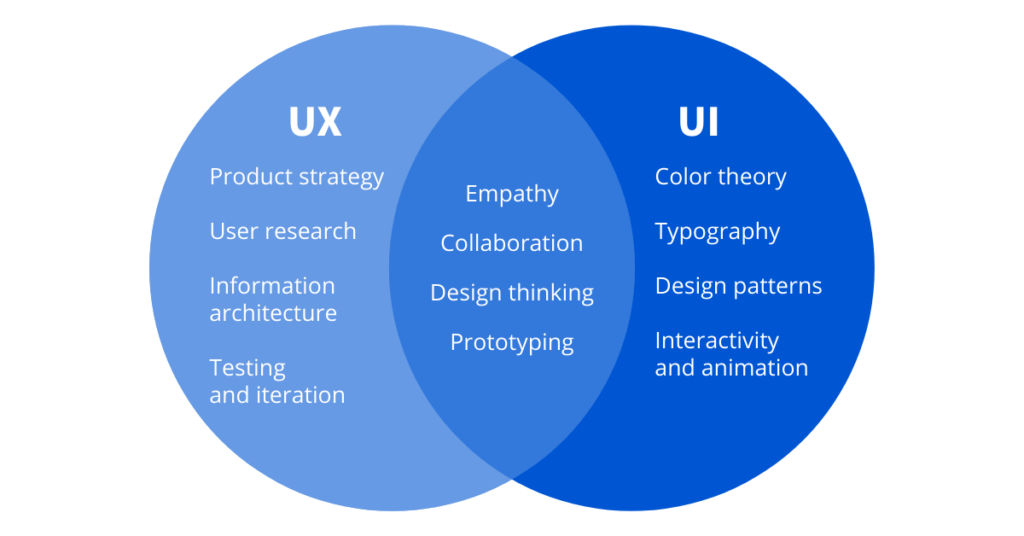
As a matter of fact, many will argue that to be good at UX design you need to have knowledge of UI and vice versa. UI and UX are intertwined in many ways, trying to influence people’s behaviors and experiences. That being said, you’ll be able to learn something from both during your career in UX/UI design, not to mention that the trends in this field are changing almost every day!

 UI and UX are intertwined in many ways, trying to influence people’s behaviors and experiences.

A typical day for a designer can include an array of tasks. They could plan research strategies, analyze the gathered data, conduct interviews, design wireframes, make presentations, test prototypes, tweak the website design, etc. 

Every day, designers work with other marketing experts and developers, visual designers, and other creatives that make the team of a company.

If you are a person that loves being challenged in their work, this is the perfect field for you. Unlike other career paths where you use what you learned in school and hardly ever change your work process, UX and UI design require constant experimenting and a great deal of creativity. 

As we said, it never gets boring!

Argument no. 3: Diverse work opportunities

UX/UI design is a very broad term. A person that specializes in this can handle a variety of tasks, or focus on a single one. This means that you’d have diverse work opportunities based on what skills you develop. 

You can work at a company optimizing the experience of their users, or work remotely as a UX designer in a freelance capacity for different organizations. There’s also the matter of what you’ll do as a designer. Will you be a visual or a product designer? Will you work as an information architect or focus on customer experience designs? Will your tasks include UX research and content strategy, or will your job be a service designer?

As you can see, this is a very broad, very innovative field. As such, it presents experts with endless possibilities for finding work, as well as growth and development. 

Argument no. 4: Unlimited access to learning resources

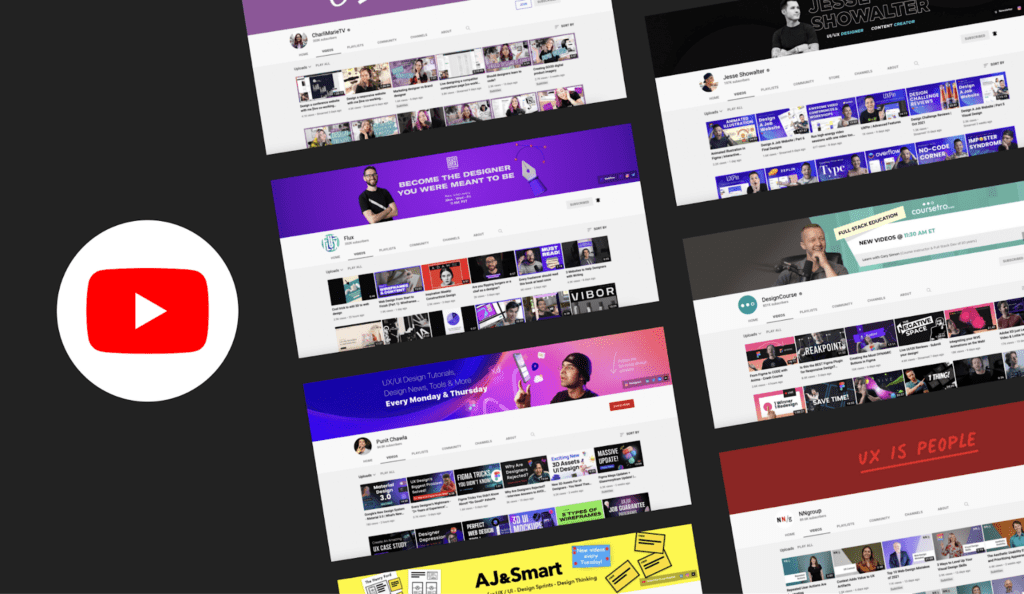
From free guides and YouTube videos to free/paid courses and university programs online, those interested in UX/UI design have unlimited access to learning resources. This is without factoring in the massive number of design books you can buy or websites you can learn on.

Argument no. 4: Unlimited access to learning resources

If you’ve decided to work in this field, you can learn an awful lot without enrolling in expensive programs or even leaving your home to go to classes. A quick search online will provide you with dozens of blogs, websites, podcasts, channels, ebooks, and courses, all of which will help you progress in your new career further. 

One great place to get started is UXCel, the site that will provide you with quality materials at a highly affordable price.

Argument no. 5: It’s a highly creative, logical field

One of the most appealing aspects of this field is the combination of logic and creativity required to get the job done. If you are a person that loves a challenge and enjoys creating great things from scratch, this is a great career for you. You can learn and develop technical expertise along the way, but most UX and UI design is logic and creativity. 

The idea of UX and UI design is to use logic, creativity, and the right tools to provide practical solutions that meet the needs of the targeted audience. Designers work to create something unique and attractive, but also something that screams usability and functionality.

Argument no. 5: It’s a highly creative, logical field

Just imagine – your job will be to create new designs and use colors, visuals, navigation elements, and other creative things to enhance the experience of the users. There are endless possibilities for all this, so every design you ever create can be completely different from the last one.

For creative people, this job is a dream come true.

Argument no. 6: You can make an impact

If you work as a UX/UI designer, you’ll get to solve problems for your clients and their customers. Those day-to-day, small problems people face on websites or with products might seem irrelevant, but they are very frustrating and add up to a lot. 

When the design of a client is bad, small mistakes can cause people to leave their site and never come back. Approximately 88% of consumers never go back to a website that has a bad design. By fixing this, you’d be providing the visitor with the information they need, when they need it without problems, and you’ll provide your clients with a way to retain more customers at the same time.

website design

In other words, you’ll be making an impact.

As you know, both the user interface and user design are focused on the person using the design. The task of designers is to make the experience as pleasant as possible. For example, you’d be helping the elderly by offering larger-sized text that they could read without having to zoom in. 

By adding a CTA, you’ll show people where to go to fulfill their needs. 

By adding a search field, you’d be helping busy people find what they are looking for within seconds instead of losing their valuable time searching.

By adding subtitles, designers are helping people with disabilities and those that cannot understand accents or aren’t as fluent in the language of a video. 

By adding a simple navigation menu at the top of the homepage, they’ll be offering people a chance to learn what the company offers without having to read through pages of content. 

The list goes on and on. The point is, if you know your job well and use research to figure out what users need, you can help them by providing them with it. Designers have a lot of power to help others these days, which makes this a fulfilling and highly-demanded job.

Are You Ready to Join the UX/UI Design World?

If you are ready for this journey, get started today! A career in UX and UI design is filled with possibilities for high-paid work and growth. This is one of the most creative job paths you can choose with the option to work from any location, and develop gradually with practice and endless learning resources.

There’s no better time than today to start exploring the world of design. The demand for experts in UX and UI is only growing, so get started right now and you can join a career in UX/UI design very soon!

The post 6 Arguments in Favor of a Career in UX/UI Design appeared first on Designveloper.


September 26, 2022 at 11:10PM
Share:

Popular Post

Web Design

5 Quick-fire portfolio tips from design experts

Your design portfolio is one of your most useful tools. It can win you commissions, help you snag a new design job, attract collaborators, a...

Labels

Most view post