-
Color in web design: all you need to know
The success of any piece of visual communication depends on colour. Research into the impact of colour in marketing tells us that it takes the average person just 90 seconds
-
4 Tips for boosting sales of your designs online
If you've been hard at work in your spare time creating stunning paper art or impressive poster designs, selling your merchandise online can be a quick way to...
-
Classic Rubik's Cube gets a high-tech twist
Originally designed in 1974 and launched internationally in 1980, Rubik's Cube is a design classic that's sold by the hundreds of millions. Over the years, it...
-
5 Quick-fire portfolio tips from design experts
Your design portfolio is one of your most useful tools. It can win you commissions, help you snag a new design job, attract collaborators, and get your work in...
-
Get started with editorial design
Editorial design can be a daunting task for someone who isn’t used to formatting large amounts of text. The skills you'll need are different to those of...
Top 10 Amazing Web Developments Tools You Should Know
The best JavaScript libraries
We've hunted down 15 of the most essential JavaScript libraries that'll help you solve commonly-faced coding issues and save you untold time and effort. While you're here, you might also want to check out our guide to the best JavaScript frameworks and JavaScript APIs.
1. Math.js
While the JavaScript language standard does contain quite a few mathematical functions, it — of course — is in no way complete. One feature which is commonly missed involves complex numbers.Keep in mind that big number and its various classes are not a panacea cure for all digital problems. Fixed point arithmetic is known to be a lot slower than hardware-accelerated float maths —if you don't have a good reason to use higher accuracy, better make does without it.
2. Leaflet
If you manage to get your hands onto a tile source, you quickly find out that having map tiles is but half a month's rent. Leaflet provides a relatively comprehensive tile rendering infrastructure, which takes care of bringing them on-screen in a flexible fashion.3. Anime.js
Anime.JS provides a comfortable-to-use implementation of the keyframe animation pattern. Specify the start state, the end state, and an easing function — library and browser will use CSS transform to ensure that your animations are run with optimal speed.4. Hotkeys
Providing a keyboard-driven interface endears products to power users. Hotkeys take care of the often-fussy details of keyboard management, leaving you to focus on realizing the business logic. Getting started requires less than ten lines of code!5. Easy Toggle State
Enabling and disabling GUI elements programmatically is an old, yet recurring task. Easy Toggle State provides a neat way around the never-ending task — group elements together, and switch them on and off without breaking a sweat.6. AutoNumeric
Making numbers look good across locales is difficult. AutoNumeric is a library dedicated to the number of formats and currencies of the world. Simply pass in a numeric variable, and feast your eyes on a string. The library can also "monitor" text fields to make them look better.7. D3.js
D3 creates data bindings between arbitrary DOM objects and elements stored in the code behind. This means that the look of the web site can be customized flexibly independence of stored data.D3 differs from traditional diagramming libraries in that it does not provide any templates. If you, for example, seek to create a pie chart, better start out by bringing in rectangles and adding data bindings to compute height et al.
The library shines whenever extremely complex and/or animated visualizations are required and the setup time is not an issue. One popular example would be choropleth maps, commonly used in election reporting.
8. Element
JavaScript GUI stacks are dime a dozen. Element differs from the rest of the field by being sponsored by various large web companies based both in China and the US.From a technical point of view, Element is — by and large — a well-supported collection of GUI widgets based on Vue 2.0. Import it to your web project, add the specific tabs and "hack away" like if it were jQuery UI.
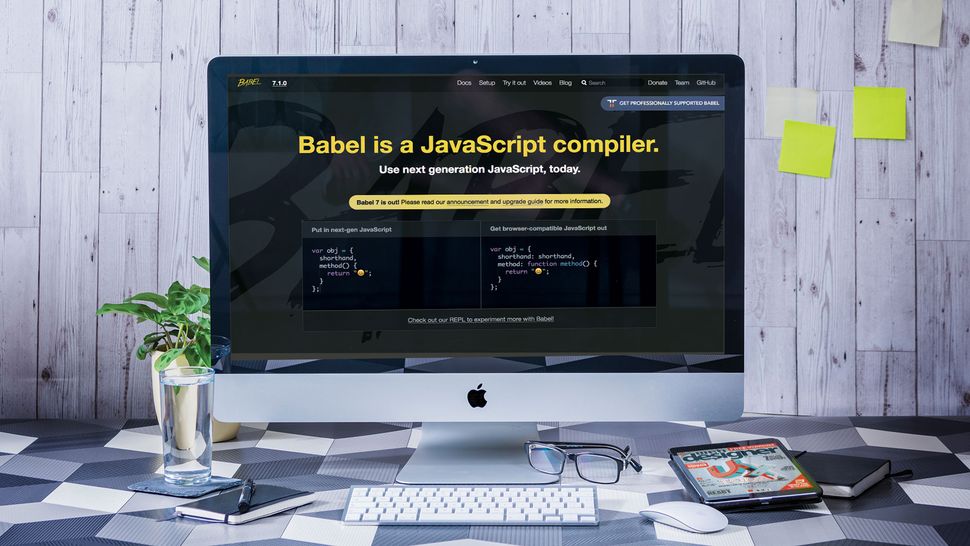
Get started with Babel 7
The idea behind the product is simple: Babel takes in ES6 or ES7 code and replaces new syntactical elements with emulation code. Its output confirms to classic JavaScript syntax and runs on older browsers like Internet Explorer.
These dependencies transformed the release process of the predecessor into a conflict-fraught affair. Version 7, still managed by a small maintainer team, thus tried to be as compatible as possible. Breaking changes are few and far between, while code generation quality remains high.
If you haven't worked with Babel before, let this be your guide. Being able to use advanced JavaScript features without compatibility worries makes life much easier.
01. Version check
Babel usually lives in the Node runtime environment. Let's start out by checking the versions used. The output provides the version state found on the Ubuntu 14.04 workstation used to create the following article. This isn't pedantry – the figure accompanying this step shows that the Babel team dropped support for quite a few Node.js versions.tamhan@tamhan-thinkpad:~$ node --version
v8.14.0
tamhan@tamhan-thinkpad:~$ npm --version
6.4.1
02. Change of package names
One breaking change in version 7 has involved moving the Babel packages into their own namespace. Older packages were not removed from the various repositories. This is important, as the use of legacy package names leads to the situation shown in the figure accompanying this step.tamhan@tamhan-thinkpad:~/workspaceB7$ npm
install --save-dev @babel/core @babel/cli @
babel/preset-env @babel/node
. . .
+ @babel/core@7.2.0
+ @babel/node@7.2.0
+ @babel/cli@7.2.0
+ @babel/preset-env@7.2.0
03. Add a build action
The step above assumes that you work inside of an npm project. In that case, running Babel via the build action is easy. Open package.json and modify it as demonstrated in the code below:{
. . .
"main": "index.js",
"scripts": {
"test": "echo \"Error: no test
specified\" && exit 1",
"build": "babel index.js -d lib"
},
04. Transpile code by hand
Putting Babel to work involves firing off the build action. This is best accomplished via the npm run command. The -d value informs Babel that the results must be placed in the lib folder – the figure accompanying this step shows that the folder gets created on the fly.tamhan@tamhan-thinkpad:~/workspaceB7$ npm
run build
> workspaceb7@1.0.0 build /home/tamhan/
workspaceB7
> babel index.js -d lib
Successfully compiled 1 file with Babel.
05. A question of configuration
Invoking Babel without further configuration options does not enable transpilation. Code can be transpiled only if the framework receives further information about the target environment. This can be done via a command line parameter, or by creating a file called .babelrc in the project root.06. Configure the babelrc
Babel configures itself via a set of plugins, each of which applies transpilation transforms to the code base. We use the preset-env package – it comes with a pre-configured set of transformations intended to cover most bases.{
"presets": ["@babel/preset-env"]
}
07. Time for a test drive
Add a bit of new-age JavaScript to index.js to test the program against some live code. The code accompanying this step would not work on legacy browsers – when done, the implicit function gets replaced with a normal declaration, as shown in the figure.function tamstest(){
[1, 2, 3].map((n) => n + 1);
}
08. Adjust targeting
preset-env applies most transpilations by default: the product's goal is to create universally compatible JavaScript without regard to bandwidth and performance costs. You can change its configuration by passing in a targets object – the example below targets specific versions of Chrome and IE.{
"presets": [
[
"@babel/preset-env",
{
"targets": {
"chrome": "58",
"ie": "11"
}
}
]
]
}
09. Advanced targeting
Babel's browser targeting isn't limited to Chrome and Internet Explorer. Thanks to cooperation with browserslist, developers can mix and match from more than a dozen targets, as shown below.Names are case insensitive:
- Android for Android WebView.
- Baidu for Baidu Browser.
- BlackBerry or bb for Blackberry browser.
- Chrome for Google Chrome.
- ChromeAndroid or and_chr for Chrome for Android.
- Edge for Microsoft Edge.
- Electron for Electron framework. It will be converted to Chrome version.
- Explorer or ie for Internet Explorer.
- ExplorerMobile or ie_mob for Internet Explorer Mobile.
- Firefox or ff for Mozilla Firefox.
- FirefoxAndroid or and_ff for Firefox for Android.
- iOS or ios_saf for iOS Safari.
- Node for Node.js.Opera for Opera.
- OperaMini or op_mini for Opera Mini.
- OperaMobile or op_mob for Opera Mobile.
- QQAndroid or and_qq for QQ Browser for Android.
- Safari for desktop Safari.
- Samsung for Samsung Internet.
- UCAndroid or and_uc for UC Browser for Android.
10. Advanced targeting, part two
Browserlist can also take advanced queries. Its homepage lists the configuration options, almost all of which can also be used inside Babel by modifying babelrc. Queries can be evaluated locally if your workstation has npx installed.{ "targets": "> 0.25%, not dead"
}
11. Automatic transpilation
Having to invoke Babel by hand gets tedious quickly. The nodemon utility monitors filesystem resources and fires off commands as changes get detected. In theory, adding nodemon support is handled via a small change to package.json.{
"name": "workspaceb7",
. . .
"main": "index.js",
"scripts":
{
"start": "nodemon --exec babel-node
index.js",
12. Check for presence
Some workstations have nodemon installed globally. If this is not the case, invoking the program will yield an error message similar to the one shown below. Fortunately, deploying nodemon is easily accomplished via the npm install command.tamhan@tamhan-thinkpad:~/workspaceB7$ npm
install --save-dev nodemon
13. Check functionality
Fire off npm start in a terminal window and proceed to change the content of index.js with an editor like gedit or Visual Studio Code. After saving, nodemonwill output status information.[nodemon] restarting due to changes...
[nodemon] starting `babel-node index.js`
[nodemon] clean exit - waiting for changes
before restart
14. Fix transpilation
While nodemon's detection should work flawlessly at this point, the contents of the index.js file that are found in lib do not update. This is caused by a nicety of babel-node – it does not commit the transpiled files to the disk. It instead fires off a modified version of the Node CLI, which works with the transpiled files.15. Transpile code programmatically
Babel isn't limited to working on the command line. If the correct packages are installed, code can also be transpiled from another program. The snippet accompanying this step applies a set of basic transformations to an input string. Keep in mind that the configuration settings, usually, are obtained from a babelrc file.var babel = require("@babel/core");
import { transform } from "@babel/core";
import * as babel from "@babel/core";
babel.transform("code();", options,
function(err, result) {
result.code;
result.map;
result.ast;
});
16. Transpile entire files
Source code usually does not get stored in string variables. The Babel API accounts for this via a set of file-related functions, which forgo the input string for a variable with a filename. The results, however, get returned as a normal JavaScript variable.babel.transformFile("filename.js", options,
function (err, result) {
result; // => { code, map, ast }
}
);
17. Sync and async
Babel 7 introduced synchronous and asynchronous versions of most API calls. Make sure to pick the right one for your needs – while transpiling small examples can be done on the fly, setting Babel loose on more complex files can easily lead to delays running into dozens of seconds.18. Learn about individual plugins
Should you ever find yourself wondering about what happens in the background, simply visit this page. It provides a list of all plugins currently contained in the Babel distribution, and also contains a few hints for all those seeking to create a plugin of their own.19. Strip out TypeScript specifics
Babel isn't limited to transpiling new-age JavaScript elements. The product contains a feature-constrained TypeScript engine. It strips out typing information and replaces advanced elements. Sadly, Babel does not perform type-checking – this eliminates one of the most significant benefits of the TypeScript language.{
"presets": ["@babel/preset-typescript"]
}
20. Run Babel online
While the transpilation operations usually work out smoothly, problems sometimes do occur. In that case, the Babel REPL is helpful. It runs Babel in the browser of your workstation and shows input and output right next to one another.21. Learn about pain points
Our introduction explained that Babel sees widespread use across various projects. Babel's maintainer team simplifies version upgrades with a detailed change log. If you use Babel programmatically, do not forget to consult the API upgrade guide.How to hide your JavaScript code from View Source
The following steps introduce a commonly used JavaScript obfuscator, and also look at a few other topics related to the problem at hand.
01. Version check
Our JavaScript obfuscator lives in the Node runtime environment. Let us start out by checking the versions used. The output below provides the version state found on yours truly's workstation used for the following steps:tamhan@tamhan-thinkpad:~$ node --version
v8.12.0
tamhan@tamhan-thinkpad:~$ npm --version
6.4.1
02. Install the program
Javascript-obfuscator should be installed into the global assembly cache of your workstation. Invoke npm with the -g parameter and don't forget to provide superuser rights – the actual deployment process should be done in a few seconds.tamhan@tamhan-thinkpad:~$ sudo npm install -g
javascript-obfuscator
[sudo] password for tamhan:
. . .
+ javascript-obfuscator@0.18.1
added 103 packages from 162 contributors
in 4.4s
03. Create a sample
Testing obfuscation works best if we have some 'real' code. So let us start out with a small HTML webpage. It loads a JavaScript file called worker.js, declares a button and contains a small bit of inline scripting. When it's loaded in a browser, click the button to show a textbox.<html>
<body>
<script src="worker.js"></script>
<script>
function worker(){
alert(doTheTrick());
}
</script>
<button type="button" onclick="worker(
)">Click Me!</button>
</body>
</html>
04. Add some code
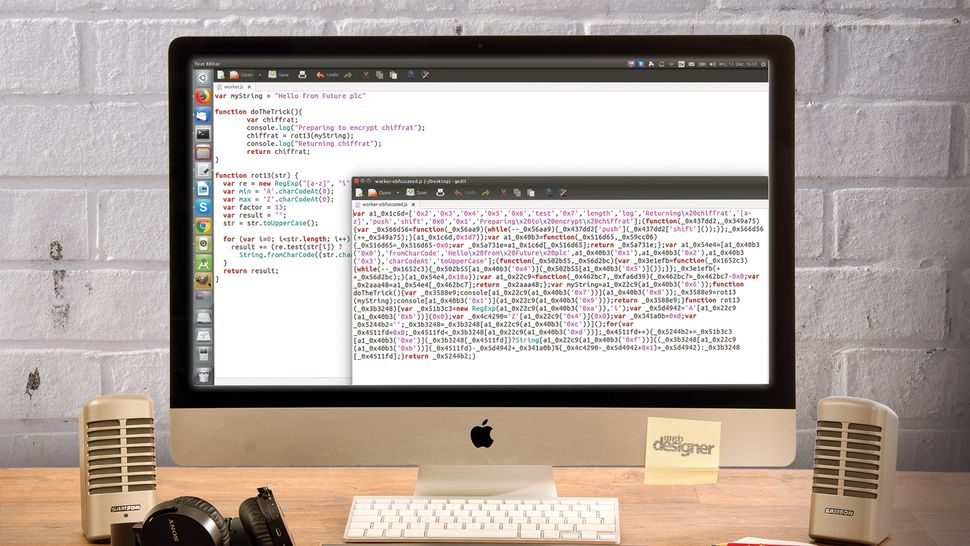
Worker.js starts out with a string variable. They are a classic attack target – if a ROM is to be decoded, the assembler usually starts out by looking for tables containing string sequences. Furthermore, encryption is performed using a set of variables with very 'speaking' names.var myString = "Hello from Future plc"
function doTheTrick(){
var chiffrat;
chiffrat = rot13(myString);
return chiffrat;
}
05. Implement the encryption
As this is not intended as an encryption 101, we should settle on a comparatively simple substitution cipher. ROT13 is not difficult, but it can be programmed quite verbosely. Dsoares' implementation comes with a set of 'speaking' variables and provides lots of food for our obfuscator.function rot13(str) {
var re = new RegExp("[a-z]", "i");
var min = 'A'.charCodeAt(0);
var max = 'Z'.charCodeAt(0);
var factor = 13;
var result = "";
str = str.toUpperCase();
for (var i=0; i<str.length; i++) {
result += (re.test(str[i]) ?
String.fromCharCode((str.charCodeAt
(i) - min + factor) % (max-min+1)
+ min) : str[i]);
}
return result;
}
06. First obfuscation
Performing an obfuscation run of the code is simple. Invoke javascript-obfuscator, and pass in a dot to tell the program to work on all files found in the current working directory. This shows the result on the author's IBM workstation:tamhan@tamhan-thinkpad:~/FutureObfuscate/
code$ javascript-obfuscator .
07. Redirect output
Firing off the files directly into the container folder is inefficient, as names must be changed before they can be used. A better way involves the use of the outputparameter. If javascript-obfuscator finds it, the program generates a subfolder in the current working directory and dumps the results of its labours there.tamhan@tamhan-thinkpad:~/FutureObfuscate/code$
javascript-obfuscator . --output ./obfusca
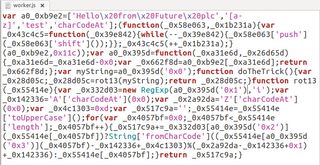
08. Analyse the results

var a0_0xb9e2=['Hello\x20from\x20Future
\x20plc','[a-z]','test','charCodeAt'];
09. Prevent string harvesting
Javascript-obfuscator comes with a selection of string-mangling algorithms, which can be configured using --string-array-encoding. Keep in mind that the output directory must be emptied out before each invocation, because forgetting to do so leads to 'recursive' obfuscation of the output files from the previous run.tamhan@tamhan-thinkpad:~/FutureObfuscate/code$
javascript-obfuscator . --output ./obfusca
--string-array-encoding base64
10. Look at the results again
At this point, our obfuscator's output looks different – the array at the top of the file now is much less readable. This, however, does not solve all problems. If you perform a few obfuscation cycles, you will eventually end up with mark-up similar to the one accompanying this step:var a0_0x31e5=['bGVuZ3Ro','dGVzdA==','
ZnJvbUNoYXJDb2Rl','Y2hhckNvZGVBdA==','
dG9VcHBlckNhc2U='];
. . .
. . .
var myString='Hello\x20from\x20Future\x20plc'
11. Understanding randomisation
Obfuscators work in a pressure field between high performance and code protection. One way to address the problem involves 'randomising' elements. The runtime-expensive obfuscations are not added to all nodes, but only to a subset. Detecting if nodes are affected or not is usually done via a random number generator, whose sensitivity can be tuned.12. Go after strings
The above-mentioned random number generator emits numbers ranging from zero to one. If the number is larger than the threshold, the modification will not take place. Setting stringArrayThreshold to a value of one means that all numbers are smaller than the threshold, ensuring that each and every string gets mangled.tamhan@tamhan-thinkpad:~/FutureObfuscate/code$
javascript-obfuscator . --output ./obfusca
--string-array-encoding base64
--stringArrayThreshold 1
13. Inject random code
Analysis tools such as JSNice profit from having a small code base. Given that javascript-obfuscator breaks the code into an AST anyway, nothing speaks against inserting 'garbage code' on the fly. As this feature adds significant bloat, developers must activate it manually via the two parameters shown next to this: --dead-code-injection <boolean>
--dead-code-injection-threshold <number>
14. Enjoy the chaos
Running the obfuscator with both --dead-code-injection true and --dead-code-injection-threshold 1 set leads to a filesize of about 2.5KB. Attempting to nicify the code leads to an almost indecypherable wall of mostly tautological JavaScript.15. Aggressively modify program flow
Breaking code into an AST allows for deep transformations. Setting the controlFlowFlattening attribute to true tells the program that it can de-inline function calls. This leads to a significant expansion of the generated code – keep in mind that the results can take a 150 per cent performance hit.16. Annoy the debugger
Artefacts from debugging are the world's greatest gift to hackers. A few calls to console.log() and its friends can give an attacker valuable information on what happens inside the program – a good example would be the snippet shown:function doTheTrick()
{
var chiffrat;
console.log("Preparing to encrypt
chiffrat");
chiffrat = rot13(myString);
console.log("Returning chiffrat");
return chiffrat;
}
17. Evaluate technical problems
We can attempt to re-obfuscate the program with the command below. It disables the string caching feature and should disable console logging via redirection.tamhan@tamhan-thinkpad:~/Desktop/
DeadStuff/2018Nov/FutureObfuscate/code$
javascript-obfuscator . --output ./obfusca
--string-array-encoding false
--disableConsoleOutput true
18. Play cat and mouse games
Obfuscator and browser vendors fight a long and bitter battle about the debugger function. Due to this, 'aggressive' measures, such as console redirection of the program flow interruptors shown accompanying this step, usually don't work for long. debugProtection: false,
debugProtectionInterval: false,
19. Quick online obfuscation
Installing the entire Node.js package for obfuscating one or two files is pointless. Visit obfuscator.io to access an online version of the program that lives in your browser. Check and comboboxes below the main input let you modify program behaviour as outlined in the steps above.20. Learn more

The developer team maintains relatively detailed documentation explaining the way the various command line parameters interact with one another. Simply visit head here if the 'short help' output shown above does not help you reach your goal.