


Showing posts with label inspiration. Show all posts

6 Ways to Make Money Online from Creative Work

Making money from your creative work might be easier than you realize. Because if there’s one thing the internet values, it’s creative work. Note that not all of these options will be suitable for everyone, and some freelancers won't like uploading their work to some platforms.

From becoming a video game streamer to offering lessons over video calls, here are the six best ways to make money online in 2021. There are over a billion websites online as of 2020, and almost all of them rely on creative professionals in one way or another. From the blogs you love to read to the cat pictures you scroll through, every type of content that makes up the internet is built from creative effort.


1. Sell your work on Etsy

Etsy acts as an intermediary between buyers and sellers; much like eBay, it doesn’t manufacture the products it sells, but like any intermediary, it charges a fee for listing your products. If you’re someone who makes handmade products, Etsy can help you earn a sizable income.

Etsy is an ecommerce platform specialising in creative items. With everything from vintage board games to handmade home decor, the website is an art collector’s dream. The cost of one listing is $0.20 per every four months. There’s also a 5% fee applicable per transaction.

2. Teach courses on Udemy

Udemy and Coursera have been gaining a lot of traction lately. These sites allow creative professionals to offer courses and expert lessons to students of all skill levels, for a small fee. You can create a professionally designed series of lessons for your students to watch whenever they see fit, after they have paid for the course.

Courses are offered over audio and video. And the best part? They don’t even have to be live courses. You can teach anything from web design to languages. 

3. Stream games on Twitch

Are you good at playing video games? That’s right, it’s playing, not making. Another way to earn money is through sponsored brand placements within the videos themselves.

Twitch streamers can earn money in a variety of ways. The first, and most common, is through displaying advertisements under your videos. If you like video games and are good with an audience, you may consider opening up your very own streaming channel on Twitch.

4. Freelance with Upwork

There are plenty of companies that outsource work to talented individuals these days instead of handling them in house or paying an agency to do it for them. If you are a writer, graphic designer, or developer, consider offering up your skills in a freelance capacity.

While a lot of these marketplaces are known for attracting dishonest buyers or offering cheap rates, Upwork has a strong anti-fraud policy for buyers and sellers alike, making it one of the better offerings. They are mostly marketplaces that connect freelancers with those who need their services.

5. Design assets for Envato

Envato also allows you to sell creative services for a fee. By offering a fixed rate on things like designing a logo or creating a website, you can attract buyers who are in need of a more personalised offering. Envato is an online marketplace for digital assets.

From themes and plugins to stock videography, there is nothing that you can’t find on the site. With these licenses, they can use your work for their own online projects, both personal and commercial. The idea is simple. You upload your work and allow people to purchase user licenses to your assets.

6. Sell printables on Redbubble

Redbubble is a marketplace where you can buy custom-printed artwork. From designer T-shirts to printed phone cases, you can find anything there. Once an order has been placed, you get an email on the amount sold and the royalty made.

Since the website is print-on-demand, Redbubble doesn’t require a huge initial investment. You upload your designs to the site and wait for someone to place an order. All of the artwork is created by independent artists, which opens up a lot of avenues for creative professionals.
Share:

6 Smart ideas to measure Developer Productivity

Code in and of itself doesn’t make a difference. It is the features that developers make that matter. Today we’re going to share seven creative ideas to measure developer productivity that will help you measure things that have a positive impact on your product and your development practices.

1. Closed Tickets

Counting the number of cards a developer closes over a certain period allows us to see what actual work is getting closed off. Most software projects get managed with a ticketing system that logs the work to be done as individual tickets. Not all tickets are equal, which is why many teams opt to score tickets by effort. Scoring makes it easier to see if someone is working through lots of straightforward cards and leaving the longer, harder tickets to someone else.


Measuring closed tickets is an excellent metric if the tasks are written well and assigned based on business priority. When more tickets get closed, more good things are happening with the project, be that bugs getting closed off or features made.

2. Deploys

Getting work in front of users is the best way to get feedback and to provide value to them. Measuring deploys works well because you’re measuring changes that are getting shared with your users. A deploy is a unit of work that has made it from development to a live web server. Once something has been deployed, it is available for people to use.

You want to encourage your development team to release code often, but you want to make sure that the quality of the code remains high. Like measuring closed tickets, the vast majority of modern platforms will have a smooth and automated way to measure deploys and also to see what work went into a deploy.

3. Documentation Written

Most internal tools like Basecamp or Notion have page counts and attribute pages or parts of pages to the people who edited them. When done well, it can have a lasting positive impact on the rest of the development team, often for a longer time than the developer was there.

Writing documentation is an incredibly under-appreciated skill in development. Documentation can take many forms. Documentation for documentation’s sake can become burdensome, so look out for developers reinventing the wheel by documenting something that they really should have just linked to instead. Measuring documentation written is a bit harder than anything else we’ve talked about, and it depends mainly on how you store your documentation.

4. Stand-up Items Covered

If your team does daily stand-ups, they often follow a standard pattern: what I got done yesterday, what I’m doing today, what is blocking me. This type of measurement shows consistency. If you have a team of people who frequently meet or exceed expectations, you know they’re working well together.

An issue you might face measuring developer productivity this way is it might slow down the standup to ask people to clarify why things didn’t get done, even if there are perfectly reasonable explanations. One of the many reasons why we favor text-based stand-ups is that it reduces the need for one person to be on top of record taking. If stand-ups happen in person, the best way to measure would be for the person leading the stand-up to take notes.

5. Forward Movement

In those cases, you can measure forward movement. Forward movement means the change of a card from the left of a Kanban board, to the right. This type of measurement incentivizes all forms of positive movement. Sometimes tickets get stuck because developers don’t know the complete solution, but they can make positive steps towards finding that solution.

A ticket might go from “Needs Investigation” to “Doing” to “In Quality Assurance”. Each time the ticket moves to the right, that is a positive movement. If the ticket ends up moving backwards, that is a negative movement. Development teams don’t work in a silo and, depending on what other business processes are in play, measuring things like closed tickets might not apply.

6. Code Reviews Completed

Measuring code reviews completed means counting how many code reviews are submitted or reviewed by someone on the team. One of the easiest ways to improve code quality and ensure your developers are learning is to make sure changes are getting reviewed before they get deployed. Be careful though, code review is a time-consuming process and returns little value if the developers in question go through the motions and don’t take the required time to understand the code correctly.

Code review is an essential part of mature software development. Measuring how many reviews get completed indicates how much buy-in code review has within the team, and acts as a proxy for a lot of the other metrics we’ve mentioned.
Share:

Why Software needs a performance testing strategy?

Suppose you have built a killer software that has been approved by your customer with smiles and handshakes and got enthusiastic thumbs-ups from your beta testers. Besides, you must eliminate potential glitches in your software before they could affect the application’s performance. At this stage, you need a thorough performance testing strategy to ensure the software meets the client’s requirements and scales with end-users’ needs.

The Need for Performance Testing

Before you request a performance testing strategy, you must know the key objectives of performance testing services. Having specific performance testing goals in your mind will help you focus on key areas of improvement and achieve the desired outcomes.


Moreover, pre-defined performance testing objectives result in a better evaluation of software performance and enable you to make informed decisions. Given below are some of the key objectives of software performance testing:
  • To validate system speed.
  • To establish parameters for future regression testing.
  • To ensure compliance with performance goals and requirements.
  • To define key metrics for the application like workload, response time, throughput, and resource utilization.

Benefits of a Performance Testing Strategy

A rigorous software performance strategy helps your team organize the development-related tasks effectively and identify performance issues early. Similarly, you can experiment with various failure and recovery scenarios with an execution strategy that enables you to identify the impact of failure and eliminate any kinds of glitches in the application.

Additionally, you can never ensure the application meets the client’s requirements and business needs unless it is built on a thorough performance testing strategy.

Creating a Rigorous Performance Testing Strategy

To create a comprehensive software performance testing strategy, follow the given steps.

Outline the App’s Key Features

Discuss the key features with your client before launching the app for better results. First of all, you should review traffic analytics for your application by cooperating with your technical team and product owners. This step will provide you with useful information about typical usage patterns that can be used to start performance testing.

Estimate the Anticipated User Load

For projects with multiple production releases, the statistics should provide key details about the peak level of user traffic and the approximate number of users accessing the application. The next step after identifying the key features of your application, you should estimate the predicted user load.

If the predicted load is higher than expected, seek approval from the product owner and use multiple web servers for collecting precise results from the performance tests. The involvement of the product owner is important to get further insight into the varying user count over time, and the users’ concurrency.

Collaboration

Document all details about the performance testing strategy to get a better understanding of the software’s functionality. Once you have outlined the app’s key features and estimated the anticipated user load, the last step is to include strategic testers as a part of technical teams.

Also mention workload criteria, script development, and test execution process that incorporates the pre-test checklist and collection of results. These results provide your technical team with meaningful indicators of improvement that can be used to enhance the quality of your software. A pre-defined and well-organized performance testing strategy should include a project description, key objectives, scope, software & hardware requirements, and metrics.
Share:

Why HTTP status codes are important?

In fact, there are over 40 different HTTP status codes. Every time you’re clicking on a URL in your browser, a server will respond with one of these HTTP status response codes. And if you own a website, knowing these codes can help you improve your online presence.


Below, you’ll find out exactly why HTTP status codes are important, and how they can help you and your business. You’ve probably seen HTTP status codes before when a page you were trying to open wouldn’t load. Maybe you came across a 404 Not Found, or maybe a 503 Service Temporarily Unavailable.

What is HTTP?

The Hypertext Transfer Protocol (HTTP) allows for the communication between clients and servers on the World Wide Web.

This request is parsed to create all sorts of sub-requests. As such, one request asks for a specific image, another for a snippet of text, and so on. Hypertext Transfer Protocol communication follows a few steps:
  • The server receives the request.
  • The server processes the request.
  • The client receives the response.
  • The server returns an HTTP response.
  • The client sends an HTTP request to the server.

The client is usually your web browser. However, it can also be something else, like a robot crawling pages for a search engine index, for example. So, say you want to open a web page. Your browser sends the HTTP request to the server, asking to fetch the HTML document that constitutes that web page.

What are HTTP status codes?

In our example of the web page request, the server would have responded with an HTTP 200 OK status code, with the requested HTML document included in the response.

Status codes are divided into five different classes or categories. Each HTTP response status code is made up of three digits. One digit for the category, two digits for further identification of the unique status code. Of course, HTTP requests don’t always receive the same successful response. And that’s why there are many different HTTP status codes.

Another common example is a 504 Gateway Timeout, signifying the server couldn’t respond to the request in time. You might have seen this one when trying to get festival tickets the moment they’re released. A well-known example is the 404 Not Found error, which means the server can’t find the requested resource. This can happen, for instance, when you’re trying to go to a URL that’s been deleted.

As such, each status code gives the client information about the request they made to the server. Too many clients (people who want to buy tickets) are trying to access the server (the festival’s website) at the same time, overwhelming the site with more traffic than it can handle.

Other usages of HTTP status codes

Or maybe you wonder how it’s possible that with so much great content on your company’s site so little is actually ranking in the search results… Imagine an API on your site is down without you realizing it. Before you know it, your customers start calling customer support complaining about their bad experience with your site.

HTTP status codes and APIs

From processing payments to capturing leads, such functionalities work through APIs, and APIs work with HTTP status codes as well. Your site runs on both internal and external APIs that help provide your end-user with useful features and key functions.

Knowing what the different HTTP status codes mean means you can either fix the API through coding yourself or notify the external API about the issue. What this means is that you can monitor your APIs and the status codes they return to clients to stay on top of potential crashes.

HTTP status codes and SEO

The specific HTTP status codes returned by pages impact your website’s health in the eyes of the robot. Search engines have robots that crawl your site’s web pages so the search engine can index them. Such bots do this by following hyperlinks to different pages, requesting the server to view the page.

Alternatively, when deleting the page you were smart enough to place a 301 Moved Permanently redirect and you redirected the URL to a new, live web page instead. You’ve made the bot happy, and it’ll continue its crawl. To a bot, such a response may signify the poor health of a site. Say a bot is on your site, follows a URL you link to in an article, but the page has been deleted a while back.

The bot receives a 404 Not Found error response. So if your site contains a lot of 404 errors, your site’s rankings might drop in the search engine as a result.
Share:

Smart Home to influence the future of Remote Work

Even before a few years back, remote work culture was limited only to a certain part of the software developers in the country. Almost every small-large scale commercial sector has mandated the remote work culture, be it a business owner or the employees.

Mainly, the remote workplace policy was first introduced in 2007. But, almost after thirteen years, it is gaining huge recognition across the globe. They now don’t have to worry about saving their money associated with the office infrastructure. Additionally, the business owners are getting additional benefits while enabling the remote work culture.

Potential Challenges Behind Remote Working

Remote working is absolutely essential in some aspects, especially during this Coronavirus outbreak. And, without online communication and data management infrastructure, several issues might arise while working from home.

Mainly, in this perspective, two possible problems are addressed by the employees- One is an ineffective online management service and the other is inadequate communication with the authorities. However, certain limitations are associated with productive remote working. Not everyone has efficiently adapted to this advanced remote work culture. Some of the employees are still struggling to adjust to this working pattern.

Is There Any Solution To These Challenges?

You can easily contact a reputable communication and online management service for a smooth workflow. Obviously, every problem has a possible solution. Moreover, starting from various Enterprise Resource Planning (ERP) solutions to collaboration platforms and video conferencing tools, the list goes on.

Even there are plenty of project management tools that will be highly essential to overcome these remote working challenges. Likewise, there are plenty of solutions that the employees can opt for to solve these online problems. However, to proficiently use these tools, you must have a fast and secure network connection and an ideal remote work environment.

VPN Solutions Available for the Remote Workers

These solutions will permit enterprises to provide safe access to their employees while operating the remote work culture. Here are some of the potential VPN solutions that you must try:

  • For safe browsing, implement VPN browser add-ons.
  • Buy a VPN router to get a protected and secured wireless internet connection.
  • Install the major VPN applications on Computers, laptops, or Smartphones.

When you are working from home, several data prevention issues can arise. However, several VPN solutions can help you to overcome the hurdles. However, in certain circumstances, VPN services’ initial setup might be problematic in the COVID-19 pandemic scenario.

Future of Remote Working

When we talk about a smart home environment, it simply implies a home working environment where you can seamlessly transfer data without worrying about a single thing. Undoubtedly, the remote work environment is only going to be perfect, when it is smart.

It brings a lot of changes in our work life and it’s now hard to imagine a future without the existence of remote working. Moreover, it is now evident that this latest “work from home” trend is not going to end, at least for now.

Share:

Top 5 Best Web Hosting Services in 2020

Picking the best web hosting service can be the difference between a good and great website. But it's not the easiest of subjects to understand if you're not au fait with the ways of the web. The best web hosting space is a competitive one, where each company puts out a lot of spin, confusing jargon and sometimes outright fibs, making it tricky to see the wood for the trees. So in this article, we’ve done the work for you. Below, you'll see our selection of best web hosting services available today.

1. Bluehost

If you’re new to hosting, we recommend Bluehost, because it provides an easy to use interface, as well as superior customer support via phone, email or live chat. Depending on your plan, your WordPress software is either installed automatically or in one click.


We'd add that Bluehost also offers the best website hosting for WordPress sites. There are also some good analytics and SEO tools to help you improve your website’s performance. And overall you get a great all-round service, making Bluehost an excellent choice for anyone, novice or experienced.

2. Siteground

Siteground provides friendly, helpful and enthusiastic 24/7 support through a wide variety of channels, including chatbots, phone, email, live chat and tickets. Calls are answered quickly, and tickets receive a first reply within 15 minutes on average.

Are you expecting to lean on technical support a lot, when setting up and managing your website hosting? Then choosing between services on the basis of price alone may turn out to be a false economy. Time is money, after all, so for the best customer service in the hosting sphere, we’d recommend Siteground.

3. HostGator

Looking for shared hosting? We recommend Hostgator. Basically, if you want to sell things on your site, you need Business; otherwise go for Hatchling if you want to host a single domain, or Baby for more than one domain.

It’s a great hosting provider in general, offering first-class uptime, performance and customer support, whatever your plan. But specifically on the shared plans, you get more for your money than with most, including a free domain, free SSL certificate, $100 of AdWords and Bing credits, unlimited free email addresses, and a website builder that includes 100+ mobile-friendly templates and an image library.

4. InMotion

Want VPS hosting? Then our pick of the providers is InMotion. While its cheaper shared hosting plans have their limits, InMotion really shines when it comes to the more advanced stuff. Inmotion also offers dedicated Sysadmin support to expedite your data migration and server setup, and a choice of optimisations depending on whether your sites are based on PHP or WordPress.

And even though their VPS plans are not the cheapest, we’d argue that they’re the best value overall, because the specs are so high. For example, on the cheapest plan you get 4GB RAM, 75GB SSD storage, 4TB bandwidth, three dedicated IPs, free SSLs and a cPanel for just $29.99 a month.

5. Hostwinds

If you or your company has the resources to pay for dedicated hosting, you don’t want to mess around. You need a hosting provider that provides a high-spec service and a range of tools to make configuration and customisation easier.

And there’s a fabulous amount of flexibility in the system. And for that, we recommend Hostwinds. With Hostwinds’ dedicated hosting, which starts at $79.50 a month, every server is fully managed, so you don’t have to waste your time worrying about mundane tasks such as sys admin duties, server monitoring and nightly backups.
Share:

Best 5 Features for Sales Coaching Software

Sales training software is used when onboarding new sales and offering continuous training to other reps to help them ramp and reach quota consistently. This software aids the training process in that they incorporate different features that allow you to create coaching activities, assign to team members, evaluate the response, and provide feedback.


Investing in sales coaching software is rewarding because of the features and functionality that help you achieve your goals and more. Sales training software is gaining popularity because it offers a formal approach to training.

1. Practice Skills

Most importantly, it helps to sharpen areas of weaknesses before they can confidently share with their peers. Investing in sales coaching software with practice capabilities offers a comfortable and safe environment for reps to create an easy process that they can repeat.

Coaching alone is not enough. While the practice may seem so simple, it helps both managers and teams to identify areas of improvement, work on specific skills, and hone their performance. It must be accompanied by practice. During coaching, teams get better with constant practice. This helps to sharpen certain areas like delivery, messaging accuracy, communication skills, and more.

2. AI Scoring

This feature helps to save time while also providing a benchmark that will help in prioritizing feedback while distinguishing the reps that need the most help. Machine scoring and AI can automatically score, transcribe, and analyze key areas of conversation highlighting the emotions exhibited, topics covered, and speaking rate among others. When you talk about sales coaching software, AI-powered machine scoring is valuable in providing deeper insight.

3. Screen Recording

To make the most of this function you can begin by letting the sales reps practice with the video recording feature before evaluating their presentation skills on the screen recording.

Screen recording helps to go back and see if there are topics that they may have left uncovered while evaluating the presentation. Sometimes sales reps can feel like they did a superb job with a presentation when they left out important information.

4. Video Coaching

Video coaching presents an opportunity for you to see and hear your teams no matter their location. The good thing about this feature is that it is flexible allowing you to pause or restart whenever necessary.

As a trainer, you’ll need to offer feedback via video. This feature allows you to coach your team virtually through video assessments. This means that you can get a chance to ‘see’ them executing some tasks like an elevator pitch for assessment.

5. Text-Based Coaching

During coaching, your teams can practice creating responses to prospects and have managers evaluate them for key pointers like proper tone, consistency, and even accurate messaging.

Text-based coaching helps to prepare your reps for touchpoints outside meetings like responses, follow-ups, and written emails. This feature is important because it helps you to assess your sales reps’ writing skills for their communication with customers and prospects.
Share:

Can AI Affect the Stock Market

To understand AI’s effect on trading, you need to understand why exactly algorithm trading can and can’t do. AI stock experiment beat the market in simulation.  But the question is, how much of this claim is true? You can use AI for credit decision making, personalized banking, and account security.

But one of the most prominent uses of AI in finance is in the stock market. AI has created a deep impact on the finance sector. It has created many convenient ways through which customers can spend, trade, and invest their money.

What AI can do?

AI trading is particularly useful for situations where you don’t require the human motion context or psychological bias. You can also run an automation spectrum, i.e., perform a wide array of tasks without human intervention.

Additionally, you need to ensure that the inherent uncertainty for that model should be less, and the model is continually evolving to reduce that uncertainty. Also, make sure that the operator performs his operations based on specified trading and scientific principles.

Of course, to do that, you need a large amount of data. The denser the primary dataset, the better prediction an AI model can do. It can save from fat-finger trading mistakes. It can run test trades based on its knowledge of mathematics and probability, hence decreasing the overall volatility related to a particular trade.

Why AI can’t do everything?

First, the AI has to track, understand, and predict how the market moves. They do that by taking all the technical factors into accounts such as market fluctuations, insights, and trending companies. Trades fluctuate because of the collective actions of machines, algorithms, and humans.

You also need to understand the relationship between the size of the transaction and stock performance. The AI algorithms also suffer from the black box problem – they aren’t as cognitive as humans. Algorithms can be trained in-laws and protocols, but they can’t be taught emotions and reflexes.

The model needs to continuously improve itself. It’s even more difficult for day trading since the data generated for day trading is significantly scarcer. If you want to train an AI model, the training dataset has to be massive. The ultimate requirement for an algorithm is to focus on a fixed point and keep training itself.

Companies that are using AI for trading

1. Algoriz

You can use English to communicate your strategy to the system. You should have the basic knowledge of quantitative analysis and algorithmic trading to create a strategy to use this.

You can also automate your ideas and get updates when there is a change in the market. Created by Goldman Sachs and Millenium partners, this platform works on two domains: equity, and cryptocurrency. Users can build and test their own strategies.

2. TechTrader

It claims to do at scale what traders do for individual stocks. This is an autonomous stock trading tool that has been training itself for seven years. Developed by the maker of pftq, it combines the trading knowledge of thousands of traders with the power of machines.

3. Intelligent Cross

It minimizes market impact (measures in BPS) and adverse selection. It reduces post-trade response and optimizes itself from a sweet spot of liquidity. Created by engineers and traders from Imperative Execution Inc, Intelligent cross is an AI platform that optimized trading for U.S. equities.

Share:

7 Key Predictions For Voice In 2020

Applications of this technology are seen everywhere, so where will it take us in 2020 and beyond? We provide a high-level overview of the potential that voice has and 7 key predictions we think will take off in the coming years. When voice assistants began to emerge in 2011 with the introduction of Siri, no one could have predicted that this novelty would become a driver for tech innovation.


Now nearly eight years later, it’s estimated that every one in six Americans own a smart speaker and eMarketer forecasts that nearly 100 million smartphone users will be using voice assistants in 2020.

Security Will Be A Focus

Speaker verification and ID will also become paramount as part of the voice assistant experience with more security being built around the user. Forty-one percent of voice assistant users are concerned about trust and privacy according to a report from Microsoft.

With news from Google I/O and Amazon’s re: MARS conferences announcing that assistants will essentially be able to plan an entire evening, for example, find local movie times, buy tickets, book a restaurant reservation and schedule an Uber, concerns regarding payments and sensitive information are valid.

Touch Interaction

This year Google showcased what is being called the E Ink screen. This display can show the weather, local traffic information, or calendar events. The push to bring visual and voice capabilities together allow users to further interact with the assistant. CES 2019 continued to prove that voice and visual displays are merging into one seamless experience.

Voice Push Notifications

Now that both Google Assistant and Amazon’s Alexa allow the user to enable spoken notifications for any third-party app that has the compatibility, users can hear notifications rather than read them. We’ve previously discussed the method of using user-centric push notifications as a means to re-engage users with your app, voice technology presents a unique means of distributing push notifications.

These notifications are generally related to calendar appointments or new content from core features. As a way to increase user engagement and retention, push notifications simply remind users of the app and display relevant messaging to the user.

Individualized Experiences

Voice assistants will also continue to offer more individualized experiences as they get better at differentiating between voices. It also includes features such as nicknames, work locations, payment information, and linked accounts such as Google Play, Spotify, and Netflix.

Google Home is able to support up to six user accounts and detect unique voices, which allows Google Home users to customize many features. Users can ask “What’s on my calendar today?” or “tell me about my day?” and the assistant will dictate commute times, weather, and news information for individual users.

Search Behaviors Will Change

Users simply cannot see or touch a voice interface unless it is connected to the Alexa or Google Assistant app. Search behaviors, in turn, will see a big change. Voice search has been a hot topic of discussion. Visibility of voice will undoubtedly be a challenge. This is because the visual interface with voice assistants is missing. In fact, if tech research firm Juniper Research is correct, voice-based ad revenue could reach $19 billion by 2022, thanks in large part to the growth of voice search apps on mobile devices.

Compatibility And Integration

Those who use Alexa will be familiar with the fact that the voice assistant is already integrated into a vast array of products including Samsung’s Family Hub refrigerators. Google has finally caught on and has announced Google Assistant Connect.

In 2020, we will see a greater interest in the development of voice-enabled devices. This will include an increase in mid-level devices: devices that have some assistant functionality but aren’t full-blown smart speakers. The idea behind this technology is for manufacturers to create custom devices that serve specific functions and are integrated with the Assistant.

Streamlined Conversations

Consumers use voice assistants in specific locations, usually while multitasking, and can either be alone or amongst a group of people when using them. Having devices that can decipher these contextual factors make a conversation more convenient and efficient with these devices, but it also shows that developers behind the technology are aiming to provide a more user-centric experience.

Both Google and Amazon recently announced that both assistants will no longer require the use of repeated “wake” words. Previously both assistants were dependent on a wake word (Alexa or Ok, Google) to initiate a new line of conversation.
Share:

Digital Transformation in Banking

Banks and financial institutions have been using digital channels quiet for a while. This allows them to reach and engage new customers, reduce costs and improve their overall performance and services. The financial sector, in particular banks, understands that well and seems to be ready to play the big digital game.

The importance of digitalization in finance

Technology and online services continue to penetrate our lives, and the financial industry is no in any way immune to this trend. Whether it’s ApplePay, PayPal or banking applications, digital transformation is here to stay. Clients are getting used to the simplicity of the almost instantaneous digital service and providers are motivated to react fast.

Currently, more than 50% of finance organizations are redeveloping their approach. So it is no wonder at all, that the amount of the financial organizations that will develop a mature strategy in the next 2-3 years will double. According to the Hackett’s Group Digital Transformation Performance Study, it takes digital leaders about 2.5 years to change their strategy.

The 2019 Key Issues Study shows that at this time those resources are only available to 24% of financial organizations. So it is no surprise, that according to the study, IT budgets for the transformation will rise in the next year. To name a few things: higher standardization, automated processes, improved performance, and customer experience.

Advantages of digitalization in business: banking sector

According to the new report from Accenture, retail and commercial banks have invested globally over $1 trillion in the past 3 years to transform their IT services. Digitalization is different for every industry, but it seems to be crucial for the banking industry because it is one of the most data-driven fields. As Gartner estimates, as many as 80% of traditional banks will go out of business by 2030.

Therefore, the challenge to make this information easily accessible and at the same time provide meaningful insights is so much bigger. But digital transformation can also contribute to the engaging and fulfilling customer and employee experience.

That is why it is time to start educating the new generation of workforce and recruit new talent. Going digital has really affected the workforce. Yes, automation can result in staff reductions, but it can also increase the demand for data scientists.

The industry already uses mobile apps, IoT, card readers, and sensors that made real-time financing a reality. All of that will make a possible further business transformation, adding technologies like AI and blockchain to the common instruments of the industry. But the next step is at least as much important. According to Boston Consulting Group, even a few key improvements can have a great impact on the overall performance and can potentially increase revenues up to 20%, while reducing costs by as much as 25%.

Digitalization of banking: Where do we stand now?

Banks all over the world spend billions of dollars each year to enhance their digital performance. More and more banks are starting to realize that their online presence is as important as their branches or ATMs, sometimes even more so.

Forrester’s report also found that 81% of banks understand that digital transformation needs to happen soon or their future success can be greatly compromised. But, despite the digital transformation trend being in the focus for years, less than 10% of banks really went through with it to achieve sustainable results.

According to Forrester, one of the most important trends in the industry is online banking, 73% of U.S. adults use this service at least once a month. More clients than ever rely on multiple channels. Around 20% of consumers visit a bank, use online service and banking apps each month.

Challenges of digitalization in banks

The banking industry is also subject to high-security risks due to personal information and transaction records, while the necessity to meet the compliance requirements makes it even harder to implement any changes.

According to the 2018 Retail Banking Trends and Predictions report, 69 percent of banks are unable to innovate due to this problem. So this undeniably is the key factor that is standing in the way of successful digital transformation for every bank. The most difficult problem to overcome on the road to digitalization in banking is legacy systems and systems integration challenges.

Digital transformation is not a project with a deadline, but an ongoing journey of change. Hopefully in the near future banks will be able to overcome the challenges, shape new business models with the help of IT, and get one step closer into the new robust digital tomorrow.
Share:

5 apps for endless design inspiration

Inspiration is essential for every creative person. If you are in the right mood, it can come from almost anywhere. However, when you feel tired or distracted, your imagination may need additional sources to get inspiration from.

Having scoured the internet, we've collected a selection of what we think are the best apps to give your inspiration a boost. We've included loads of free apps, and some worth paying a little extra for. So read on to get your creative cogs whirring.

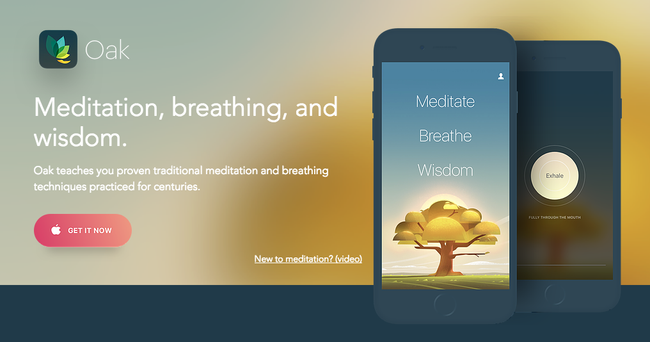
01. Oak


Perhaps the best way to fill your mind with wonderful new ideas is to first clear it of any niggles, stresses and worries. Oak is a meditation app based around techniques that have been practiced for centuries.

It offers guided meditation sessions of different lengths (got a deadline? Perhaps go for the 10-minute option), as well as yogic breathing exercises to help calm you.

02. Creative Live


'Master your craft, your passion or something new with creative classes taught by the world's best.'

Creative Live streams classes taught by master creators including Grammy award winners, best-selling authors and world-renowned photographers. This app has the potential to be life-changing and we don't say that lightly

With free classes streaming 24/7, you could stay on the sidelines and dip in and out of the impressive free timetable. If you choose to dive in deeper, the 1500+ classes are available on-demand and you have payment options including individual classes (variable) and a monthly subscription ($39).

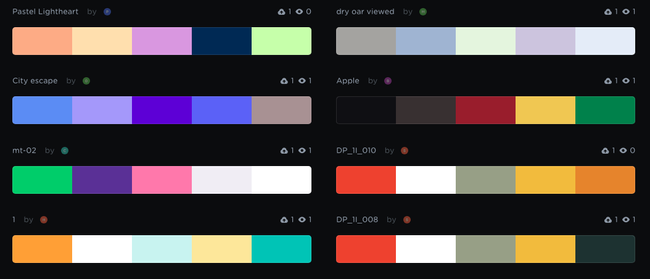
03. Coolors


$1.99/£1.99

Coolors is a super-popular app that does its one thing extremely well: it generates colour palettes. If you're having trouble finding the right aesthetic for your design, simply hit the spacebar to scroll through Coolors' collection of colour palettes. You can then adjust the temperature and hue, and export your palette in a number of different formats.

As well as an iOS app ($1.99/£1.99), you can now use Coolors as a Chrome extension ($1.99/£1.29) or plug it into Photoshop CC or Illustrator CC ($5). It was designed, developed and is maintained by one man – Fabrizio Bianchi – and has amassed over 320,000 users.

04. Fabulous


Free
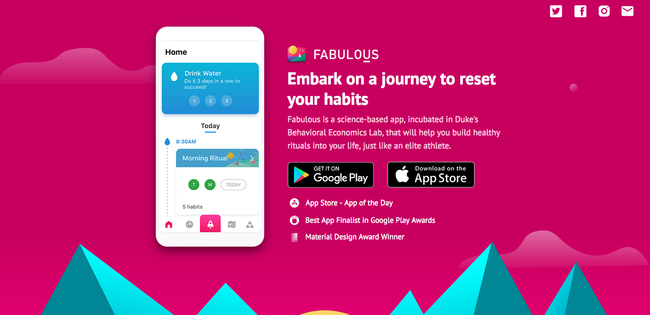
Award-winning app Fabulous aims to help you form healthy habits. Use it to increase your energy levels, sleep better, and generally become healthier – all of which are conducive to getting your creative juices flowing.

While there are lots of apps around that are geared towards forming healthy habits, this one is backed up by actual science (it was incubated in Duke's Behavioral Economics Lab, we're told). Available for iOS or Android.

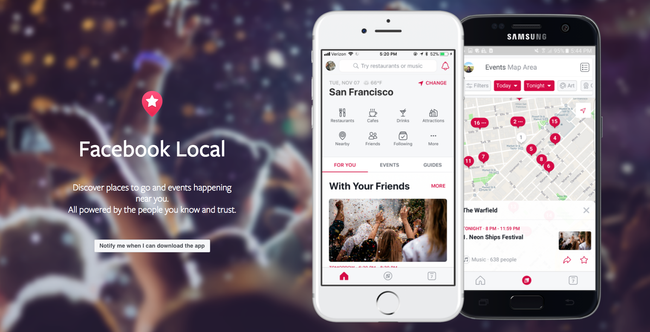
05. Facebook Local


Free

Facebook Local is Facebook's events app. Everyone knows that there's only so much inspiration you can glean from sitting at your desk – getting out and about and interacting with people is a top way to get fresh ideas.

This app includes an interactive map you can use to find events and activities happening near you, and filter them down by time, category, location and more. It also offers recommendations based on what's popular with your friends so you might discover something new.
Share:

How to make ambitious design

Founded in 1977, Studio Dumbar isn’t only a stalwart of the Dutch design scene, but is one of the most awarded design agencies in the world. Its identities for the Dutch National Police and Dutch Railways are so iconic, they are woven into the fabric of Dutch society. Yet the agency is hardly coasting along on the merit of past glories. It seems to go from one groundbreaking project to the next.

In 2016, the studio joined international digital agency Dept, and the merger has enabled Studio Dumbar to flourish further in today’s digital world, using creativity, tech and data to create new work that pushes the boundaries of design.

We spoke to Studio Dumbar about what it takes to sustain its relentless drive for quality, why it believes good design is not just about the work, and how it consistently creates powerful identities that are made to last. You can follow in their footsteps by reading on for their top tips to success.

01. Embrace the ugly


It’s also important not to panic if you don’t get there straight away, stresses Haanappel. "Making ugly things is also an important part of the design process. Failures can lead to amazing discoveries."

It's also important not to get hung up on what is currently on trend. As Enebeis points out, "We believe in the Trinity: pure, simple and powerful... If you succeed in this approach, by definition the brand will be powerful and live beyond trends of fashion and taste."

02. Lose the fear


Innovation is all about experimentation, and having a fearless attitude is key when it comes to pushing your work. "Don’t be afraid of the unknown," says visual and motion designer Stan Haanappel, "explore technologies you are not familiar with".

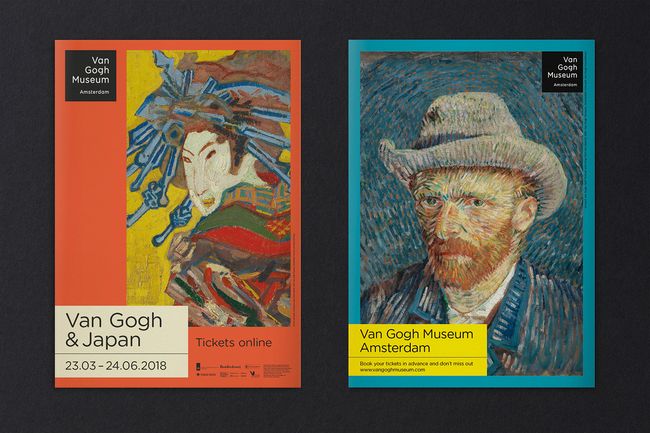
"We believe in the power of paradox," says creative director Liza Enebeis. "On the one hand we are doing the positioning and visual identity of two major blockchain initiatives, on the other we refreshed the visual identity for the Van Gogh museum and the rebranded Amsterdam Sinfonietta, the renowned Dutch string orchestra. So tech-based clients and cultural clients come together in Studio Dumbar."

03. Keep exploring

"Don’t stop at your first sketches, even though you think what you’ve done is finished and good," advises Haanappel. "Explore multiple routes in order to be sure you’ve found the right answer."

And to explore even further, think of your colleagues as a valuable resource. Enebeis explains that in about 60 per cent of projects, different digital experts at Dept are involved – "we constantly work together in teams with inspiring people – from data experts to marketing specialists to platform builders. The funny thing is that we can focus more, but at the same time enrich and broaden our perspective."

04. Give people freedom


As operations director and online strategist, it’s Wouter Dirks’ job to ensure everyone is working to the best of their ability."If you always tell people exactly what to do, they will take less and less initiative," he says. "We tend to give everyone a lot of freedom. How each person conducts their work and meets deadlines is their responsibility."

"There is no hierarchy at all," Enebeis continues. "We are a flat organisation in our way of working, in how we value ideas... We all have to be as good as each other."

05. Choose the right clients

If you’re not working with and for the right people, you will struggle to innovate and make your ambitions a reality. "By selecting clients who share our high ambitions and who we click with, we have a proven approach that we can tailor to the needs of each project and client," explains Dirks.

"What's most important is finding a way to bring together the ideas and interests of the clients with our expertise," Enebeis explains. "We don't create concepts in isolation, it has to be through working together."

06. Ask the right questions


Once you’ve got the right clients, it’s important to know how to handle them, and to be clear about when innovation is needed, and when it isn’t. "We know what questions to ask when in order to create the right brand strategy; how to involve the different stakeholders at the right moment; how to make sure we’ve answered all the right questions," says Dirks.

Strategy director Tom Dorresteijn explains that approach is key. "Whether it is about design or strategy, we have a basic approach to get to the essence in a simple and direct way... if you don't manage the process well, it will harm the creative quality of the result. It takes a lot more than great design to bring great design to the world."
Share:

8 Attention-grabbing studio sites

Your studio website is an essential promotional tool that's often your main calling card when it comes to attracting new clients. While it can sometimes be tempting to sift through the best website templates, pick your favourite and then drop in your most recent design portfolio, the end results aren't likely to be too spectacular.

If you really want to grab clients' attention then you need to put as much thought, imagination and personality into your studio site as you do with every other project. Visitors can quickly get a handle on who you are and what you're about, making them that bit more likely to have a look through your work and decide if you're someone they want to work with.

To inspire you, here are eight sites that have surprised and delighted us recently, sometimes by using cutting-edge techniques and sometimes by doing something completely unexpected. Check them out and have a think about how you could revamp your own site to deliver an experience that's similarly engaging.

01. ToyFight


Sometimes you just have to let your own personality shine through in your site, and ToyFight co-founders Jonny Lander and Leigh Whipday go the extra mile on their studio site. It re-creates them both as action figures then put them in all manner of bizarre and revealing situations, and really gives you a sense of where the studio's coming from.

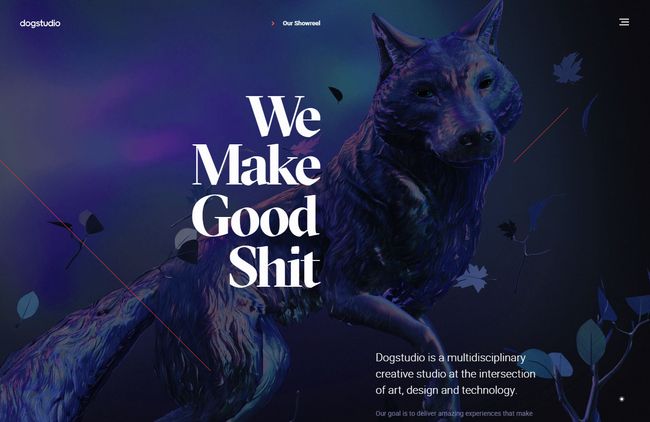
02. Dogstudio


Based in Belgium and Chicago, Dogstudio has always had a killer tagline – We Make Good Shit – and its new site demonstrates this admirably. Its backdrop features a gently animated 3D model of a dog, which moves and rotates as you scroll down the page, and is recoloured to match the studio's featured projects as you mouse over them. 

There's plenty of great technique on show, but none of it's overpowering, and it's more than enough to entice you to check out the studio's recent work.

03. P2MV


Just a little bit of movement can really draw a viewer's eye, and France-based studio achieves this brilliantly with its use of imagery; it overlays a subtle animated film grain on its main images and combines that with a light warp effect as you mouse over them. It's all beautifully understated and cleverly executed, and enough to convince visitors to explore P2MV's projects further.

04. Green Chameleon


We love it when a temporary website looks better than many studios' full-on sites. Bristol-based Green Chameleon promises that its full website is launching soon, but this holding page, packed with parallax and image warping effects, is a visual treat, and it's enough to make potential clients wonder what the studio's capable of when it really puts in some effort.

05. Dennis Berti


You'd expect a photographer's website to put the photography front and centre, right? Not so with Dennis Berti; his site confounds expectations by leading with typography and illustration, and it's not until you've been through the opening splash and home page that you can actually click through to the photography. It all serves to emphasise his positioning as an honest visual storyteller, and it makes getting to the photos all the more rewarding.

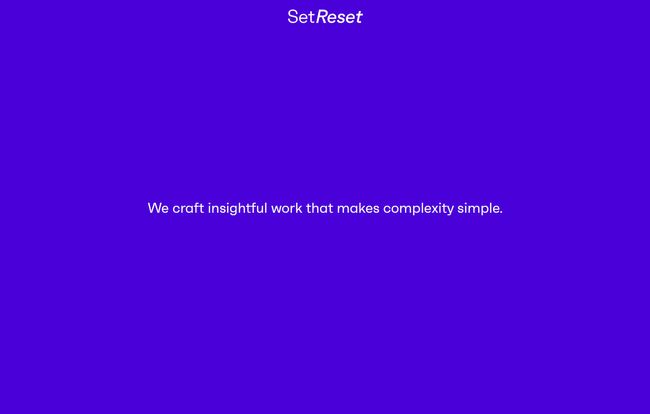
06. Set Reset


Playing it mysterious can be a dangerous game; get it right and you can pique visitors' curiosity enough for them to want to find out more, but if you overdo it then you'll just confuse them and lose a potential client. Set Reset's site is an incredibly ballsy proposition; it outlines its studio principles in just 36 words, provides contact details and that's it. We like the cut of their job; it's a wonderfully minimal site that makes a refreshing change from being bombarded with endless stuff.

07. Phantom


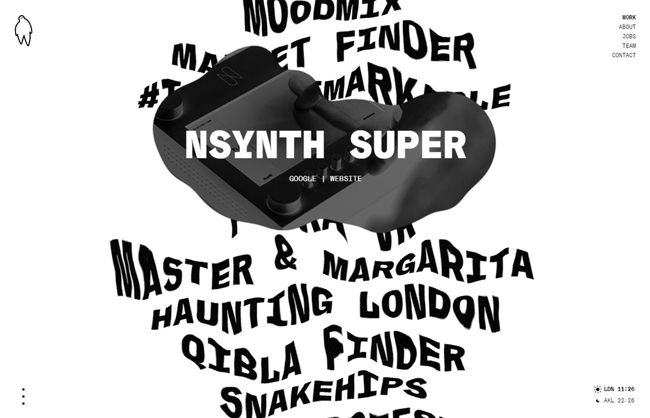
Phantom's site looks pretty standard when it loads, with a stark black-on-white list of projects in a fat display font taking centre stage. Once you move the mouse pointer over the list, though, it explodes into rippling motion, and as you focus on a particular project a wobbly animated portal expands around it, giving a little glimpse of the work that you feel compelled to explore further. A brilliant way of drawing clients in to see what you can do.

08. Tavano Vincent


Finally, French designer Tavano Vincent has come up with a striking way of drawing attention to his recent work; there's a different mouseover effect for every project, and once you click through, each one is presented in its own unique and unexpected way. 

We're particularly keen on the page showcasing his work on Nina Ricci's e-commerce portal, beautifully sampling a vintage Speak & Spell toy as you mouse over the scattered letters spelling out the company name. It's all very strange and baffling and we love it.
Share:

Popular drawing app gets a powerful update

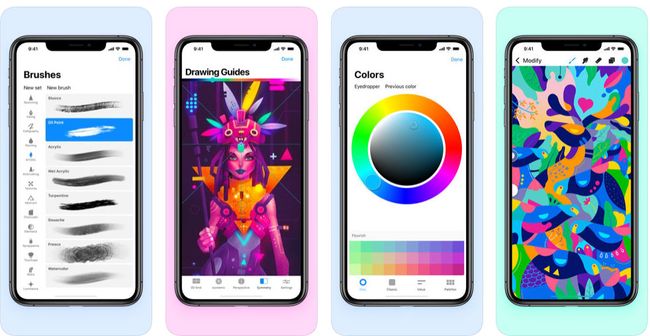
Following the announcement back in April that the Text tool was finally coming to Procreate, Procreate Pocket, the drawing app for the iPhone, has also had a makeover. And spoiler alert: it's a good one.

Procreate Pocket 3.0 now comes with that all-important Text tool, allowing you to add type to your creations, and while this is big enough news by itself, that's not all. 


Other highlights in this update include the QuickShape tool, which means you can draw a rough shape, a wonky triangle, say, and then have it snap to create smooth lines and flawless shape. We reckon this update could be what Procreate Pocket needs to propel itself onto our list of the best iPhone apps.


You can also access these tools easier than ever with the help QuickMenus. Just like on the iPad app, with Procreate Pocket 3.0 creatives are able to choose six options to have on their QuickMenu bar, which appears with a double tap on the canvas or the stylus button. This means you can access the tools you use most more easily and should speed up your workflow.

Other new tools include Liquify, Warp and Distort, and Crop and Resize. There are more sharing options, such as Brush set sharing and Layer sharing. And you can also create animated GIFs, because who doesn't love a good GIF?

The parity between the iPad and iPhone apps also means that creatives can create quick sketches in the iPhone app while out and about or in a client meeting, and then switch to the iPad to finesse their ideas. Whether or not creatives will choose to work in this way remains to be seen.

You can buy Procreate Pocket 3 for $4.99/£4.99 via the App store. Those who already have Procreate Pocket version 2 will get a free upgrade to the new version.a
Share:

6 Great tools for creating mood boards

Whether you work in digital or traditional media, if you're trying to get a big design idea across, a good mood board can be invaluable. With a mood board, you can instantly convey a whole assortment of concepts and feelings that are central to your pitch but difficult to get across verbally.

So what's the best way to put a digital mood board together? We've got lots of expert tips on how to create a mood board, but in this post, we've focused specifically on the tools you need to help do just that. Let's get started.

01. Milanote


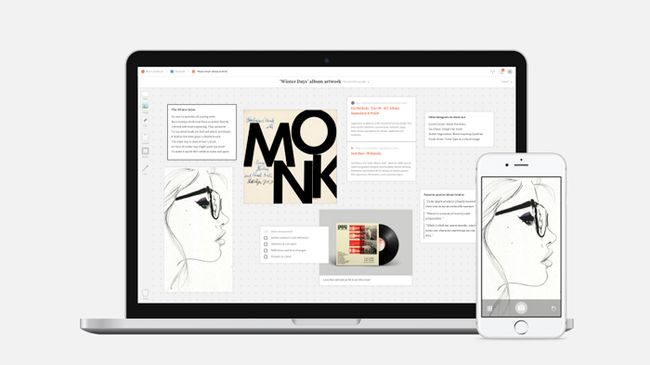
If you're looking for an easy-to-use tool to organize all your ideas, Milanote is certainly an option worth considering. The software runs in any modern web browser and offers as much space and as many levels of hierarchy as you might need to let your creative projects fully develop. 

It can be set up as a private place for you to collect your thoughts or as shared workspace for collaboration – the choice is yours. You can sign up for free, plus get access to Milanote's library of inspiration and templates to help get you started.

02. Pinterest


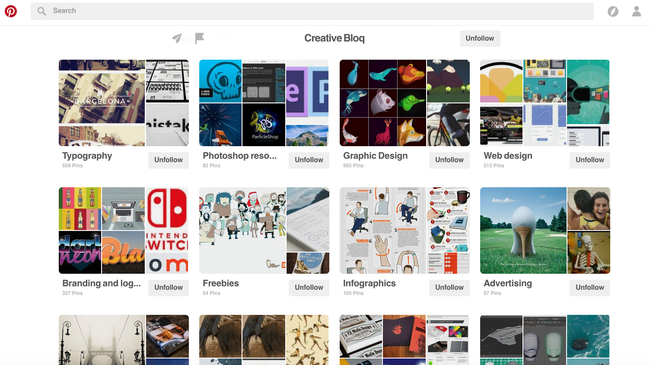
Pinterest offers a surprisingly diverse collection of images to draw mood board references from. The big plus of using it is that a whole load of human users have done a lot of the curating for you, which is the time-consuming bit. And the collections are often themed better than any traditional image library.

03. MURAL


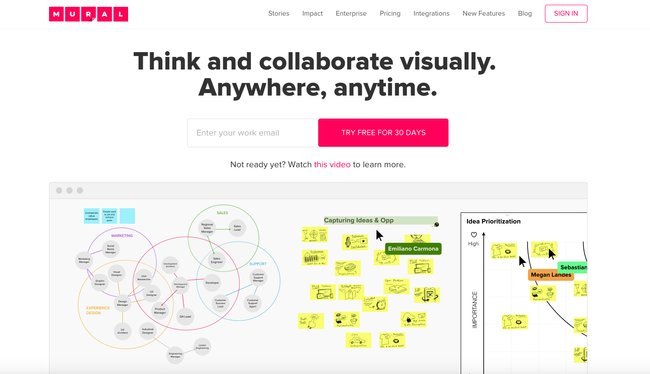
MURAL describes offers easy and user-friendly way for creative teams to think, imagine and discuss their design ideas. It'll cost you $12/month, but there's a free trial available if you don't want to commit just yet.

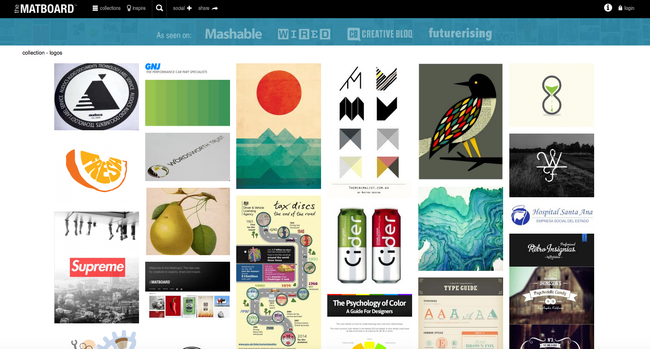
04. The Matboard


Image sharing site The Matboard is specifically targeting creatives as an alternative to the more mainstream Pinterest.

05. Evernote


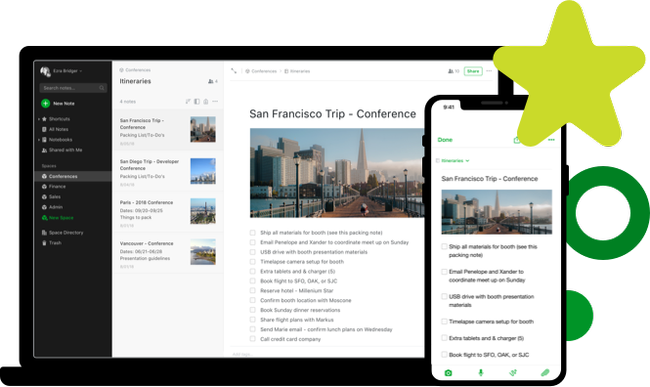
Ever considered using the Evernote note-taking app to create mood boards? Us neither, but it can be done. This blog post over on SitePoint explains exactly how.

06. Sampleboard


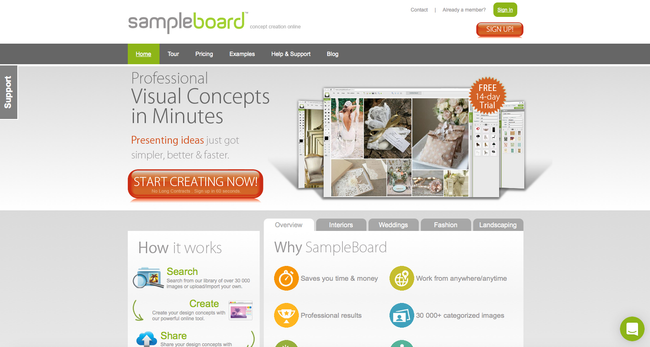
Upload your images to Sampleboard, the digital mood board creation tool, and organize them into project files, then use the web editor to easily pull together design trends and color schemes. 

The mood boards you create can be shared on various social media sites and easily imported into documents and presentations. A range of mood board themes are available to get you started.
Share:

Be a better designer in 2019

For designers, the start of a new year sees us setting fresh goals and pledging to experiment with a new piece of software, master a tool or technique, brush up on creative theories and knowledge, and look to land new clients.

But have you kept your promises a few months into the new year? To help you to up your design game, we're lending you a helping hand with this roundup of the best design skills, theories, and practical tips to ensure that you become a better designer in 2019.

All of our guides and tutorials have been broken down into easy to navigate sections, so whether you want to improve your software skills, master a new design theory, or even start that side project you've been sitting on for ages, you'll find something here to help you on your way.
Software skills.

01. 70 amazing Adobe Illustrator tutorials


Since its release, Illustrator CC has become the go-to tool for plenty of designers. Learn how to make the most of this premier graphics design tool with these tutorials – covering the basics, tools and features, text effects, illustration techniques, logo and icon design, advanced techniques and more.

02. 60 top Photoshop tutorials


Photoshop CC continues to be the design software of choice for millions of designers. We've rounded up the best Photoshop tutorials for everyone from beginners to expert users – covering tools, techniques and effects – so you're bound to learn something new!

03. 17 Cinema 4D tutorials to up your 3D skills


Cinema 4D is one of the most popular 3D animation, modelling and rendering platforms. Master the basics of modelling and animating simple characters with the software and work your way up to advanced animation techniques with these Cinema 4D tutorials.

04. 50 amazing After Effects tutorials


Beyond the Moment of Beauty: Into the Galaxy by Takayuki Sato

Adobe's Creative Cloud 3D motion graphics and animation software, After Effects, is a popular way to bring your work to life. These tutorials will show you how to get started with After Effects and work your way up to creating special effects.

05. 17 really useful responsive web design tutorials


It's easier than ever to implement responsive web design thanks to a wealth of useful tools. We've rounded up 17 of the best, to help you make your website look amazing on any device.

06. How to make an app


Have you always wanted to make an app but not known where to start? It's an increasingly vital skill, so make sure you crack app-making for iPhone, iPad, Android and desktop with the help of this tutorial.

07. 40 brilliant WordPress tutorials


WordPress is one of the world's most popular publishing platforms when it comes to creating a design portfolio. Learn how to use WordPress and make your work stand out with these straightforward tutorials.

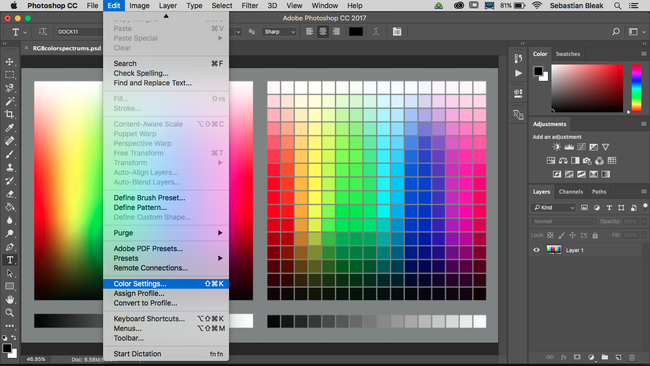
08. How to manage colours in Photoshop


Colour management is a huge topic that all designers need to be aware of. This article gives you an overview of colour management, along with practical advice for managing colours in Photoshop.
Share:

Popular Post

Web Design

5 Quick-fire portfolio tips from design experts

Your design portfolio is one of your most useful tools. It can win you commissions, help you snag a new design job, attract collaborators, a...

Labels

Most view post