
Showing posts with label iphone. Show all posts

Top iOS app development companies in Vietnam in 2022

In the past decade, app development has become one of the most profitable industries in the world. In fact, it’s expected to grow even more as time goes on. The current app industry is valued at $200 billion USD and is growing by 20% each year. With an increase in demand and the sheer number of companies pushing out apps, finding a reputable company to work with can be difficult.

Whether you have been thinking about creating an app, already have one on the market, or just want to find out more information on what it takes to get started with an iOS app development project, this is the article for you. In addition to identifying some of the most important qualities of a good iOS app development company in Vietnam, we list our top 10 choices for your consideration.

Why you need an IOS app development company

Why you need an IOS app development company

It is possible to make your own app, but it requires a lot of know-how and technical knowledge. This is why it is not a good idea to try to create an IOS app on your own – you need the expertise of a team of experts.

Before you start looking for potential candidates, you should ask yourself some questions. What do you want from your iOS app development company in Vietnam? 

  • Do they have experience working with an iOS platform? 
  • Do they have any testimonials or reviews? 
  • What prices are they charging? 
  • And more importantly, what will be their process for developing your application?

It is important that the company understands how the app will work and has a plan for completing the project. It can be difficult to complete a project without a clear plan – many developers will get lost in the details and spend too much time focusing on one aspect of the app while neglecting others. You need someone who understands all aspects of the app and how they relate to each other.

You also need to find out about their credentials and check if they have been involved in any big-name projects before.

What makes a good app development company

The first thing you want to look for in an iOS app development company is experience. You want to ensure that they have a proven track record of success with different companies.

It is also important to note that some app developers work with businesses just starting out, while others are more focused on helping established brands grow. Some companies specialize in certain types of apps, like games or dating apps, while others do it all. The key here is finding the best company for your needs.

The next consideration is the size of the company. If you are unsure of how big your app will be, you may want to go smaller because they can be nimbler and more flexible than large firms. Bigger firms, on the other hand, tend to offer more resources and more specialized expertise across a wider range of projects.

You should also consider what makes their services unique before choosing an iOS app development company in Vietnam. Do they offer outsourced assistance? Is there someone who works exclusively with marketing campaigns? Or do they provide support with advertising campaigns? There are so many options available now, so it’s worth exploring what each developer has to offer before settling on one provider for your business or personal projects.

Identify the most important qualities of a good iOS app development company

There are a few key qualities to look for when trying to find a good iOS app development company in Vietnam. The first of which is their level of experience. You want a company that has been in business for at least two years because they will have the necessary skills and knowledge to handle your project.

Next, you want to look at the customer reviews and feedback on any given company. If they have an extensive amount of positive reviews, this shows that other customers were satisfied with their service and you will likely be too.

The third quality is how well they communicate during the process. You want a company that will keep you up-to-date on what is happening by sending you progress reports and answering your questions promptly so you feel comfortable and informed about the process.

Lastly, it’s important to see what kind of technology they use for their projects. Whether it’s React Native or Cross-platform, you want to make sure that all developers are using industry-standard programs because this ensures consistency across different projects and guarantees good results every time. So here we go, the top 10 iOS app development companies will be in the next section.

InApps Technology

InApps Technology
InApps Technology

InApps Technology is a professional iOS app development company in Vietnam. With the most experienced and talented team of professionals, they have created several successful iOS apps for both personal and commercial use. They are also the only company with a 100% satisfaction guarantee for our customers. In addition to building custom apps for clients, they offer consulting services to build your own iOS app. InApps Technology pride themself on providing outstanding customer service and meeting the deadlines by communicating effectively with the clients.


Rate on Clutch*: 4.8 stars

FABA Technology

Faba Technology is a professional iOS app development company in Vietnam that has been around for over five years. They were the first company to begin offering services on the App Store, and provide a range of apps to meet all your needs.

Their apps are developed by a team of seasoned developers who have experience building games, mobile apps, and web applications. All of their projects are completed to the highest quality possible with an emphasis on user experience. They are available 24/7 and always offer convenient payment options so you can work with them anytime.

Rate on Clutch*: 4.8 stars

Adamo Software

Adamo Software is an IOS app development company in Vietnam that offers quality app development services. They provide a wide range of apps for personal and professional use.

Some of their most popular apps include “DishDash,” “eBabyCare” and “Splzy.” Their apps are available on both the App Store and Google Play.

When you’re looking for a company to develop your next iOS app, look no further than Adamo Software. They are one of the top 10 choices for your consideration.

Rate on Clutch*: 4.9 star

Designveloper
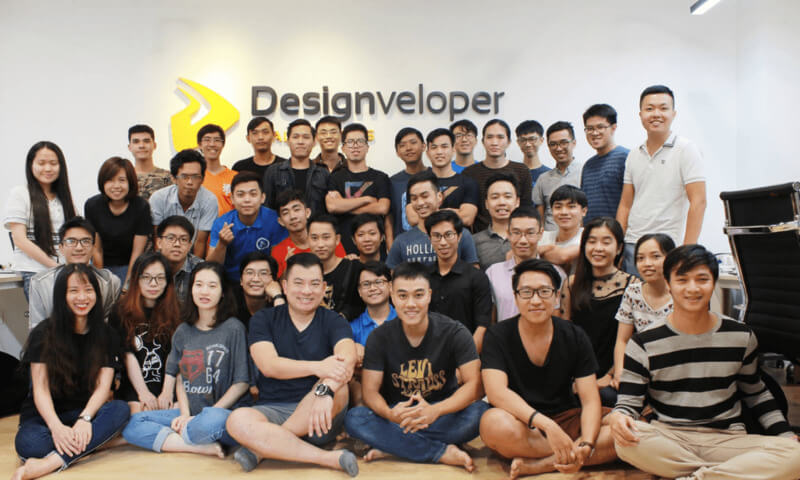
Designveloper is the leading software development company in Ho Chi Minh City, Vietnam, founded in early 2013

Designveloper is one of the best iOS app development companies in Vietnam. This company has a team of dedicated and talented professionals who are great at what they do. Their products have been developed to help people make their lives easier, better and more enjoyable.

This company offers high-quality services that are guaranteed to work for your project. You can be confident that Designveloper will meet all of your expectations when it comes to getting your app or games off the ground.

They offer a variety of services, including:

– iOS application development

– Design, UX/UI design and prototyping

– Mobile application development

– Web application design and development

– AI & Chatbot

– Brand Identity Design

Designveloper is an expert in developing apps for business purposes. They understand how important keeping up with technological changes can be, which means they know how to create an app that will last. They also provide excellent custom solutions if you don’t see something listed on their website, so you can rest assured that they’ll work with you on whatever you need them to do.

Designveloper also is the prime partner of Meteor, which is well-known as the best javascript framework for developing fully customized real-time, single page, and responsive applications. You can check them out at the top of Meteor partners page https://www.meteor.com/partners

If you are ready to get started on your next project or just want more information on what it takes to find a good iOS app development company in Vietnam, Designveloper is the best choice.

Rate on Clutch*: 4.9 stars

Tesuji 

Tesuji is a leading iOS app development company in Vietnam. They have been creating top-notch apps and games since 2012, and have already had many successful projects under their belt. In fact, Tesuji is one of the most popular mobile application development companies in Vietnam.

This company knows how to make great apps, whether you are looking for an app that helps you to make money online or just want to learn about what it takes to create an app. Besides being able to develop effective apps for your business, Tesuji will also provide the best quality services at an affordable price.

Rate on Clutch*: 4.6 stars

Groove Technology

Groove Technology is providing cutting-edge software development services through a unique, integrated resource model that helps intelligent businesses maximize opportunities, ensure staff wellbeing and increase profits. The company also exists to help your business meet every challenge and opportunity head-on with a scalable systems approach. What’s more? Your business will constantly change like no other!

Rate on Clutch*: 5.0 stars

JANETO

JANETO is a software company with business focused on web and mobile development. They are capable of helping you understand what your idea needs to become, taking it from blueprint to reality. With the extensive capabilities and top-quality resources, they streamline all the project requirements into easily digestible chunks for an enjoyable experience at every step of the process! A key focus is dialogue between our clients, so that they can work alongside us in realizing their vision by providing feedback along the way.

– Knowledgeable team of app developers.

– Focus on quality, not quantity.

– Capability to perform high-quality work quickly and efficiently.

– Timely execution of project.

– Outstanding customer service.

Rate on Clutch*: 4.5 stars

PowerGate Software
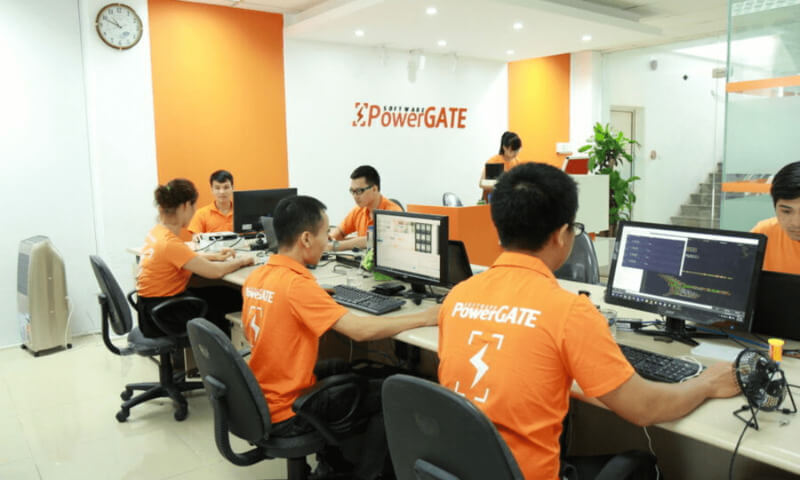
PowerGate Software Team

PowerGate Software is the most trusted app development company in Vietnam. With a team of experienced developers, they focus on designing and developing unique apps that provide amazing user experiences.

For over a decade, PowerGate has been consistently producing successful apps for all different types of businesses. They offer both custom and ready-to-use software solutions for all your needs, from mobile apps to websites.

PowerGate also offers training courses for any level of expertise. They can even meet you at your office to walk through the installation process and work with you on learning how to use their software efficiently.

If you’re looking for an IOS app development company in Vietnam, look no further than PowerGate Software.

Rate on Clutch*: 5.0 stars

Savvycom Software

Savvycom Software is a company that specializes in iOS app development for both individuals and businesses. They provide state-of-the-art technology with expert professional team members who are committed to customer satisfaction.

We offer full-stack service of Web, Cloud & Mobile App Development, IT Outsourcing, DevOps, and IT Maintenance Services.

Rate on Clutch*: 4.9 stars

CO-WELL ASIA

CO-WELL ASIA Team
CO-WELL ASIA Team

CO-WELL ASIA is a leading IOS app development company in Vietnam that has been creating apps for over 10 years. They are reliable, efficient, and seriously know the job. CO-WELL ASIA has experience developing everything from banking apps to social media applications; this means you get the best of the best when it comes to your money! In fact, their client’s list includes some of the biggest names in the business including Heineken, Aeon, and Idom INC.

While CO-WELL ASIA does a lot of work in Asia (Vietnam included), they also have offices in Japan. This allows them to be easily accessible no matter where you are located.

So if you’re looking for an iOS app development company that is going to give you stellar results while giving you a break on price, then CO-WELL ASIA should be at the top of your list!

Wrap up

From apps that help you to make a living, to those that aid in your daily life, there are so many great apps for both personal and professional use. But choosing the right iOS app development company is difficult. The Vietnamese market for IOS app development is growing rapidly, with large companies from all over the world coming in to see what Vietnam has to offer. This article will help you find the perfect company for your needs and provide you with top-notch service that is second to none.

If you are in search of a company that does iOS app development, we would be more than happy to work with you. We have successfully completed many projects for years such as LuminPDF, Swell, and Walrus Education among other successes. You can tell us your idea and we will create it into reality..

The post Top iOS app development companies in Vietnam in 2022 appeared first on Designveloper.


December 28, 2021 at 02:47PM
from Desigveloper https://ift.tt/3sBKTlp
Share:

Top 5 WhatsApp backup solutions for iPhone and Android

How to backup WhatsApp photo? My phone is malfunctioning and I don’t want to lose my WhatsApp data. Can someone help me take a backup of my WhatsApp chats and attachments?
If you are a regular user of WhatsApp then you must be having a similar thought. Since WhatsApp can have our important personal chats or work conversations, it is always recommended to maintain its backup. Now, you can easily do WhatsApp backup iPhone or Android and that too in different ways. In this guide, I have handpicked the 5 best solutions to backup WhatsApp data.


I. One-click Solution to backup WhatsApp Data on iPhone

One of the best ways to backup and restore WhatsApp data is by using dr.fone – Restore Social App (iOS). It is a part of the dr.fone toolkit and provides a quick one-click solution to backup WhatsApp chats and attachments. This means, you can backup WhatsApp photo and videos directly to your device. Later, you can even preview the backup content and restore it to your phone.

Apart from that, it can also transfer WhatsApp data directly or restore iPhone WhatsApp data to an iOS/Android device. It can also be used to backup and restore other social apps like Kik, Line, WeChat, and Viber. To perform WhatsApp backup iPhone using dr.fone, simply follow these steps:

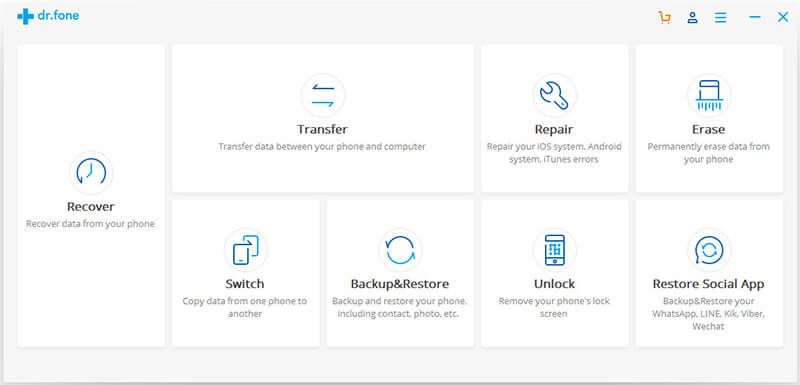
1. Launch the dr.fone toolkit and pick the Restore Social App feature from its home. Also, connect your iPhone to the system using an authentic cable.


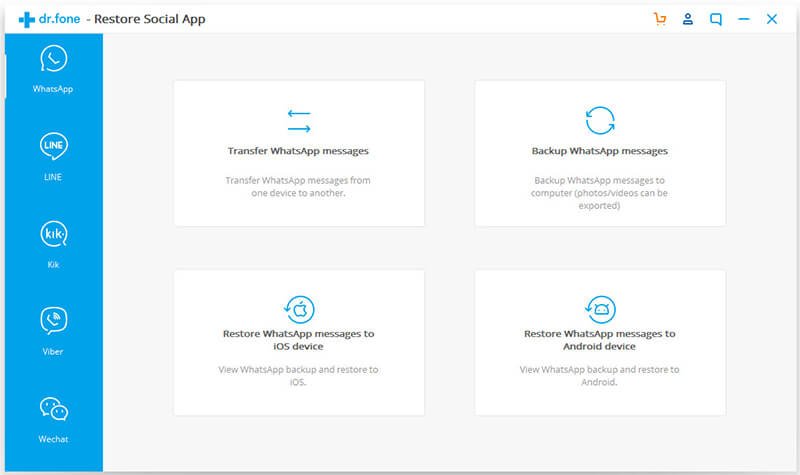
2. Go to the WhatsApp tab from the left and choose to backup your WhatsApp data.


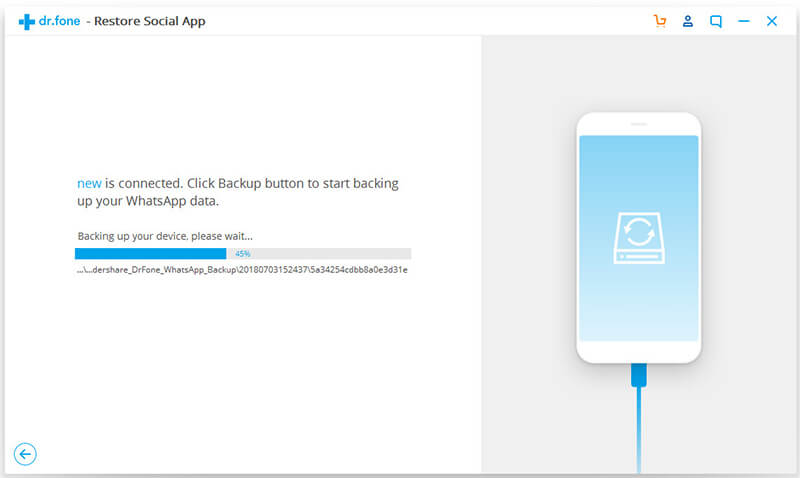
3. The application will automatically start taking a backup of your data. Simply wait for a while for the backup process to be completed.


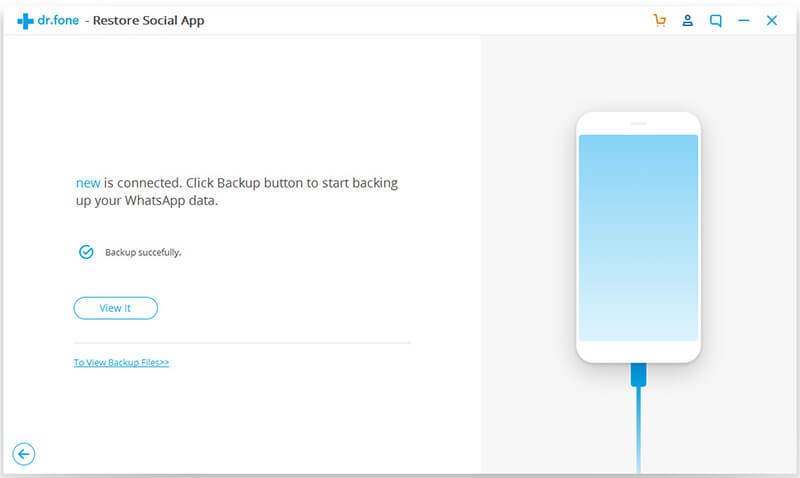
4. As soon as it is successfully completed, you will be notified. To check it, click on the “View it” button.


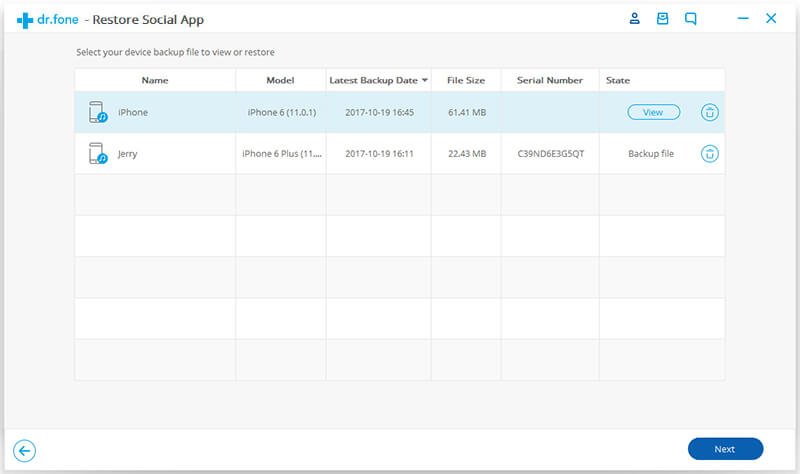
5. The interface will display the saved backup files with their details. You can simply view the backup of your choice.


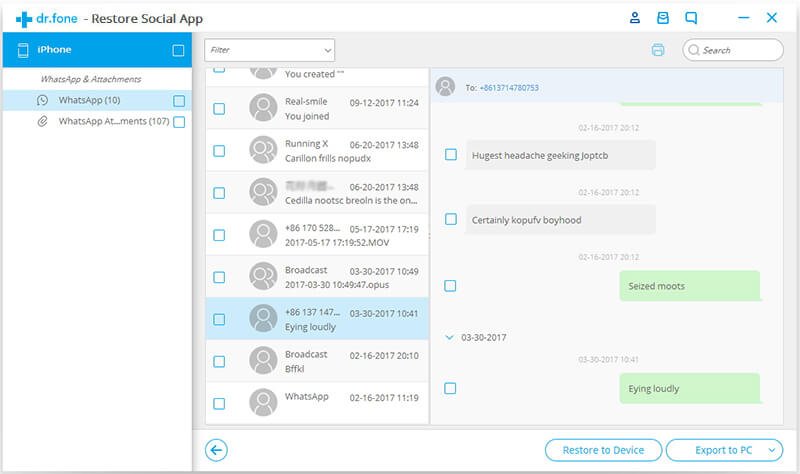
6. As you can see, all the chats and saved media files will be displayed on the interface for you to preview. If you want, you can directly restore WhatsApp data from here as well.


In this way, you can easily backup and restore your WhatsApp chats with a single click and always keep your data safe.

II. Backup iPhone WhatsApp Data to iCloud

This is a native solution that is provided by WhatsApp on iOS devices. If you have enough free space on your iCloud account, then you can easily take a backup of your WhatsApp chats on it. Though, the process to restore WhatsApp chats might not be as seamless as dr.fone – Restore Social App.

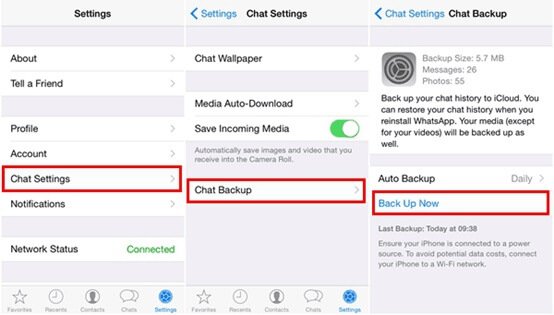
Unlock your device and launch WhatsApp. Go to its Settings by tapping on the menu icon.
Visit Chat Settings and tap on the “Chat Backup” button.
Manually take the backup of WhatsApp data or turn on the automatic backup option. You can also choose if you wish to backup videos or not.


In this way, a backup of your WhatsApp data would be maintained on iCloud. Later, you can restore the backup by installing WhatsApp on the same device and signing up with the same phone number.

III. Maintain an Offline Backup with iTunes

If you want to maintain an offline backup of your WhatsApp chats, then you can take the assistance of iTunes as well. This will take an extensive backup of your iPhone. That is, besides WhatsApp backup iPhone, your device’s photos, videos, contacts, messages, etc. would also be saved.
Connect your iPhone to the system and launch iTunes on it.
Select the connected device and go to its Summary tab.
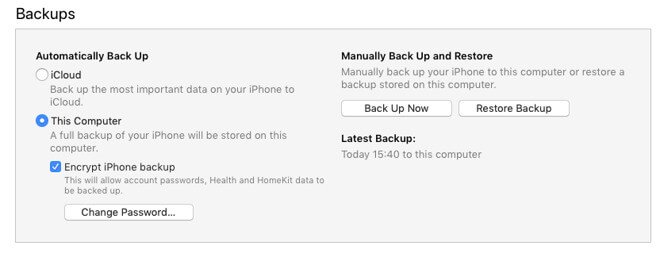
Under the Backups section, you can find an option to take a backup of the device on iCloud or the local system (This Computer). Select the “This Computer” option.
Now, click on the “Backup Now” button and confirm your choice to take an extensive backup of your device.


While it is easy to backup WhatsApp photo and other types of data this way, you would face unwanted problems restoring the data. A third-party iOS backup extractor would be needed to fetch the WhatsApp chats and restore them to the target device.

IV. Take a Backup of WhatsApp on Google Drive (Android Devices)

After learning some solutions to take a backup of WhatsApp data on iPhone, let’s consider the same for Android devices as well. Since all the Android phones are connected to a Google account, you can easily maintain WhatsApp backup on Google Drive. Here’s how you can do it.
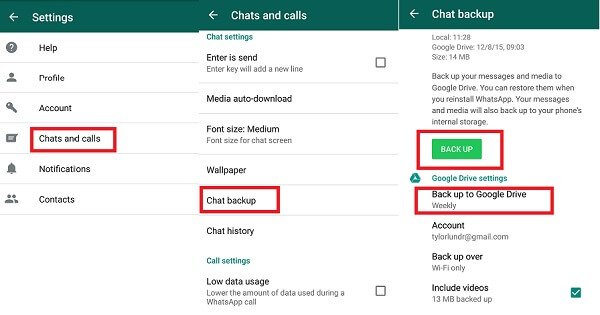
Launch WhatsApp on your Android phone and go to its Settings > Chats. In some versions, it is listed as “Chats and Calls”.

Tap on the “Chat Backup” button to explore the option. To take an immediate backup, tap on the “Backup Now” button.
You can tap on the “Backup to Google Drive” option to link your WhatsApp to your Google account and take its backup on the Drive.


After maintaining a backup on Google Drive, you can restore it to an Android device. While setting up your WhatsApp account, enter the same number and WhatsApp will automatically detect the existing backup file.

V. Maintaining a Backup on the Android Device Storage

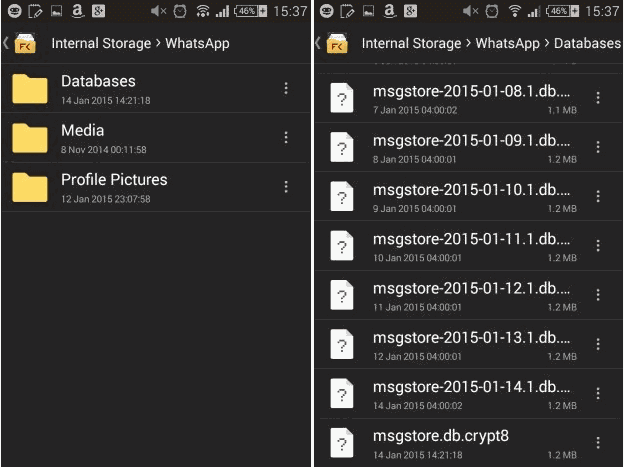
A lot of people don’t know, but you can also maintain a backup of your WhatsApp chats on the local device storage as well. The feature is only available for Android devices. When you visit the Chat Backup option on WhatsApp and take a backup on Google Drive, a duplicate copy is also maintained on the local device storage. 

You can use a file manager and go to the Internal Storage > WhatsApp > Database folder. Here, you can view backup files with a .db extension. Simply copy the backup file and keep it safe at a secure location.


Now when you know five different ways to backup WhatsApp photos, videos, and chats, you can easily keep your data safe. Once the backup is maintained, you can use dr.fone – Restore Social App (iOS) to recover it as well. It is a complete solution to backup, transfer, and restore WhatsApp data that will certainly come handy to you on different occasions.
Share:

Download this great sketching app for free

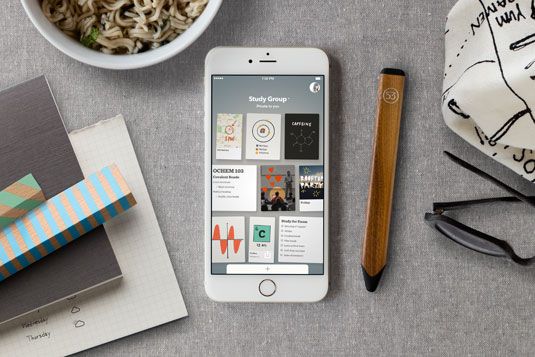
Popular sketching and notetaking app Paper by FiftyThree launches on iPhone today - and it won't cost you a penny.


We've long been fans of Paper by FiftyThree, one of the best iPad apps for sketching, doodling, and notetaking, as well as Pencil, its accompanying Bluetooth Smart Stylus. So we're excited to see that Paper has today launched on the iPhone too.

Named iPad App of the Year by Apple in 2013, Paper has been downloaded more than 15 million times. It's a great way to organize your thoughts, with ideas captured and stored like a wall of sticky notes that are easily arranged and connected to each other.

Today's launch of Paper on iPhone coincides with the release of a completely redesigned version of Paper for iPad.


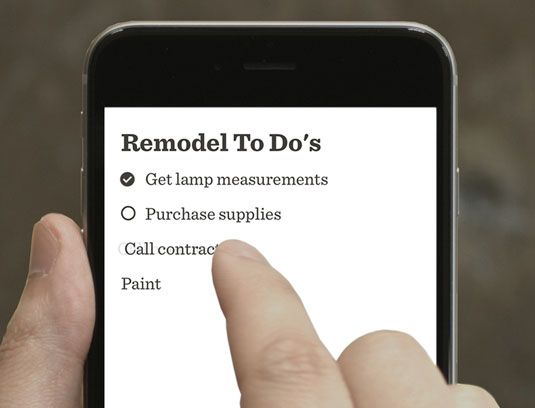
New features include Swipe to Style, which lets you create fast lists, bullet points, or headlines with a simple swipe, and Photo Spotlight, a new filter that lets you easily spotlight the area in photos and screenshots that you want to call attention to.


The app is free and runs on both iPhones and iPads running iOS8+. You can download it in the App Store here.
Share:

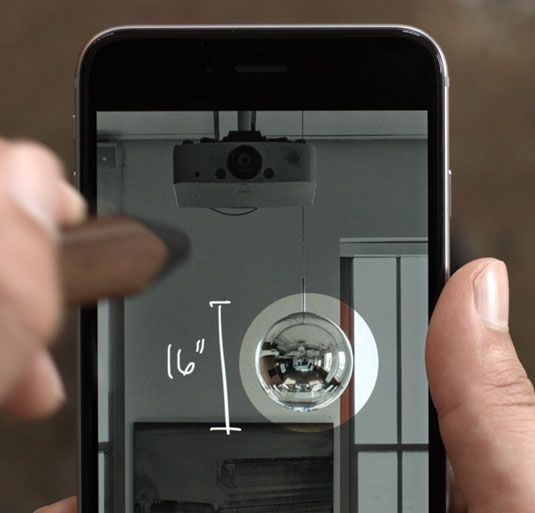
How to design apps for all of Apple's screen sizes

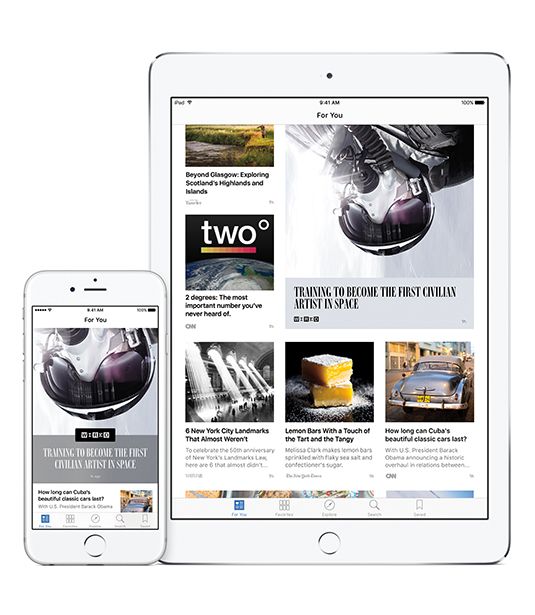
When the App Store first arrived, designing for Apple mobile devices was relatively straightforward. Sure, developers had to get to grips with touchscreens and gestural interaction and rethink visual language for smartphone apps and games a world away from desktop conventions. But the iPhone was one device, with one screen size and one interaction model.

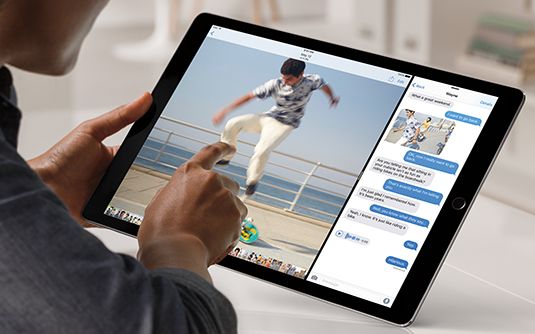
Today's landscape is very different. Universal apps may support everything from the Apple Watch to the iPad Pro. Screen sizes vary enormously, and so does scaling – a 9.7-inch iPad Air display boasts the same number of pixels as a 7.9-inch iPad Mini's. And interaction models across Apple's iOS, watchOS and tvOS devices vary wildly too.

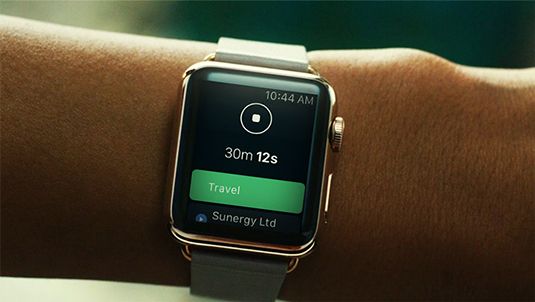
With Apple's current range of touchscreen devices, input remains similar to that first iPhone, but there are new gestures and additional features within iOS, mostly to cater to the larger iPad displays. The Apple Watch, though, accepts touch interaction alongside utilizing the Digital Crown and voice input. And you interact with the new Apple TV using a remote rather than by directly manipulating objects on a screen.

Playing the game

Developers creating games to work across iOS and tvOS devices seem largely unconcerned. But then games often cope well with screens of very different sizes. "I do all my layouts in such a way they're scaled relative to a screen's dimensions," says games designer Paul Pridham, who admits that this "doesn't matter much, since most of my games are chunky and lo-fi by nature". Nitrome MD Matthew Annal uses another common trick for cross-device mobile games: his titles have a 'safe zone'. Important elements are kept within that frame, and elongated screens simply show more of the surroundings.

With apps boasting more conventional menus, buttons, panels and workspaces, things become trickier. Text editor Ulysses currently supports only iPad, but an iPhone version is imminent. Co-creator Max Seelemann of The Soulmen explains the app therefore utilises two screen modes: a split view where sections sit side-by-side, and a narrower 'stacked' layout.

Mode changes are automatically triggered by iOS, which Seelemann says is helpful as Apple's operating system becomes increasingly complex – an iPhone 6 Plus in landscape apes an iPad, and iPad Split View is akin to a tall iPhone; even so, plenty of thought must go into how even relatively simple interfaces scale from the smallest iPhones through to the iPad Pro.

Seelemann's approach recalls modern web design: concentrate on content and show more as available space increases. Eternal Storms Software founder Matthias Gansrigler reckons this is even more important when tackling Apple Watch and televisions: "Start designing your interface with the smallest device you're targeting in mind." As screens increase in size, you can introduce more elements, although Gansrigler warns this isn't always necessary: "Sometimes, keeping things minimal is beneficial, even though space allows for more. It's all about the user experience: overwhelming someone can be as bad as underwhelming them."

What feels right


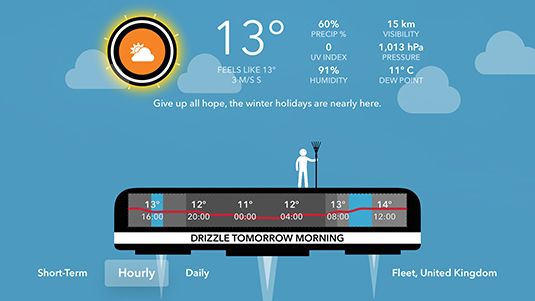
When creating CARROT Weather for iOS, watchOS, and tvOS, developer Brian Mueller admits he often just went with what felt right: "I played with layouts so it felt good on my main test device, an iPhone 6 Plus, but knowing what would work elsewhere. I had to cut some elements for smaller screens, and add stuff on iPad so the screen didn't feel empty. But that was basically it – doing what came naturally, while thinking about how things might work when scaled or rotated."

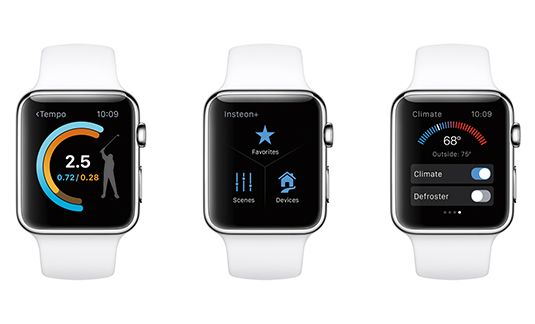
Developer James Thomson's PCalc is also available on every Apple platform, and his process involves "figuring out what makes sense on a given device". He explains: "I can't get more than 15 usable buttons on a watch screen, and even that can be cramped. But on a TV, you'll be across the room, so want everything as big as possible."

As with Ulysses, the distinction on iPad and iPhone is more muddied – PCalc on the former makes use of space through sidebars and popovers rather than switching between full screen views, but in the iPad's multitasking modes, the app uses the iPhone layout when available space narrows.

Sometimes, other practical considerations impact on the layout, as Streaks creator Quentin Zervaas explains: "Building Streaks to work with over twenty languages forced us to think how text would fit and be laid out, which naturally made it easy to scale to different device sizes." For example, a string of German text takes more room than English – "which is like fitting something designed for a 4.7-inch screen into a 3.5-inch one" – while Chinese characters need less space. Apple's Auto Layout was a boon, aiding layout across multiple devices and also robust language support.

A question of scale


Screen sizes aren't the only problem stemming from multiple display sizes – pixel density must also be considered. Even iPads with different dimensions have the same resolutions; and some Apple devices require @2x graphics, while others prefer @3x. "That screwed me up when making CARROT Fit," admits Mueller. "I created hundreds of exercise poses as raster images at @2x, because that's all I needed originally." When @3x devices appeared, all the assets had to be remade. Mueller now recommends vectors: "With CARROT Weather, everything's saved out as PDF, and Xcode handles asset generation. I also use PixelCut's PaintCode to generate assets in code, to create different sizes dynamically."

Rasters can still work, but you must plan ahead. Producer Ron Packard, Jr. says he too has had "difficulty in needing to upgrade image sizes," and "faced the daunting task of redoing all our renders". So for game Castle Breakout, "all the renders are ginormous, and can be downgraded to smaller screens as necessary". For Annal, whose games mostly use pixel art, scaling can also be a problem: "So we tend to stick with a much lower than screen-density pixel size that matches the density of the lowest supported devices. That way, pixels look crisp on older devices, and newer ones have such high pixel density that everything looks great anyway."

In terms of specific user interactions, we ask whether scale can be a concern, not least on iPad Mini. Seelemann, whose Ulysses is mostly keyboard-driven, mulls that "Apple determined 44pt is the minimum size every element should have" and as long as you follow along with that, you should be okay. "So although some devices have different PPI values, users will have adjusted to them. We don't see a need to deviate from Apple's recommendations."

A sense of focus


Another thing to be mindful of, says Open Planet Software co-founder Gordon Murrison, is you'll sometimes find an app feels perfect for a specific device, and may therefore "make the decision to not support others". This was the case with stop-motion tool Smoovie, whose rich UI was so ideal for iPad that an iPhone version never materialised. In other words, your apps don't have to be everywhere.

In fact, some developers say Apple's rapidly expanding ecosystem may soon make such decisions commonplace. "I design for a 'main' device and then adapt my work for others, but then indie developers don't have access to the full range of devices for testing," explains developer Álvaro Maroto Conde. Complaining developers can't all afford to keep investing in new hardware every six months, Conde says they must take their chances with one or two and the "buggy emulator". He adds Apple's secrecy combined with the "race against launch dates" also results in App Stores stuffed with software that's "not properly tested and proffers this might have instigated Apple's surprising decision to issue Apple TV dev kits.

Where possible, though, Gansrigler says developers should try to get at least one example of each major piece of kit they intend to ship something for. Primarily, this is because simulators are rarely as nuanced as the real thing: "The Xcode tvOS simulator doesn't do the Siri Remote justice, for example. You use a mouse or trackpad, but the remote's touch-sensitive area is used with a thumb. You must try it and get a feel for how it works." Additionally, he says new methods of interaction may need thought when porting apps from other systems: "Tap a Siri Remote touchpad edge and focus advances one step in that direction. That interaction is not available out of the box on iOS, and so must be considered when bringing an app to Apple TV."

Together, but apart


Given the variances between devices, then, should they be considered separate platforms? And if so, how do you create coherence when a single universal app (in reality separate binaries, but this is invisible to the user) is made available for them all? "A lot comes down to branding and staying true to the spirit of your app," suggests Annal. "If you echo the same visual identity while retaining what makes your product special, it won't matter that inputs or screen sizes change."

This, according to Zervaas, must be twinned with an awareness of usage. With Streaks, a key feature is the payoff people feel on tap-holding a task to mark it as done. "But this interaction model isn't possible on Apple Watch or Apple TV," he says. "On Apple Watch, we therefore use Force Touch, which is a different interaction model but still provides that visceral feeling of having completed a task. On Streaks Workout for Apple TV, we use a simple click on the remote to mark exercise as done. This suits the style of app, but you still get the payoff of an animation filling up the progress bar and showing the big tick."

Any notion of trying to go too much further, effectively creating the same app across platforms, is roundly dismissed. "Our goal as designers and developers is not to reduce our workload, but to make great products," says Murrison. "Remember common UI frameworks across Mac and Windows? Horrible. You end up with something that's not at home anywhere. It's the same when building apps for different device families in the Apple ecosystem."


OfficeTime founder Stephen Dodd agrees: "It's not enough to just port designs across platforms. You might be tempted to design a 'lite' version of an iPhone app for Apple Watch, but the latter device is used in brief encounters. You should instead ask what is valuable enough to show a user during such mini interactions, rather than them just taking out their iPhone."

Perfect fit

Successful development for the modern Apple ecosystem is, then, primarily about context; as Thomson notes, you must "where the possible design for the strengths of each platform". With PCalc, he reasons people won't perform long multi-stage calculations on a watch but might tot up groceries or split a bill. "So while my app on tvOS, iOS and watchOS is similar from a coding perspective, the interfaces are designed to fit – even on iPhone and iPad, you do things differently."


Dodd has found the same with OfficeTime – people use the time-tracker on various platforms, but not for the same tasks: "They may start a timer on a watch, stop it on an iPhone, edit details on an iPad, and build invoices on a Mac: "Each app has progressively more power but a slightly steeper interaction cost. Each plays to the strengths of the device."

All this choice, though, could also serve as a warning of an ever more complex future. We began by noting things were once simple: one device; one screen size; one interaction model. Now, although Apple's ecosystem will never have the diversity of Android, it will continue to grow. "You'll see new challenges, such as iPad's Split View," says Seelemann. "In one release, this introduced five completely new UI sizes with unprecedented aspect ratios. It became clear apps must support any arbitrary screen size. Optimizing for them all is no longer feasible and no longer makes sense."

According to developer Enrico Susatyo, anyone creating apps for Apple kit should no longer be surprised by such changes. "Apple is good at ushering developers towards the future of its platforms without revealing much," he says. "In 2011, we got Auto Layout, a year before the iPhone 5. Size Classes appeared a year before the iPhone 6, making it easier for developers to support bigger iPhones and iPads. Image Assets were introduced before @3x Retina devices."

He advises to, therefore, pay attention to what Apple's doing so you won't be caught out: "Apple wants us to adopt new technologies. They might not be immediately obvious, but sooner or later they'll all be adopted for new features."
Share:

9 Creative free iPhone apps for designers

Just because you don't have your Mac in front of you doesn't mean you can't be creative. Apps for mobile devices are getting better every day, and while there are plenty of paid options available, you don't need to spend your hard-earned cash to get hold of a great creative iPhone app.

Whether you're into 3D, illustration, graphic design, animation or photography, there's a free iPhone app to help you stay creative on the go.

This article explores the best free iPhone apps. For a comprehensive list, including paid options, take a look at our roundup of the best iPhone apps. Don't have an iPhone? Check out our list of the best Android apps.

01. Adobe Illustrator Draw


Illustrator Draw is one of many free apps from Adobe...
Developer: Adobe

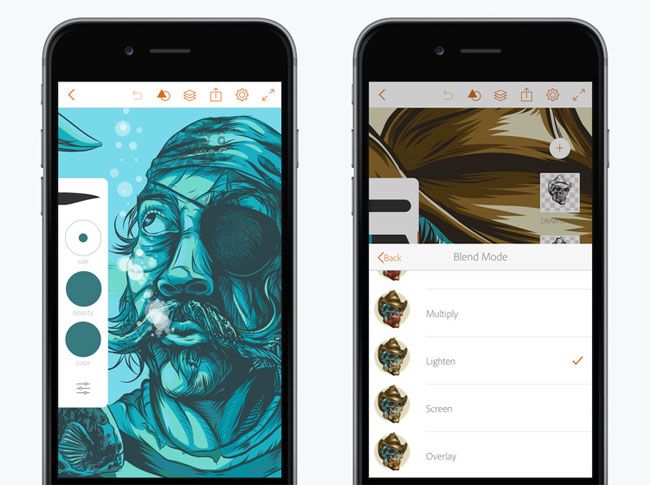
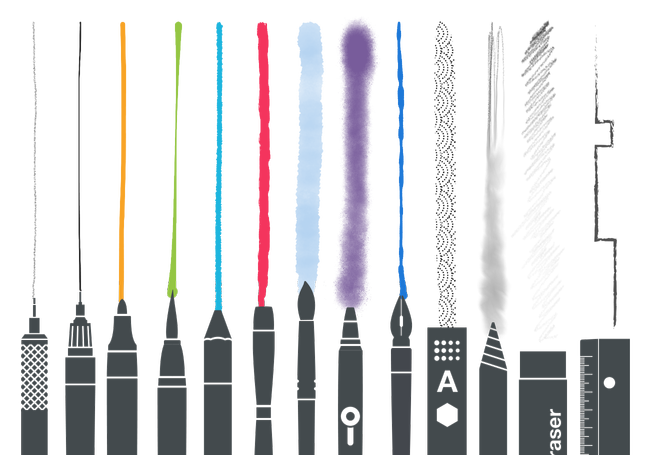
Adobe offers a range of free iPhone apps, and almost all of them are well worth a download. All you need is a Creative Cloud ID. Illustrator Draw is ideal for creating vector art on your phone. Like Assembly, it includes shape stencils for you to start with, and boasts several configurable pen tips and brushes, merge options and layer blend modes. You can work on canvases up to 8k, and send your layered files straight to Illustrator CC with just a tap.

02. Tayasui Sketches


This free app prides itself on having the most realistic drawing tools
Developer: Tayasui

The team behind Tayasui Sketches have worked tirelessly to offer the most realistic drawing tools possible, in a free iPhone app. There are over 20 tools, including impressively realistic watercolour brushes. It uses a layer-based workflow and makes it easy to import and export PSD files. Tools are hidden away to keep the UI as clean as possible on the limited screen space. Find out more on the Tayasui Sketches website.

03. 3DMark Sling Shot


The real fun lies in running the benchmarking tests
Developer: Futuremark

3DMark's a benchmarking tool that's been putting PCs through their paces since the 1990s, and this iOS version will give your iPhone (or your iPad) a proper 3D workout and award it a no-nonsense score.

The real fun lies in running the benchmarking tests, which are beautiful mockups of a detailed and action-packed 3D game. They're a delight to watch, and once they're done you can find out how many frames per second your device can manage and just how good it is at simulating 3D physics. Sling Shot is aimed at up-to-date devices; if you want to give your old iPhone 5 a bit of a workout then go for 3DMark Ice Storm instead.

04. Behance


Unlock inspiration on the move
Developer: Behance

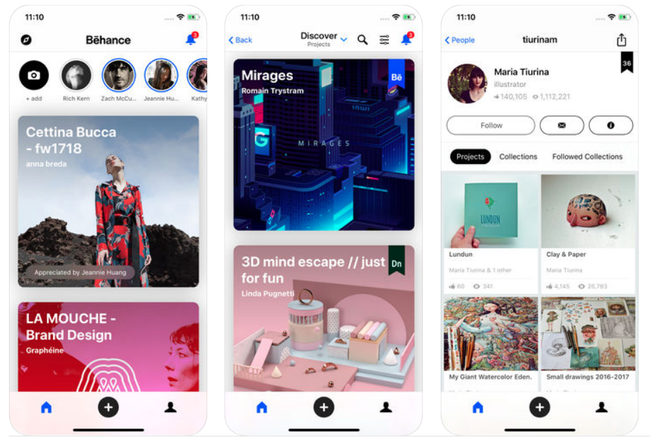
Short on inspiration? Here's a better way to browse Behance when you're on the move. This free iPhone app enables you to explore millions of projects of all kinds, with high-quality images you can view full-screen. There's also a new Work in Progress feature that shows designers' unfinished works for 24-hours only.

05. PhotoScan


Turn old photo prints into pristine digital files
Developer: Google

Many of us have a load of pre-digital photos languishing in drawers somewhere. Scanning and cropping photos are typically a bit of a laborious task, but this free iPhone app from Google makes it a whole lot simpler. Just shoot each print from a few different angles (the app ensures snaps are glare-free), and PhotoScan will automatically crop, enhance and rotate your image, giving you a pristine digital copy.

06. Prisma Photo Editor


Developer: Prisma Labs

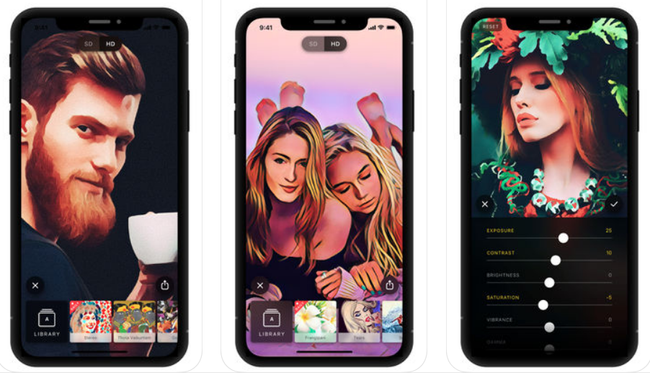
This free iPhone App boasts 120 million users and picked up Apple's App of the Year award back in 2016. Its main function is to apply photo effects to your snaps – specifically, ones that make them look like paintings. There are over 300 art styles in Prisma's effects library (and a new one added each day), so you can make your photos look like paintings by everyone from Picasso to Dali. Enhancement tools help you tweak the result.

07. Brushes Redux


Classic creative iPhone app Brushes gets a modern revival
Developer: Christoffer Hoel

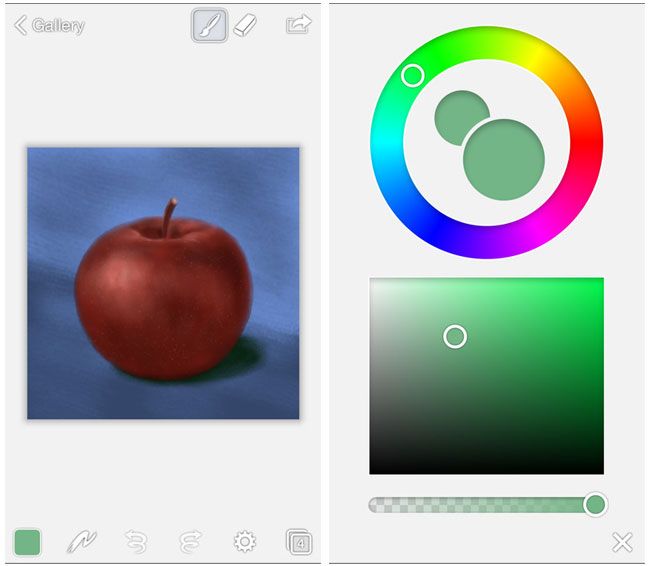
Brushes were the original poster child for creative iPhone apps, and although the original developers have long given up on it, Christoffer Hoel decided to keep it alive with a completely rewritten, new version. Brushes Redux features a responsive OpenGL painting engine, records every stroke so you can replay your process, and is packed with all the brushes and settings you need to create amazing artwork at up to 4096 x 4096 resolution.

08. Snapseed


Fix your photos and learn how to take better ones that need less fixing
Developer: Google

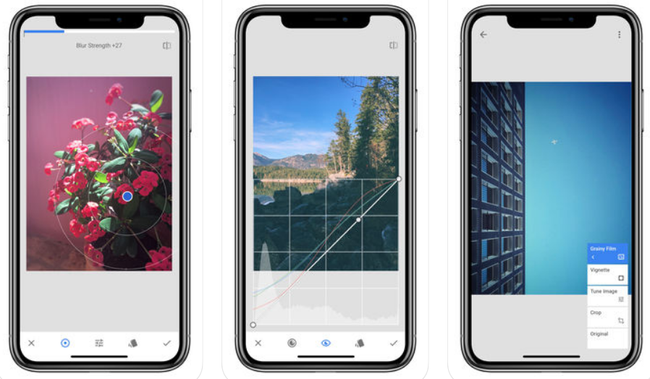
Another great free iPhone app from Google, Snapseed is designed to be a complete and professional photo editor. It comes packed with 29 tools and filters, all of which can be stacked and tweaked to help you get the perfect result. There's also an Insights feature with tips and tricks about both Snapseed and photography in general so you can take better photos to start with. It works with both JPG and RAW files.

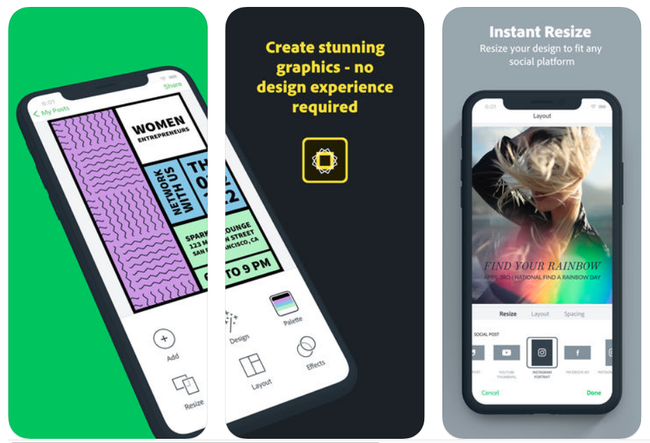
09. Adobe Spark Post


Create graphics for a range of occasions
Developer: Adobe

Also from Adobe, Spark Post offers a fun and fast way to make stunning graphics. Templates help you get up and running quickly, then you can add photos, text, and filters to create the style you want. The app makes it easy to share your creations via social media, text or email. The latest update sees big improvements to the app's snapping tools so you can be sure your designs are aligned perfectly.
Share:

The 7 best typography apps

Boost your skills and knowledge, create typefaces and play font-related games with these brilliant typography apps for iOS, Android and the web.

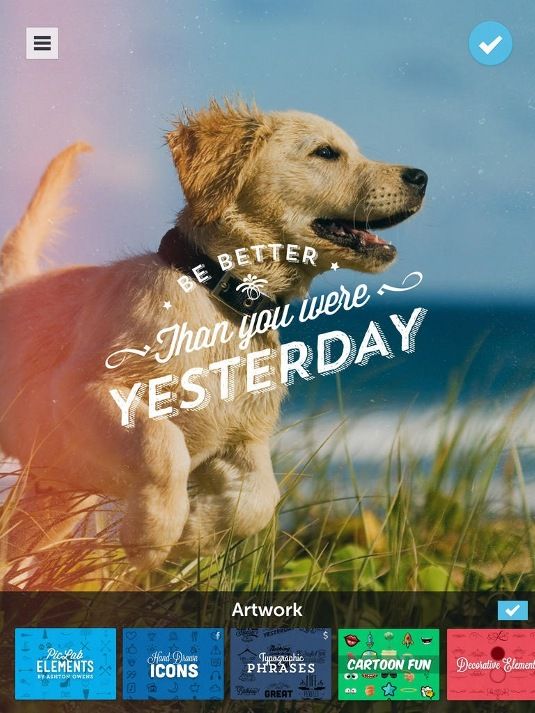
01. PicLab


Use the photo editor to create trendy typographic images
Platform: iOS (iPhone and iPad), Android

PicLab makes it easy to add typography to your photos, offering lots of fonts and full control over size, positioning, opacity, rotation, and color. You can also add things like layer illustrations, ornamentation and other design elements on top of your image.

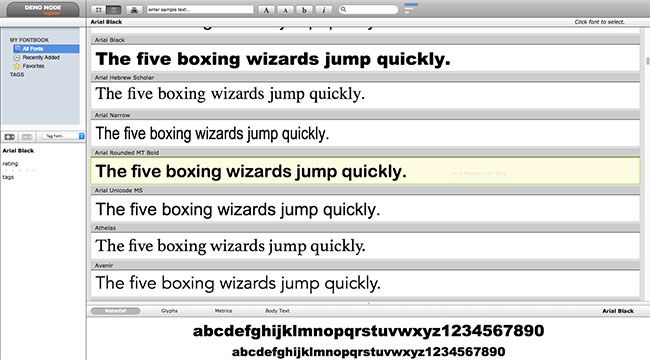
Organize and view installed fonts easily
Platform: Web

With MyFontbook, you can organise and view installed fonts easily. Providing a number of tools to manage your fonts, MyFontbook is platform-independent and can be used across any web browser.

03. Typecast


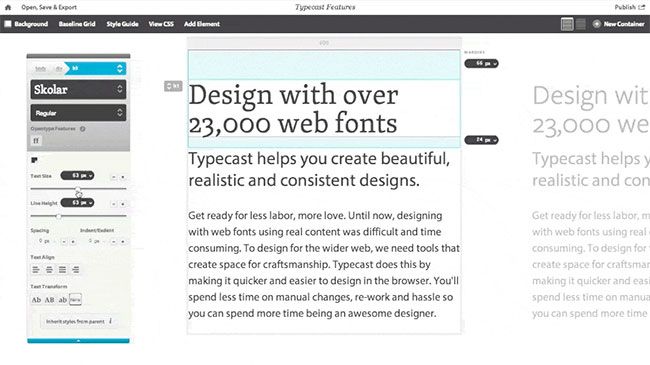
Typecast is a browser-based web fonts app
Platform: Web

Typecast is a browser-based web fonts app that enables you to experiment with over 23,000 web fonts from Typekit, Fontdeck, Fonts.com and Google Fonts – even if you don't have an account with those services.

04. Typecast (Google Fonts version)


As above, but accessible through Google Fonts
Platform: Web

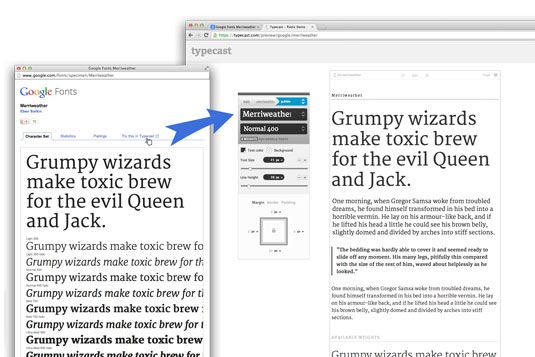
Monotype has teamed up with Google to release a free, public version of Typecast that can be accessed through Google Fonts. It enables you to select any font on the Google Fonts website and then follow the link to the Typecast app.

From there, you can work with that font on text of any length and use a wide range of type controls to build clear, readable type systems through adjustments such as font size, weight and line spacing. Your work can be exported as production-ready HTML and CSS, or PNG files, to share with others or merge with comps.

05. Fount


Fount helps you identify typefaces that take your fancy
Platform: Web

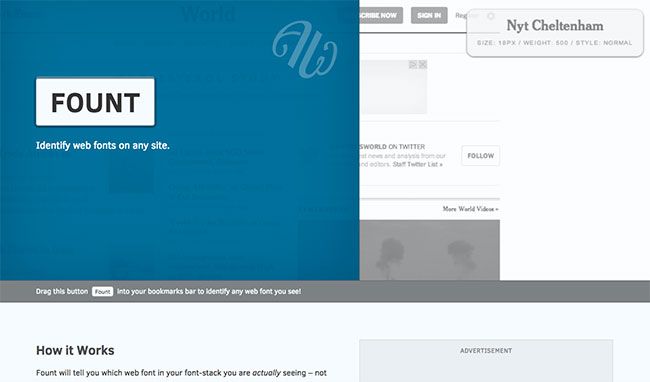
As web fonts have become common online, the range of typography options available has increased dramatically. If you spot a font you'd like to use while browsing the web, it can be a bit of a headache to dig down into the website's code in order to work out which font you're looking at. Fount solves this problem by using a bookmarklet to enable you to instantly identify fonts.

06. Typekit


Typekit is integral to Adobe's Creative Cloud
Platform: Web

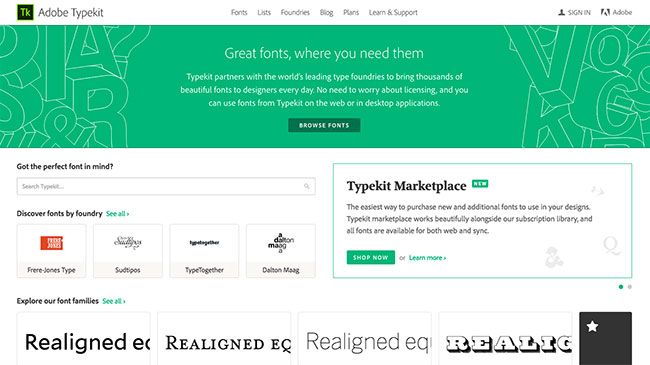
Font service Typekit was founded in 2008 by some of the web industry's most experienced designers and developers, bought by Adobe in 2011 and now forms an integral part of the Creative Cloud. With it, users can access thousands of fonts from within all the various Adobe tools. Find out more about how to embed fonts into your web designs using Typekit.

7. Tiff


Tiff is a typography app that allows you to compare fonts
Platform: Web

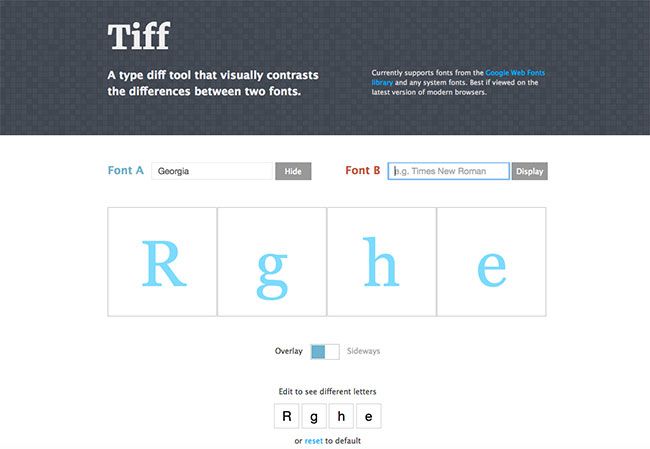
This nifty little web app enables you to compare how letters look in different typefaces. Tiff is described as "a typeface diff tool that visually contrasts the differences between two fonts". When you first open the page, the letters R, g, h, and e are being displayed in Helvetica ('Font A'). 

To change the font, click the blue 'Hide' button (which changes to 'Display') and start typing in the field. A drop-down menu of fonts will appear. Make a selection and the letters below will change accordingly.

To compare with another font, do the same in the 'Font B' field and the two fonts will appear next to each other. You can also change the selection of letters at the bottom of the page. And you can see the fonts close up by clicking on the square. At this point, Google Web Fonts is the only source of external fonts for Tiff.
Share:

5 apps for endless design inspiration

Inspiration is essential for every creative person. If you are in the right mood, it can come from almost anywhere. However, when you feel tired or distracted, your imagination may need additional sources to get inspiration from.

Having scoured the internet, we've collected a selection of what we think are the best apps to give your inspiration a boost. We've included loads of free apps, and some worth paying a little extra for. So read on to get your creative cogs whirring.

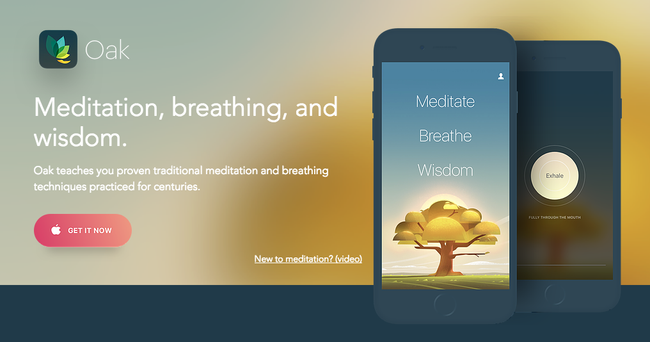
01. Oak


Perhaps the best way to fill your mind with wonderful new ideas is to first clear it of any niggles, stresses and worries. Oak is a meditation app based around techniques that have been practiced for centuries.

It offers guided meditation sessions of different lengths (got a deadline? Perhaps go for the 10-minute option), as well as yogic breathing exercises to help calm you.

02. Creative Live


'Master your craft, your passion or something new with creative classes taught by the world's best.'

Creative Live streams classes taught by master creators including Grammy award winners, best-selling authors and world-renowned photographers. This app has the potential to be life-changing and we don't say that lightly

With free classes streaming 24/7, you could stay on the sidelines and dip in and out of the impressive free timetable. If you choose to dive in deeper, the 1500+ classes are available on-demand and you have payment options including individual classes (variable) and a monthly subscription ($39).

03. Coolors


$1.99/£1.99

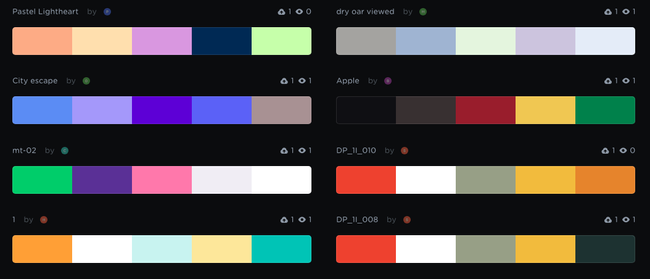
Coolors is a super-popular app that does its one thing extremely well: it generates colour palettes. If you're having trouble finding the right aesthetic for your design, simply hit the spacebar to scroll through Coolors' collection of colour palettes. You can then adjust the temperature and hue, and export your palette in a number of different formats.

As well as an iOS app ($1.99/£1.99), you can now use Coolors as a Chrome extension ($1.99/£1.29) or plug it into Photoshop CC or Illustrator CC ($5). It was designed, developed and is maintained by one man – Fabrizio Bianchi – and has amassed over 320,000 users.

04. Fabulous


Free
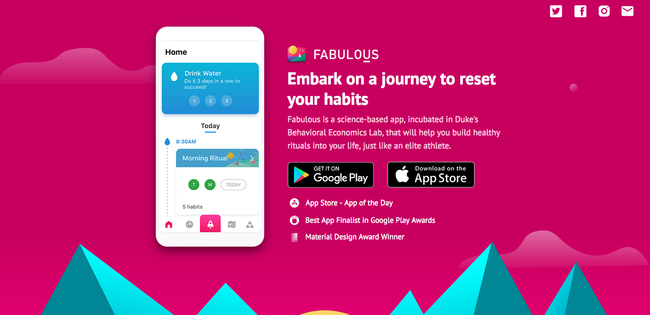
Award-winning app Fabulous aims to help you form healthy habits. Use it to increase your energy levels, sleep better, and generally become healthier – all of which are conducive to getting your creative juices flowing.

While there are lots of apps around that are geared towards forming healthy habits, this one is backed up by actual science (it was incubated in Duke's Behavioral Economics Lab, we're told). Available for iOS or Android.

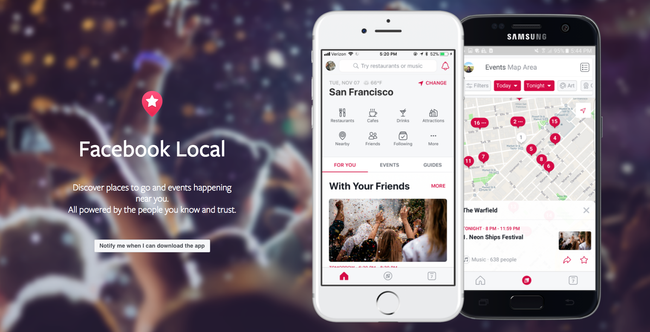
05. Facebook Local


Free

Facebook Local is Facebook's events app. Everyone knows that there's only so much inspiration you can glean from sitting at your desk – getting out and about and interacting with people is a top way to get fresh ideas.

This app includes an interactive map you can use to find events and activities happening near you, and filter them down by time, category, location and more. It also offers recommendations based on what's popular with your friends so you might discover something new.
Share:

How to make iOS apps for iPad and iPhone

Apple’s iOS platform remains the best bet on mobile for innovative and production-oriented apps. If you want to learn how to make an app for iPhone or iPad, check out the links below.

01. Watch Apple developer insights


Rather than immediately delving into making an app or game, it pays to find out what makes them successful. Apple’s developer insights videos have creators of hit apps share how they built sustainable businesses, cultivated communities, and kept their products fresh through regular updates and feature innovations.

02. Create a Messages stickers extension

If you’re desperate to get cracking and make something, this YouTube video by The Code Lady is a good place to start. In just a few minutes, it leads you through the process of using Xcode to fashion a simple Messages extension. It’s not a ‘proper’ app, sure, but it’s a toe in the water.

03. Start developing iOS apps


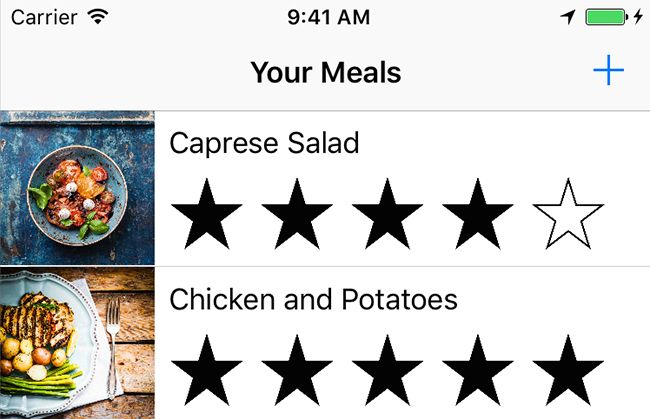
This course by Apple is broken down into sections that give you a grounding in building interface elements and working with table views. The end result is a simple meal-tracking app, with which a user can add, remove or edit a meal, along with specifying a name, rating and image.

04. How to make an app: Core skills


Chris Ching’s guide for his own Code with Chris site is a series of videos to take you through the process of creating an app. Unlike many guides, it starts with no assumptions. But in carefully working through the friendly tutorials, you’ll learn Xcode, Swift, interface design, user interaction, and computer logic.

05. Develop iOS 10 apps with Swift


Available through iTunes, Stanford’s course on developing for iOS comprises a series of lengthy video-based lectures with supporting material. Note that you will need some knowledge of C and object-oriented programming to be comfortable with the course.

06. Design for all Apple screen sizes


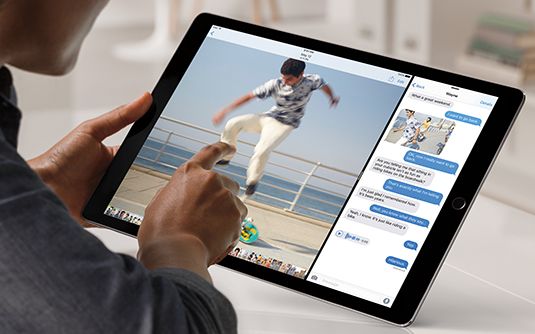
Although penned during the iOS 8 days, this article full of developer insight remains relevant to those targeting multiple Apple screen sizes. And multiple screen sizes are key these days – the best modern apps work on anything from the smallest iPhone to the largest iPad. Savvy developers also think beyond, to the world of the Apple TV and even Apple Watch.

07. Understand iOS accessibility


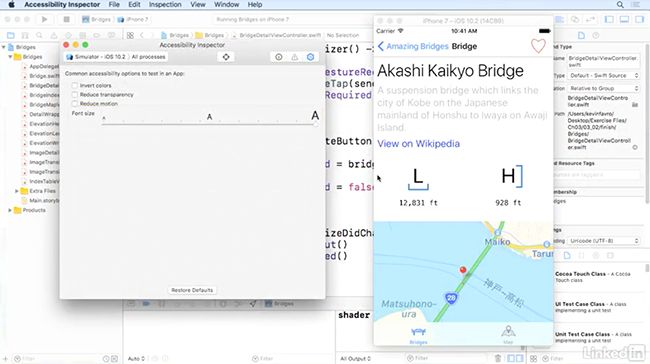
Accessibility is a fundamental component of all Apple’s output, and iOS devices are no exception. The best apps are aware of – and utilise – key accessibility technologies. This video series runs through many of them and also how to audit apps to ensure their functions are discoverable to and useable by all.
Share:

Popular Post

Web Design

5 Quick-fire portfolio tips from design experts

Your design portfolio is one of your most useful tools. It can win you commissions, help you snag a new design job, attract collaborators, a...

Labels

Most view post