


iOS App Development Trends And The Best Way To Make An iOS App?

What are iOS app development trends? And how can you utilize it? If you’re looking to make an app for iOS, then this article is for you! It’s a long and sometimes difficult process, one that includes many considerations. This article will walk you through many ways of iOS app development. You’ll learn:

  • What’s the iOS app development trend nowadays?
  • What is the difference between freelancers and outsourcing teams?
  • Why should you choose an outsourcing company for building your apps?

iOS app development trends in 2022

Apple’s iOS offers a number of ways to make your app user-friendly. One way is to create an app that has an intuitive interface so people can easily tap, swipe, and customize their experience. Another way is to map out all the functionality of the app so users will know what they can do beforehand. There are lots of other strategies you can use too, like using animations or gestures for guidance. Here is some key iOS app development trends that will rise in 2022:

1. Siri and Artificial Intelligence (iOS app development)

Siri-iOS-virtual-assistant
Siri – iOS virtual assistant

Some people will tell you that Siri and Artificial Intelligence are pretty easy to implement into an iOS app. But they are only as easy as people make them out to be.

Don’t forget about HTML5 and CSS3, these two technologies are also used to make the whole app look pretty. There are just a few tips to help you on the journey to creating an app.

2. iOS app security

Apple-is-now-more-focus-about-users-privacy
Apple’s now more focused on user’s privacy

Do you know how you can’t log in to Facebook or Instagram anymore? That’s because iOS has changed how it handles authentication. Instead of the login screen, iOS uses a token as a unique way to secure each login. The token has to be stored in a secure memory location so you can’t retrieve or reuse it. On most apps, that means a central server is required.

If you get hacked, that token is compromised, so you may as well give up now. For more details, see: Facebook vs. Apple: Here's what you need to know about their privacy feud

3. The Internet of Things

The Internet of Things is made up of many different parts. Some of these parts are machines that can connect to the internet and talk to each other, ways for devices to connect to each other without human help, and a lot of data that is made by devices.
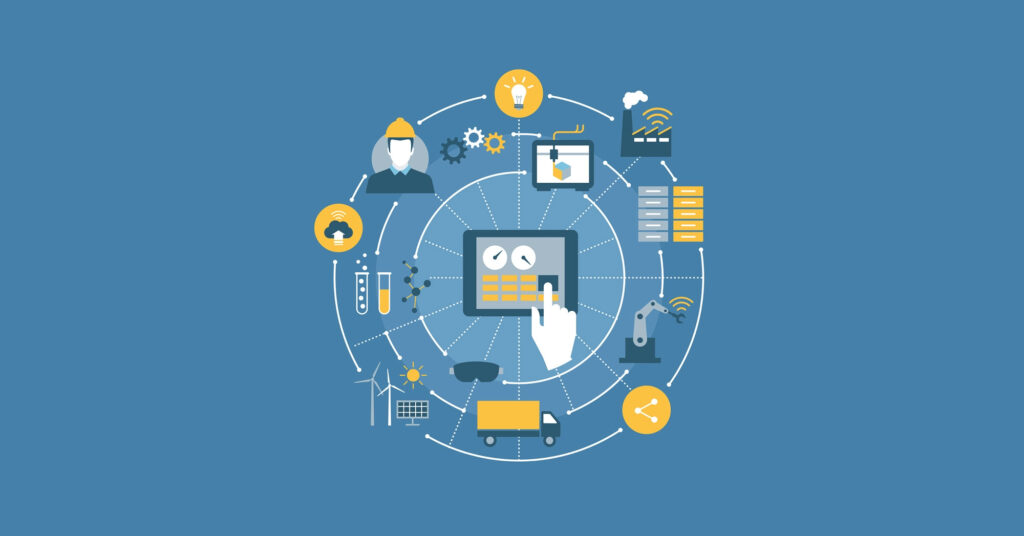
 The Internet of Things

It is one of the most popular iOS development trends and is used in almost all commercial businesses. At first glance, the Internet of Things is used in many different areas, such as supply chain management, smart city systems, agriculture to monitor soil conditions, the Apple Watch to help find heart problems, etc.

The Internet of Things is all about collecting, analyzing, and using huge amounts of data to make people’s lives easier. It is also used in a number of medical apps for the iOS platform that monitors patients’ vital signs while they are at home.

4. Augmented Reality

By 2022, more and more iOS users will use augmented reality and virtual reality apps. AR (augmented reality) games like Pokémon Go and Dino Trek have become very popular over the past few years.

Augmented Reality

There are a lot of apps out there, like the one from IKEA, that use this technology to make the customer experience better. Augmented reality apps will finally become popular in 2022 because they can be used in marketing, healthcare, and other fields.

5. App Clips

How does someone make an iOS app that people can use without having to download it? App Clips, which is one of the newest developments in iOS app development, has the answer. Users can get a feel for a program by trying out a small part of it using this technology before they download the full version.

App Clips

App Clips are usually simple and made to do just one thing, like paying a bill, reserving a room at a hotel, renting a bike, or other similar tasks. These working mini-versions of apps are small (less than 10 MB), so users can install them quickly by scanning a certain QR code, clicking on a link, or going to a certain place.

If you don’t use your AppClips for 30 days, the iPhone will get rid of them on its own. When people use these apps, they shouldn’t worry about their privacy because the App Store moderators check them out and approve them before they can be used by the public.

6. AI-driven Chatbots

The core of iOS app development is seeing a rise in demand for chatbots that use artificial intelligence. This is because chatbots are made with the idea that future administrations will be able to do and manage all tasks with the help of easy development. Due to this, chatbots are becoming more popular.
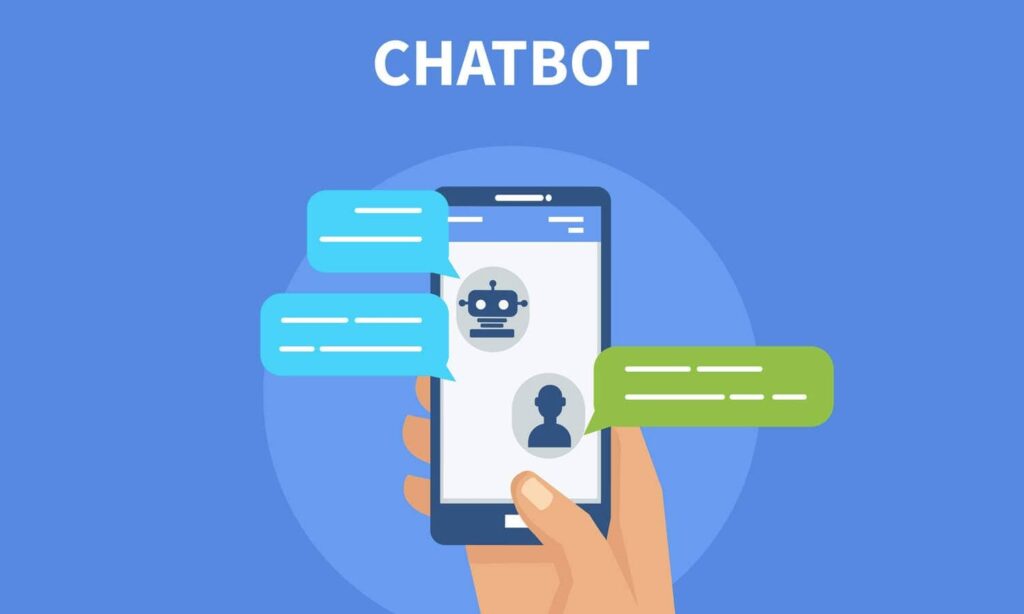
AI-driven Chatbots

Companies are putting AI technology into their websites and apps to help customers in a better way. This is because half of their users prefer to do things on their own, which can be done perfectly by putting chatbots based on AI into their websites and apps. This helps customers because they don’t have to wait as long for answers, and it also helps businesses because they are making more money.

7. Cloud Integrated Apps

The cloud-integrated app is now an important part of iOS devices because it makes sure that the data you store on your Apple device is safely sent to the cloud. Because they give their customers such a good experience, cloud-based iOS apps will continue to grow in popularity in the years to come.

Cloud Integrated Apps

In other words, the iOS cloud service is the most promising trend in iOS app development because it is constantly getting better. iCloud can store all of the app’s data, including real-time synchronization, the ability to share data with other users, and other services like authentication and server-side storage.

The Best Ways To Make an iOS App

You might be reading this article now and thinking: What’s the best way to build an app? Is there an easy and cheap way? To build a successful app, you’ll need to make a decision about how you’ll build your app. One of the primary decisions you’ll need to make is how you’re going to write the code for the app. There are three popular choices for how you’ll write your code: using Swift, Objective-C, or iOS’ own Objective-C (or AppleScript).

If you want to create an iOS app, there are a few different ways to go about it. The first step is to decide whether you want to learn how to code and create your app from scratch, or if you’d prefer the easier route. If you plan on coding your own app, then here is a quick guide on what that entails. The other option is using a template like Appy Pie and integrating your app with Facebook and Twitter accounts. This will be much quicker and easier for those who want to avoid coding at all costs. After you make your decision, the rest is up to you!

1. Build up an internal IT team

Hiring an internal IT team to build an app is one of the best options available to businesses. The reason?

The main reason is that IT people love building apps! The best IT folks are the ones that build apps for fun. They get a rush out of coding and seeing the code come together. While this is fun for them, it’s even better for you!

All of your employees love seeing their ideas in action. The Apple engineering team does extensive testing to make sure all your UI elements are compatible with the Apple system. And they do a great job! They also help your app evolve as new features are added.

But, with an internal IT team, make sure you have enough budget and resources to expand workload and success key indicators for the team, that waste a lot of time and effort.

2. Hiring freelancers

Hiring-freelacers-to-build-ios-app
Are freelancers working your wait?

Pros

A lot of people think that hiring freelance iOS app developers would be too expensive. But is it really? There are many advantages to hiring freelance iOS app developers, and it is in your best interest to find out what they are before making any decisions. A reputable freelancer will not only help you create the mobile application that you want but also get the job done more cheaply than if you hired someone locally. When you hire a local developer, you pay for overhead costs such as rent, wages, and resources. It may seem like a good idea at first because of the low cost of entry, but when the time comes to expand your project, you’ll realize your mistake. Hiring freelance iOS app developers can help save you money in the long run while giving you high-quality products at the same time.

Cons

When it comes to working with freelance app developers, there are many benefits and drawbacks. One of the most obvious benefits is that you can pay a flat rate for a project and not have to worry about the hourly rates and expenses that come with hiring in-house employees. Another important benefit is that if you work with a contractor for your app development, they will most likely be more experienced than an in-house developer because they specialize in this one particular field.

A major downside to hiring freelance app developers is that they may lack the same set of skills as in-house employees because they need to diversify their skill sets. For these reasons and more, it is important to weigh the pros and cons before deciding whether or not to hire a freelancer.


Here are some of the cons of hiring a freelance app developer:

  • You don’t always know who you’re working with
  • The price that they quote you could be higher than you expected
  • They might not have experience with what your iOS app development needs 

However, there are also some pros:

  • You get to work within your budget
  • You don’t have to worry about finding new developers every time you need something done

After reading this article, hopefully, you can make a more informed decision about your hiring process.

3. Hiring an outsourcing developer team

hiring-an-outsourcing-team
Hiring an outsourcing team will be the best option for businesses nowadays

Pros

Outsourcing developers has become a popular and much cheaper choice than developing in-house. If you’re still trying to figure out if it’s worth your time or not, here are some pros of outsourcing developers that might change your mind.

1. Getting quality work for a fraction of the price: There are many benefits to outsourcing developers, but one of the most important ones is getting the same quality work for a much lower cost. Hiring a developer costs thousands of dollars per month. However, with outsourcing developers, you can spend as little as $4/hour and get the same result!

2. Time management: Not having to worry about managing a team of employees is a huge benefit for any company. The hiring process takes months and there’s always the possibility that they will leave before you have trained them on all your systems and processes. With outsourcing developers, you can start working with them from the first day without the risk of high turnover rates or having to.

Cons

Outsourcing is a strategy that many businesses use to save money. However, this is not the case for every company. A company may be better off hiring in-house developers if they need a high volume of work done, or if their product involves complex features that require technical expertise.

It’s not always possible to find quality outsourcing developers who can provide the right skills and experience. You also need to factor in the cost of outsourced developer salary, infrastructure cost, and time investment for the manager..

Why You Should Hire an Outsourcing Team for Your Ios App Development?

Here are a few reasons why you should consider using a team to help you out.

1. Learning curve is much steeper.

Sitting alone at the keyboard trying to code up a new program can be tricky for novices to grasp. While one might be able to work alone, it can be a lot more difficult for a beginner to understand and code their way through. When you work with a team, everyone will be able to learn from everyone else.

2. Learning process is going to take a while

Regardless of how easy or hard programming is, there is still a learning curve to it. You can learn how to code an app very quickly, but you can’t get the hang of it in a day. You have to practice the fundamentals and really learn the basic concepts in order to succeed in programming.

Conclusion 

The question of how to make an iOS app is one that has many different, valid answers. If you are creating an app to share photos with friends, for instance, you may want to use a free or inexpensive app-building service. If you are looking into creating a professional-level app for your company, then the cheapest route would be to hire a developer to code it in-house. Whatever your needs are, this article will give you all the information needed to decide the best way to make an iOS app development process.

With this latest technology now available (iOS app development trends), it is a much better option for you to switch to Designveloper. We offer all of the software development services needed for any size business and more – from web development, mobile application design, and consulting. We are here waiting for your call! Give us a call today if you want an estimate or just some advice on how we can help your company with these new developments in technology!

The post iOS App Development Trends And The Best Way To Make An iOS App? appeared first on Designveloper.


July 13, 2022 at 11:57AM

Share:

A Look Into Designveloper’s Web App Services

Designveloper is the most successful company in Vietnam for web development, and for that matter, an excellent provider of web app services. Our web app development services could help you if you need help planning, making, or maintaining web-based software applications. 

As a result of the partnership with us, you will grow your user base faster and more efficiently. You will also get access to new digital channels, increase conversion, and reach a number of other valuable business goals more quickly. Reputable publications like Topdevelopers and Clutch have named us one of the top 30 web development companies in the world. They are indeed justified in doing so.

At Designveloper, We Provide Excellent Web App Development Solutions

Because technology evolves at such a rapid pace, web developers must constantly refresh their abilities to remain competitive. Designveloper’s skilled web developers with a strong willingness to learn and a distinct tech stack can assist you in creating fluid, user-friendly web applications. We concentrate on bringing about unique features that help to generate novel company ideas and reap tangible rewards.

Web App Services

1. Cross-browser Web App Development

The traditional idea of the web has nothing to do with the web apps we have today. Web applications are very flexible because of the way their designs cater for the web. This makes it easier for businesses to distribute and deploy their goods. 

If you use Designveloper’s web application development services, you’ll be able to make fun and easy-to-use cross-browser apps. With our help, these apps only take a short amount of time and a small budget to develop. Designveloper’s alternate service can help you cut costs and time-to-market while serving more consumers without sacrificing quality.

Recommended reading: Choosing Web App Development Services: 5 Essential Tips

2. Responsive Web App Development

Fluidity and responsiveness are two of the most important features of responsive web apps. This makes the user experience better than with other solutions. This is one way that responsive web apps help make the user experience better. But the process of improving things needs the right people to carry out. 

Designveloper has a team of skilled web application developers who can help you get rid of the need for a native mobile app and make sure everything is working properly. Our responsive web app development services may smoothly convert an old desktop program to a cloud-hosted web app. There are various advantages to using a responsive web app. Using JavaScript, TypeScript, ReactJS, Angular, Meteor, NodeJS, and Golang, Designveloper has created a diverse range of cutting-edge, responsive web apps for a variety of platforms. 

3. Offline Web App Development

Developers of web applications don’t have to make a whole new program that the end-user has to reinstall. Instead, they can use existing assets and make updates or changes to the app quickly and easily. Because web applications are hosted online, this is possible. 

What happens if the user wants to use the app when they are not connected to the Internet? Designveloper is here for it! Work with us to make great web apps that also work well when you’re not connected to the internet. An offline web app contains the same number of moving parts as a conventional web app and more. If your business case supports it, offline software can be quite effective. Plan ahead of time and consult with professionals before developing an offline app. Designveloper can assist you here.

Businesses That Have Confidence In Designveloper

1. LuminPDF

LuminPDF Web App Service

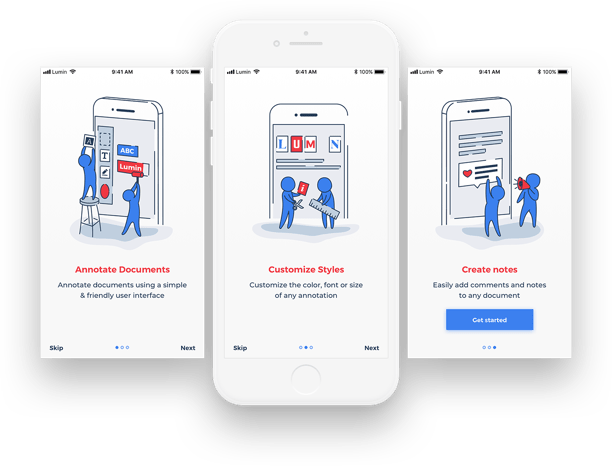
Lumin is a web app service for storing and integrating PDF files. It was made by the company Designveloper. Users of Lumin can sync PDF files between devices, share PDF files, edit PDF files on both the mobile app and the online app, and save PDF files. So far, 22 million people have signed up to use it.

Since LuminPDF is a long-term project, we’ve had to work harder to make sure everything stays on track. In addition to maintaining professionalism, we have team meetings every day to ensure that the product is always up-to-date and operates flawlessly. We also opt for the most optimal technologies to realize maximum improvements.

When it comes to LuminPDF, our goal is to get rid of the problems with traditional offline PDF files. We also aim to build an application ecosystem that can meet the needs of users. These needs vary from access speed and management efficiency to storage synchronization. We also work hard to make it easier for users to change PDF files and send them.

Recommended reading: Lumin PDF: Best Free PDF Editor Software To Try Right Now

2. Walrus Education

Walrus Education

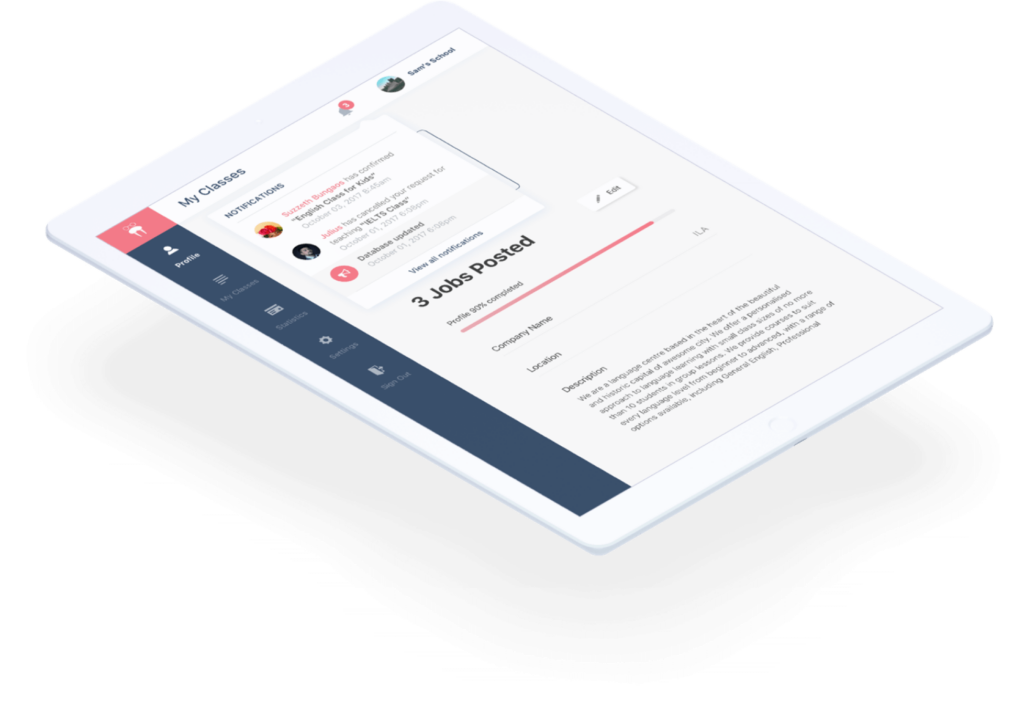
Students, teachers, and schools from all over the world can connect with each other through the Walrus platform. The programming languages React, React Native, and Node.js were used for this.

Our solution for the web app service Walrus is to research and gather the relevant facts to help the customer. The system was made so that both the mobile app and website versions work well and can be scaled down. By using Walrus, we were able to put our years of experience with software development to work for our customers and help them reach their goals.

Through Walrus Education, we hope to create an educational platform that can be used as an effective third-party app to help schools, teachers, and students connect with each other. We also want to build the whole system, including the backend, mobile app, and online app. With the limited information we have, we want it to work well and make sense for everyone involved.

FURTHER READING:
1. Let Us Take Care of Your Brand Image
2. Song Nhi: Your Virtual Financial Assistance
3. Amazing Projects Made by Designveloper
4. Curriculum Manager: Free and Amazing App for Outstanding Resumes

3. Joyn’it

Joyn'it

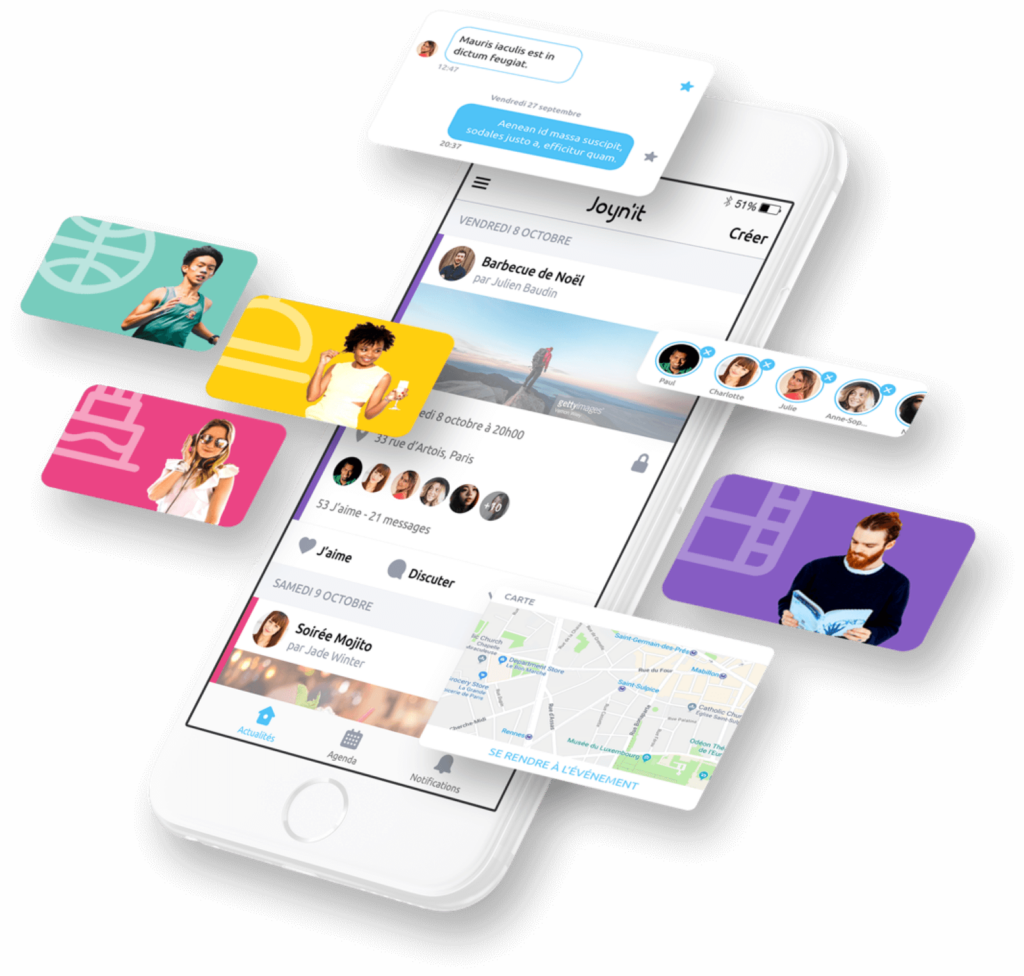
The Joyn’it platform has features that are just for a community, like making it easy to plan events and making sure that members are always aware of upcoming gatherings.

We determined that it would be ideal to complete the workflow initially and as rapidly as feasible. Following the process improvement, we ran a series of workshops for the two technical groups to address any remaining technical issues for this web app service. It was specifically about determining how to rework and relocate the existing codebase for the least amount of money while keeping the web app development process running smoothly.

While we were still in the development phase, we had to bring in a team from outside the company to help us catch up and finish the project. Problems happened because the codebase was too complicated and poorly organized, and the process wasn’t clear. 

4. CV Simply

CV Simply

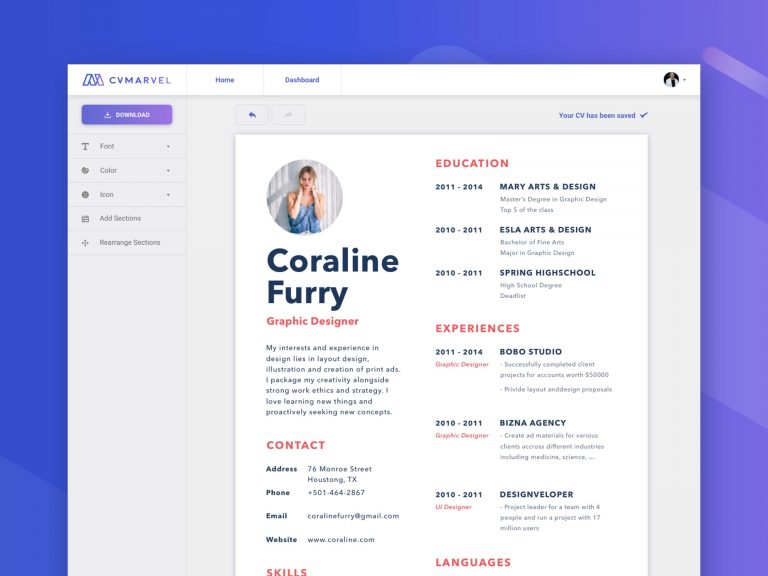
CV Simply is an online tool for editing and keeping your resume or CV up to date. It also has an online version that you can use to get free access to a large number of attractive CV templates.

If you use CV Simply, you won’t have to think for an hour about what to put on your CV or use one of those complicated design programs. Because it will make a perfect resume for you automatically. Just sign up, and then use the powerful but easy-to-use tool available to help you find a job. 

Designveloper’s web app services for CV Simply guarantee that a potential employer will say “wow” when they see your resume because it gives you a wide range of beautiful templates to choose from.

Designveloper, The One Web App Development Company You Can Trust

At Designveloper, we adhere to the philosophy that a successful product must not only assist customers in resolving the challenges they have in their businesses but also contribute to the expansion of those enterprises. 

Our service strategy consists of three things: impactful goods, delighted customers, and developing businesses. The main goal is to assist new ventures and established companies in developing their conceptual ideas into marketable and useful goods. We apply all of our core principles to our web app development to ensure that all of our projects go smoothly.

The post A Look Into Designveloper’s Web App Services appeared first on Designveloper.


July 09, 2022 at 04:07PM
Share:

How To Outsource SEO & Web Design Processes?

  • SEO outsourcing
  • Web design outsourcing

So you’ve built your eCommerce website and are eager to take it to the next level and make it as user-friendly as possible for potential customers. You have an ideal vision of how you want your site to look and feel, but the real question is – how do you get there – Outsource SEO & Web Design Processes?

The good news is that with the right approach, anyone can create an eCommerce business site that sells like hotcakes. However, creating that site while keeping a consistent brand image and visual appeal takes a lot of work and strategic planning. For many businesses, working with a freelance outsourced web design or accounting firm can be time-consuming as well as expensive. So what if we told you that there were ways in which you could outsource both processes at once?

Outsource Your SEO and Web Design Processes

In this blog post, we will discuss how working with an outsourcing company can help you streamline your business processes while also reducing costs. Read on to learn more about outsourcing your SEO & Web Design process as well as understand why this option might not be the best fit for your business.

Recommended reading: Outsourcing Web Development Benefits and Risks in 2022

When Should You Outsource SEO & Web Design Process?

If you have a large website that requires a significant amount of work to be done, the best time to outsource SEO projects would be before the work is done. If you had a look at the SEO and Web design processes, you know that they take time to be completed perfectly and with excellence. So if you are not at the stage where you are comfortable with the look and feel of your site, the benefits of investing in link building can help you save time and money. If, however, you are just looking to update your site or add some new features, then hiring a freelance designer or spending your own time is the best way to go. When you are just starting out and don’t have a large budget, hiring a freelancer can be a better option as you don’t have to spend as much on overhead.

Determine the Marketing Services You Want to Outsource

Before you even begin to think about SEO outsourcing any part of your business, you’ll want to think about what you want to get out of the process. Will you outsource just the SEO or all of your services? We recommend outsourcing at least one service to see how it goes. If you are happy with the results and have the budget, try outsourcing more. Once you have determined the services you would like to outsource, you can start your research. There are many online tools that can help you research potential outsourcing partners. You will want to look for the following: 

  • The reputation of the company
  • How they’ve performed in the past
  • Their cost
  • Their availability
  • Their experience
FURTHER READING:
1. Top 20 Best IT Outsourcing Companies in 2022
2. Top 7 Best Software Outsourcing Companies in 2022
3. Offshore Software Development: The Pros and Cons of Offshore
4. Outsourcing IT Through Managed Services: Benefits and Disadvantages

Determine the Goals You Want To Reach

If you’re outsourcing your SEO and Web design processes, the very first thing you’ll want to do is determine the goals you want to reach. Do you want to increase visits? Sales? Brand equity? Whatever those are for your business, write them down and make sure you keep them in mind as you conduct your research. Next, you’ll want to look at the success rate of the company you’ve chosen to outsource from. How often do they achieve their customer’s goals? What is their success rate? How many of their customers are happy with the results? Investing in customer satisfaction is key when it comes to outsourcing.

Recommended reading: How to Outsource Web Development with the Three Steps?

Some Quick Benefits of Outsourcing Web Design Work and Outsource SEO

Some Quick Benefits of Outsourcing Web Design Work and SEO

1. Lower Cost

The main reason why companies outsource is to reduce costs. When you outsource part of your work, the expenses will go down significantly than if you do it all by yourself. 

2. Speed

If you are a smaller business, you’ll probably want to hire freelancers on a project-by-project basis. But if you have a large business that can afford to outsource a marketing service, then having an agency work on a daily basis can help you out with speed. 

3. Flexibility

Another benefit of outsourcing is that it gives you a lot of flexibility. If you have a task that you think can be done much better by a different agency or freelancer, you can easily outsource that service. 

4. Control

Another benefit of outsourcing that can be useful for some entrepreneurs is that it gives you control. If you outsource part of your work, you’ll have the final say in the process and how it’s completed.

Where To Look For Outsourcing?

As we mentioned above, there are a lot of tools that you can use to help you find potential outsourcing partners, for example, delegating the editing process of photos and other content. Some of the most popular ones include: 

1. Local job boards

Once you’ve identified the services you’d like to outsource, you can use local job boards to search for freelancers. 

2. Online freelancing platforms

Just like hiring a contractor, you can post a job on one of many online freelancing platforms to find potential web design and outsourcing partners. Some of the most popular ones include Upwork, Thabit, and Fiverr. 

3. Social media

Although not every outsourcing partner will be posted on social media pages, chances are that you might find some people willing to help you out. Posting on social media platforms can also help you find potential outsourcing partners.

Recommended reading: Top 18 Web Development Companies in Vietnam

How To Choose the Outsource Agency?

Even though there are a lot of tools and resources you can use to find potential outsourcing partners, you still have to choose the right one. So what are the key factors to consider when selecting an outsourcing partner? We recommend the following: 

1. Availability

While some agencies will have hourly rates, others can be hired on a project-by-project basis. If you want to hire them on a project-by-project basis, then you need to ensure that they have availability that suits your needs. Make sure that you choose an agency that will take your project as a priority. 

2. Cost

After making sure that the agency has availability, the next factor you’ll want to consider is cost. It’s best if you choose an outsourcing partner who charges a percentage of the project’s revenue as opposed to a flat rate.

Recommended reading: A Detailed Guide for Web Development Cost in 2022

3. Quality

Last but not least, you’ll want to make sure that the agency you choose is good at what they do. There are a lot of outsourcing partners out there, so it’s best if you do some research and find an agency that you can easily trust.

How To Use Freelancing Platforms as an Outsourcing Partner?

If you are looking for a more centralized approach to finding potential outsourcing partners, you can try using one of the many online freelancing platforms. Many of these platforms have listings that include agencies that are currently working on projects, so you can browse through them and find potential partners. You can also search by category to help you narrow down potential partners based on the services they offer. When you find a potential outsourcing partner, you can also check out their profile and give them a call to ask more questions or discuss their availability and cost.

Conclusion

If you want to know where to find the best freelance talent in your niche, you’ve come to the right place. In this post, Designveloper has gone over the best ways to find freelance talent, hire the right freelancer from the best sources, and finally how to use freelancing platforms as an outsource SEO partner. We’ve also discussed the importance of finding the right freelancer for the job, how to interview your potential partner, and how to make sure you are getting the most out of your freelancing partner.

The post How To Outsource SEO & Web Design Processes? appeared first on Designveloper.


July 06, 2022 at 02:08PM
Share:

How To Outsource SEO & Web Design Processes?

  • SEO outsourcing
  • Web design outsourcing

So you’ve built your eCommerce website and are eager to take it to the next level and make it as user-friendly as possible for potential customers. You have an ideal vision of how you want your site to look and feel, but the real question is – how do you get there – Outsource SEO & Web Design Processes?

The good news is that with the right approach, anyone can create an eCommerce business site that sells like hotcakes. However, creating that site while keeping a consistent brand image and visual appeal takes a lot of work and strategic planning. For many businesses, working with a freelance outsourced web design or accounting firm can be time-consuming as well as expensive. So what if we told you that there were ways in which you could outsource both processes at once?

Outsource Your SEO and Web Design Processes

In this blog post, we will discuss how working with an outsourcing company can help you streamline your business processes while also reducing costs. Read on to learn more about outsourcing your SEO & Web Design process as well as understand why this option might not be the best fit for your business.

Recommended reading: Outsourcing Web Development Benefits and Risks in 2022

When Should You Outsource SEO & Web Design Process?

If you have a large website that requires a significant amount of work to be done, the best time to outsource SEO projects would be before the work is done. If you had a look at the SEO and Web design processes, you know that they take time to be completed perfectly and with excellence. So if you are not at the stage where you are comfortable with the look and feel of your site, the benefits of investing in link building can help you save time and money. If, however, you are just looking to update your site or add some new features, then hiring a freelance designer or spending your own time is the best way to go. When you are just starting out and don’t have a large budget, hiring a freelancer can be a better option as you don’t have to spend as much on overhead.

Determine the Marketing Services You Want to Outsource

Before you even begin to think about SEO outsourcing any part of your business, you’ll want to think about what you want to get out of the process. Will you outsource just the SEO or all of your services? We recommend outsourcing at least one service to see how it goes. If you are happy with the results and have the budget, try outsourcing more. Once you have determined the services you would like to outsource, you can start your research. There are many online tools that can help you research potential outsourcing partners. You will want to look for the following: 

  • The reputation of the company
  • How they’ve performed in the past
  • Their cost
  • Their availability
  • Their experience
FURTHER READING:
1. Top 20 Best IT Outsourcing Companies in 2022
2. Top 7 Best Software Outsourcing Companies in 2022
3. Offshore Software Development: The Pros and Cons of Offshore
4. Outsourcing IT Through Managed Services: Benefits and Disadvantages

Determine the Goals You Want To Reach

If you’re outsourcing your SEO and Web design processes, the very first thing you’ll want to do is determine the goals you want to reach. Do you want to increase visits? Sales? Brand equity? Whatever those are for your business, write them down and make sure you keep them in mind as you conduct your research. Next, you’ll want to look at the success rate of the company you’ve chosen to outsource from. How often do they achieve their customer’s goals? What is their success rate? How many of their customers are happy with the results? Investing in customer satisfaction is key when it comes to outsourcing.

Recommended reading: How to Outsource Web Development with the Three Steps?

Some Quick Benefits of Outsourcing Web Design Work and Outsource SEO

Some Quick Benefits of Outsourcing Web Design Work and SEO

1. Lower Cost

The main reason why companies outsource is to reduce costs. When you outsource part of your work, the expenses will go down significantly than if you do it all by yourself. 

2. Speed

If you are a smaller business, you’ll probably want to hire freelancers on a project-by-project basis. But if you have a large business that can afford to outsource a marketing service, then having an agency work on a daily basis can help you out with speed. 

3. Flexibility

Another benefit of outsourcing is that it gives you a lot of flexibility. If you have a task that you think can be done much better by a different agency or freelancer, you can easily outsource that service. 

4. Control

Another benefit of outsourcing that can be useful for some entrepreneurs is that it gives you control. If you outsource part of your work, you’ll have the final say in the process and how it’s completed.

Where To Look For Outsourcing?

As we mentioned above, there are a lot of tools that you can use to help you find potential outsourcing partners, for example, delegating the editing process of photos and other content. Some of the most popular ones include: 

1. Local job boards

Once you’ve identified the services you’d like to outsource, you can use local job boards to search for freelancers. 

2. Online freelancing platforms

Just like hiring a contractor, you can post a job on one of many online freelancing platforms to find potential web design and outsourcing partners. Some of the most popular ones include Upwork, Thabit, and Fiverr. 

3. Social media

Although not every outsourcing partner will be posted on social media pages, chances are that you might find some people willing to help you out. Posting on social media platforms can also help you find potential outsourcing partners.

Recommended reading: Top 18 Web Development Companies in Vietnam

How To Choose the Outsource Agency?

Even though there are a lot of tools and resources you can use to find potential outsourcing partners, you still have to choose the right one. So what are the key factors to consider when selecting an outsourcing partner? We recommend the following: 

1. Availability

While some agencies will have hourly rates, others can be hired on a project-by-project basis. If you want to hire them on a project-by-project basis, then you need to ensure that they have availability that suits your needs. Make sure that you choose an agency that will take your project as a priority. 

2. Cost

After making sure that the agency has availability, the next factor you’ll want to consider is cost. It’s best if you choose an outsourcing partner who charges a percentage of the project’s revenue as opposed to a flat rate.

Recommended reading: A Detailed Guide for Web Development Cost in 2022

3. Quality

Last but not least, you’ll want to make sure that the agency you choose is good at what they do. There are a lot of outsourcing partners out there, so it’s best if you do some research and find an agency that you can easily trust.

How To Use Freelancing Platforms as an Outsourcing Partner?

If you are looking for a more centralized approach to finding potential outsourcing partners, you can try using one of the many online freelancing platforms. Many of these platforms have listings that include agencies that are currently working on projects, so you can browse through them and find potential partners. You can also search by category to help you narrow down potential partners based on the services they offer. When you find a potential outsourcing partner, you can also check out their profile and give them a call to ask more questions or discuss their availability and cost.

Conclusion

If you want to know where to find the best freelance talent in your niche, you’ve come to the right place. In this post, Designveloper has gone over the best ways to find freelance talent, hire the right freelancer from the best sources, and finally how to use freelancing platforms as an outsource SEO partner. We’ve also discussed the importance of finding the right freelancer for the job, how to interview your potential partner, and how to make sure you are getting the most out of your freelancing partner.

The post How To Outsource SEO & Web Design Processes? appeared first on Designveloper.


July 06, 2022 at 02:08PM
Share:

Top 4 Best Programming Language for Beginners in 2022

It seems that technology rules the world these days. Then, the scene of being able to make the computer or mobile device dance to your tune seems to be very attractive. Writing computer code becomes “a super hot pot” that everyone tries their best to join. However, the question is what is best programming language for beginners? does a person take the first step to gain this “power”? Choosing a suitable programming language might give you a hand.

The best programming languages for the first time learners

4 Best Programming Language for Beginners to Learn

To be clear, “the best” here is just relatively. It might be the best for you, but not fit for others. Everyone has their own reasons for preferring a particular programming language. It depends not only on how beginner-friendly is but also on what kind of projects you want to work on.
I bring to you a list of coding languages that are not only easy to learn for the first-time learner but are also considered the most profitable language in 2022.

1. Python – The Easiest Language

When people discuss first programming languages and which languages are easier for people to get their feet wet with, Python inevitably comes up. We, programmers always desire to use as few lines of code as we can to express a concept, don’t we? Python can absolutely make it possible because of its simplicity and readability. It is usually used and referred to as a scripting language, allow programmers to churn out large quantities of codes in short periods of time.

The best programming languages for the first time learners
It’s a great language for beginners all the way up to seasoned professionals.
FURTHER READING:
1. 17 Computer Programming Languages that You Should Learn in 2022
2. 4 Programming Languages Used by Top Companies
3. How to Choose iOS App Development Language for Your Project

2. JavaScript – The Most Useful Language

There is no doubt that JavaScript is one of the world’s most popular and powerful programming languages. It is the only language available for client-side scripting in web development. That makes it virtually a necessity for everyone who wants to be successful as a programmer for the web and a must-learn for front-end developers. Pages without JavaScript are rather bland, whereas JavaScript-laced sites allow for animation and better control over the web interface. It is dynamic and flexible to use in object-oriented programming.

The best programming languages for the first time learners
It’s used to spice up web pages by making them interactive

3. Ruby and Ruby on Rails – The Happy Language

Ruby on Rails is a great tool that can help you with the backend aspect of your programming. Although Ruby and Ruby on Rail have similar names, there’s actually an important difference: Ruby is a scripting language, like Python, but Ruby on Rail is a web app framework built on Ruby.

The best programming languages for the first time learners
Rail is so fun for beginners because it’s really robust and it does so much of the hard work for you.

Learning to program in Ruby is much easier than in another language because the language is super flexible and very forgiving, which translates to more time spent absorbing programming fundamentals, and less time banging your head against your desk.

4. Get familiar with C

One thing that is important about C it’s one of the most foundational languages in computer science and programming. If you can grab C in your hands, other popular languages are just kids in your eyes! However, before jumping into C, you should proofread it on Wikipedia and other online resources to find out whether you should learn it or not. It’s because C requires more complex code to perform simple tasks, you may find it tough to keep yourself motivated if you join it as your first language.

The best programming languages for the first time learners
Knowledge of C will definitely help you as a programmer.

Conclusion

The nice thing is that, when you’ve taken the first step, the second step is much easier regardless of the direction it takes you. Remember, the best way to learn to program is by getting your hands dirty. You’ll be the best soldier when you are fighting the real-world enemy. So, which the Best Programming Language for Beginners did you choose to learn first? Does it work? I would love your comments about how you became a programmer.

The post Top 4 Best Programming Language for Beginners in 2022 appeared first on Designveloper.


June 12, 2022 at 08:47PM
Share:

Software Project Management Plan: Steps and Tips

Nowadays, many companies, organizations, and individuals are becoming more aware of the importance of technological factors in all aspects of life. This situation has resulted in the increasing need for different software products and services that cannot be created successfully without a proper software project management plan.

Whether you’re currently an experienced software project manager, an ambitious team member in a software project, or still very much in the dark about it, this article from Designveloper will offer something helpful. Specifically, you’ll know something about project management steps and how to make an effective project management plan. 

Software Project Management Overview

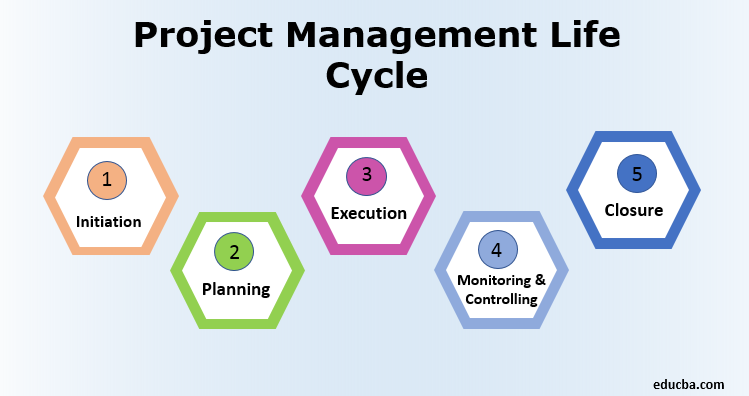
Project management refers to the process of applying skills, knowledge, techniques, and tools to project activities to fulfill the requirements of the project. It is usually broken down into project management phases, including project initiation, project planning, project execution, project monitoring, and project closure.

software project management

So what is software project management? Actually, it refers to the branch of project management that involves planning, scheduling, allocating resources, executing, tracking, and delivering specific software and other IT-related projects within the minimum possible consumption of resources, time, and money. 

Building a Software Project Management Plan

As shown above, planning is one of the five project management steps. Just when the software project can approve, it needs a project plan to give direction to the whole team in terms of product scope, resources and material required, quality outputs, potential risks management, and costs throughout the project. 

1. Performing requirement gathering

The first step in building a software project management plan is requirement gathering. It is about the exploratory research and documentation of the customers’ project requirements to provide them with what they want. The requirements gathering process can conduct at the very beginning of the software project.

This phase can determine the success or failure of any software and IT-related project. More specifically, if you cannot get a correct requirement identification of deadlines, scope, and cost overrun at the outset, all these elements will negatively impact the project’s progress. In fact, over 70% of failed projects resulted from the flawed requirements-gathering process.

Indeed, there are multiple ways to gather requirements. Software project managers can utilize methods such as conducting a pre-workshop survey, adopting the nominal group technique, organizing brainstorming sessions, or having one-on-one talks with those involved. Importantly, whatever means they use, they need to select the best method mix that is beneficial for the project.

2. Planning for software project risks

The project risks can be unexpected and rampant, ranging from insufficient time and budget. Unrealistic stakeholders’ expectations of software quality standards and human resource issues. Thus, the identification, quantification, and response to the risk potentials to mitigate their impacts are essential in the project management phases. 

Irrespective of their company’s official risk management plan, software project managers and his project team have to identify accurately and quickly the project risks. This can be achieved by using both quantitative and qualitative risk analyses, but the former is more suitable for large projects with longer durations and more money at stake.

Recommended reading: SDLC Waterfall Model: Definition, Phases, and Pros & Cons

Besides, the risk response plan plays a vital role in risk management since it contains a list of identified risks. Their impacts and the measures to address them. Remember that the risk response plan needs regularly updating to make risk information current because risks are unexpected during the project and can vary from time to time. 

3. Building a software project quality plan

Project quality refers to the project’s deliverables and ability to meet the specified and implied requirements. There are three interrelated constraints (project scope, cost, and time) that determine the quality of a project. As can be seen in the Iron Triangle below, three triangles’ sides correspond to three constraints. Any change in one constraint will make the two remaining ones change. And the quality in the middle is affected accordingly.

project management software

Therefore, as a software project manager. You can suppose to determine the project scope connected with the cost and required schedule. Then you need to examine the expenses needed for the achievement of the expected quality level. In some cases, you have to consider the profit margin expected to gain your software project’s optimal quality level. 

Moreover, it would help if you had a quality assurance or defect prevention plan. Which is one of the most necessary things for any software project. It ensures that your project’s satisfactory level will obtain through the validation. And verification of the work products after each software product phase. Only when they satisfy the expected quality level can the project be permitted to move forward. 

4. Selecting software project team members

A software project is a collaborative activity performed by people, and they are those in your project team. You need a project team for planning, estimating, execution, and project completion. They need you to lead the project until the end and protect them from stakeholders’ badgering. 

To determine all necessary resources for the project, you can consult those experienced in software and IT-related products. You can also refer to the resource database in your company. It will scan the resources and know people’s skill sets. And talents for your project team to be assembled quickly.

project management plan

You can make a conversation with promising project team members about how you can help each other to create a win/win situation. The STAR is a method that can use to interview. This may give you an insight into a person’s qualifications, experience, achievements, strengths, and weaknesses.

5. Creating software project time estimates

The software project manager is also responsible for creating the time estimate as accurately as possible. A reasonable time estimate will help you be more prepared for any risks, and development delays. And time-consuming tasks so that the whole project can be implemented straightforwardly to the completion. 

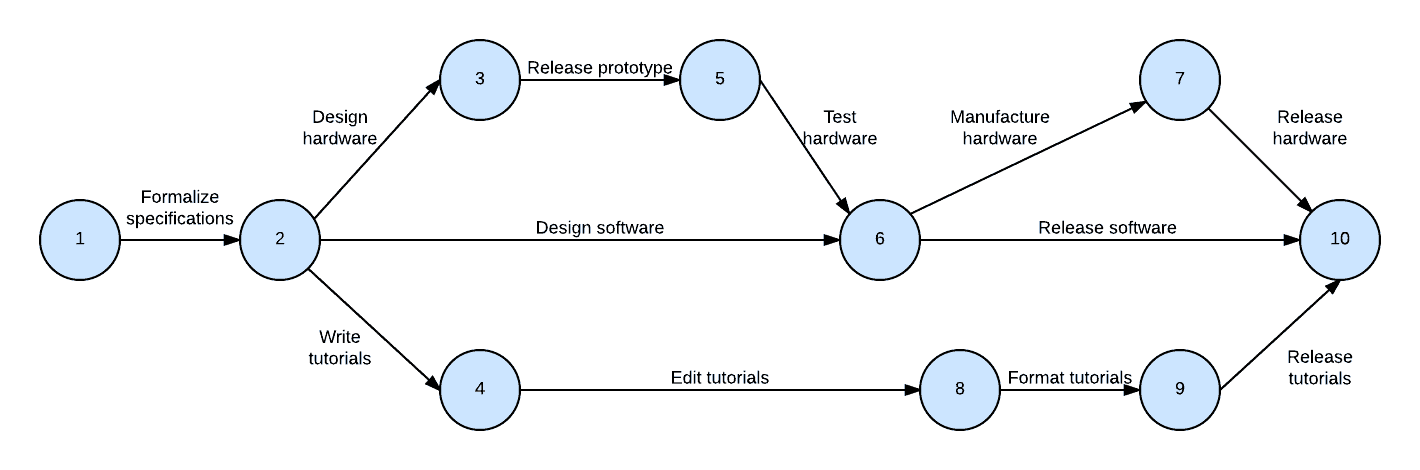
Creating a correct time estimate of how long the project will last is a time-consuming and challenging task. However, a work breakdown structure (WBS) and a project network diagram (PND). It helps to detail what should be conducted by both the project manager and the project team for the project completion.

project cost management

In addition to Gantt charts, you can use PERT charts to achieve the correct time estimate. PERT is the only time-estimation technique with a built-in risk assessment level because outside of estimating the best-case scenario. The most likely time, it considers the worst situations that can occur for any activity.

Recommended reading: An Overview of Project Management Services

6. Estimating software project cost

A critical phase in software project management planning is recognizing. And understanding how much a project will cost for you to commit the funds. An accurate budget estimate should include the following: product and project scope, time frame, assumptions, constraints, and variance range. 

Cost estimation helps the project manager explain all real costs to a stakeholder about a correct ballpark figure for the project. Though not all necessary information is available until the planning process. It won’t stop customers from asking cost questions requiring quick responses. Remember that poor cost estimates win little trust from the stakeholders.

You should also bear in mind that understanding your organization’s rules for estimating is essential before diving into the cost estimates. Some companies don’t have specific policy guidance on cost estimates. While others will offer some guidelines, to which you should conform. It’s also advisable for you to refer to historical information and cost estimating templates.

FURTHER READING:
1. Web Application Architecture: Types, Components, and Tools to Creates
2. What is The Quality Assurance Process?

Software Project Management Plan Example

To save time and effort, the software project manager can refer to any software project management plan examples on some websites. GanttPRO  Instagantt and Projectmanager offer ready-made management plan templates that will be extremely helpful irrespective of your experience or organization size.

With the software project management plan example templates. You don’t need to worry about project tasks, project duration, those in charge, project progress, and so on. Thus, you can focus on your tasks, prevent risks, and meet all deadlines. And accordingly, proceed in all the project management phases. 

In a nutshell, among the five project management phases. Building a software project management plan is the skeleton of any project software. As a software project manager, you can refer to our suggested steps above. To create a detailed management plan, ensure the smooth operation of your project team. And lead them to successful project completion.

The post Software Project Management Plan: Steps and Tips appeared first on Designveloper.


June 10, 2022 at 05:50PM
Share:

Top 5 Best Resources to Learn Vue.JS

Though JavaScript is already a fully-fledged programming language, its ecosystem should be indeed the main focus of equipment. The term basically describes a collection of tools that integrate with each other. It helps a ton in promoting the development of websites, apps, and even video games.

Among such tools, JavaScript frameworks are something very familiar to programmers and can make their job much easier. But how do you determine which framework is most suitable for your project? First, we can take a look at the data. According to Stack Overflow, jQuery, React and Angular, the usual suspects, still sits comfortably at the top of frameworks used by developers.

Best resources to learn Vue.Js 2

But are the most popular frameworks by default the best? Not necessarily. There’s a dark horse vying for supremacy over the field of web frameworks, and it’s Vue.js. When it comes to growth, Vue.js is truly an apt representation. Due to the gentle learning curve, it’s being optimal for progressive integration, Vue.js is a fantastic choice for newcomers and thus will only gain more traction by the day.

The 5 Best Resources to Learn Vue.JS

Vue.js has been and continues to be genuinely one of the most loved JavaScript libraries at the moment and for good reasons. With its vigorous adaptability and compatibility, this front-end framework has steadily become a favorable option over other bigger names such as Angular and React. And it has now been used by large companies, namely Xiaomi, Alibaba, Reuters, and more.

Best Resources to Learn Vue.JS

With Vue.js’ continuously climbing up the ladder, the grip it has on the market is undeniable. As Vue.js has become very popular, a lot of resources to learn Vue.Js have also started to pop up. If you’re curious about Vue.js and want to try it out, then you’ve come to the right place. Below is a list of some of the best resources from which you can start learning Vue.js.

1. Vue School

This is simply a great educational platform to help you get started on your Vue.js training. Sticking to its name, this platform is wholly dedicated to the framework; It basically serves as a starting point for programmers who work with Vue.js at all levels. No matter if you’re a beginner or a professional Vue.js developer, there’s something here for you to learn.

Best Resources to learn VueJs - Vue School

Courses are continually added to help you keep up with the changes in the ecosystem. This is to help you adjust well to any possible future modifications. It also enables you to keep up and maintain a reliable and clean Vue.js application.

2. Scotch.io

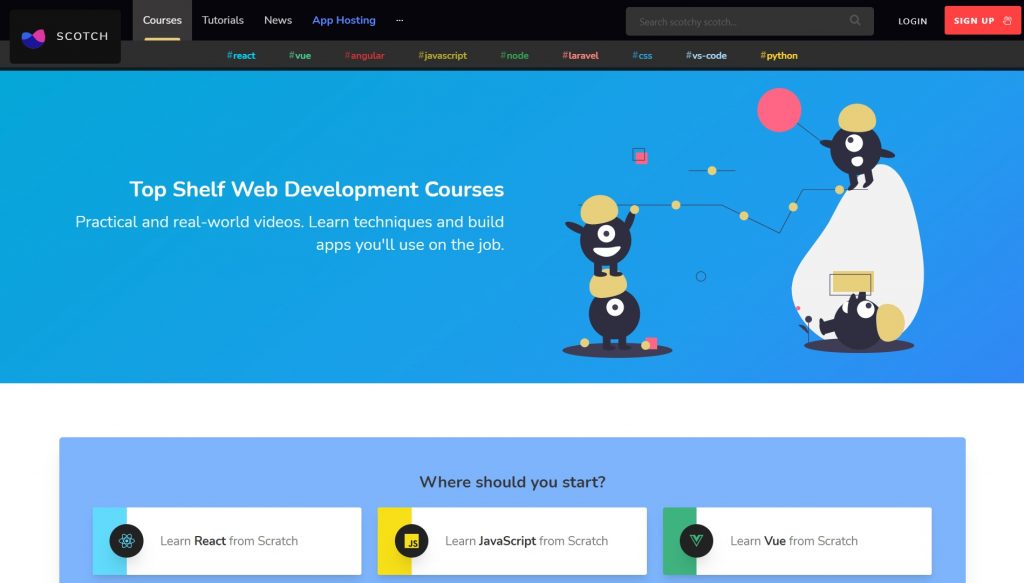
Scotch.io is another great learning platform mainly for front-end developers, although it can cover other topics just as well. You can basically find a very wide range of courses and tutorials on many subjects surrounding the world of programming, and that includes the course “Getting Started with Vue.js”.

Best Resources to learn VueJs - Scotchio

The way that they teach you is by combining Vue.js with other technologies so that you can better imagine and figure out what the framework would look like once applied. Although great generally, Scotch.io works mainly for those who are beginners or at intermediate levels, so eventually you will have to move to another more complete platform if you want to learn more about the trade.

3. Vue Mastery

Vue.js is something that newcomers can get familiar with easily, so courses sort of lean towards introducing the framework to the general demographic. In that regard, there’s rarely any place better than VueMastery, which is a platform that is great for pretty much anything Vue and has a free intro course to help novices get used to both the teaching method and Vue.js itself.

Best Resources to learn VueJs - Vue Mastery

There are also new weekly lessons that offer you nuggets of knowledge that you don’t know you need. So even professionals will still get tremendous value from the time spent there.

4. Udemy

Udemy is a very popular platform devoted to teaching pretty much every subject you can think of. And of course, that includes the front-end framework Vue.js. If you’ve already used Udemy before for learning, then you must know how effective and quality their courses are. Even within each course there embodied the kind of versatility and deep insights that learners need. With regard to Vue.js, you will be able to learn the basics all the way to acclimation.

Best Resources to learn VueJs - Udemy

Simply search for Vue there and decide which of the top-rated courses is most suitable for you. There are quite frequent discounts as well, so keep an eye out for them.

5. Laracasts, one of the most resources to learn Vue.Js

Laracasts is a website famous for its Laravel and general PHP tutorials, but now it’s gaining traction as the designated source of knowledge for Vue.js learners. For a specific place to start, “Learn Vue 2” on Laracasts is one of if not the most popular Vue.js tutorials on the Internet.

Best Resources to learn VueJs - Laracasts

With over 40 videos about the framework on Laracasts, if you intend to learn and are willing to spend both the time and effort it takes for completing effective education, then there’s nowhere else better. For hesitant users, don’t worry; there are a lot of lessons available for free. You can start with the basics of components exercises, data binding, and more before deciding on any purchases.

Conclusion

Vue.js is becoming more comprehensive and prevalent, so it’s crucial that you equip yourself with substantial knowledge of it lest you fall behind your peers. I’ve provided a list of the five resources to learn Vue.Js I think will best help you both in the short term as well as in the long term. Each one of them has its main strengths, and certainly, you will be able to get at least something positive from them for your education.

As a front-end web developer, being up-to-date is almost half the battle. As technology is continually changing and improving on itself, adapting well to the times is an underrated ability. But it’s important nonetheless that you know what you’re dealing with, and can work well with it at moment’s notice. Even if Vue.js is not there yet as the most superior framework of them all; it’s still very worthwhile that you are used to working with it.

And after all, Vue.js with all its features is quite attractive, so why not learn it?

The post Top 5 Best Resources to Learn Vue.JS appeared first on Designveloper.


June 14, 2022 at 10:00AM
Share:

Popular Post

Web Design

5 Quick-fire portfolio tips from design experts

Your design portfolio is one of your most useful tools. It can win you commissions, help you snag a new design job, attract collaborators, a...

Labels

Most view post